Introdução

If the trigger on your Xbox Controller S is unresponsive or difficult to press, use this guide to replace it. The trigger is used to perform in-game actions, such as aiming or firing a weapon. Step 4 requires desoldering to remove the trigger from the motherboard.

  1. 121kEMLvjxVBF4bo
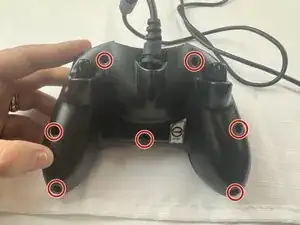
    • Remove the seven 9.4 mm screws on the back of the controller using a Phillips #00 screwdriver.

    • One screw is hidden behind the sticker on the back of the controller. Peel that sticker back and remove that screw as well.

  2. lAgWoHOiB5qAPtCg
    lAgWoHOiB5qAPtCg
    3iqVdDUYDQdqJgrS
    TwniZSFde4dELyB6
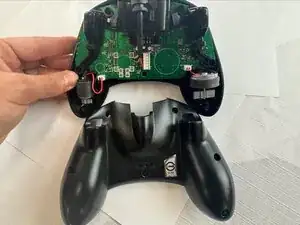
    • Keep the controller facing down to prevent components from falling out.

    • Remove the back shell.

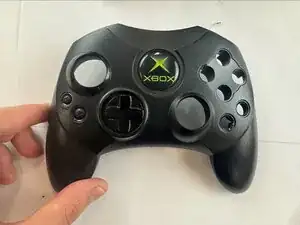
    • Flip the controller over and remove the front shell.

  3. rnlJHd5XE6VCfsQS
    rnlJHd5XE6VCfsQS
    5B1CEhf4TAvqZQix
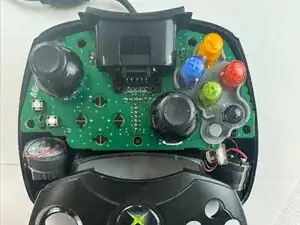
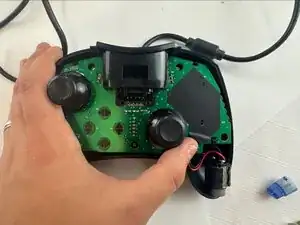
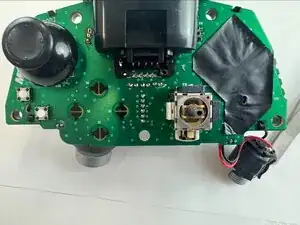
    • Carefully remove the motherboard from the shell.

  4. kLDSrJImDF2nV6Wa
    kLDSrJImDF2nV6Wa
    BFPFuLWOI2ytFJdf
    wGLrexpLPYtCnNDX
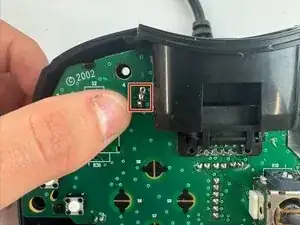
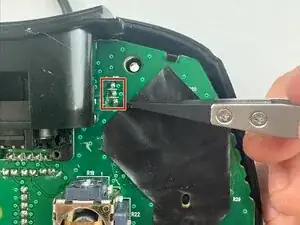
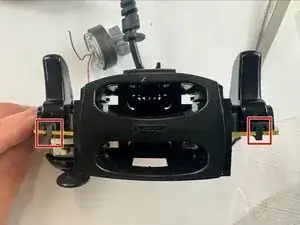
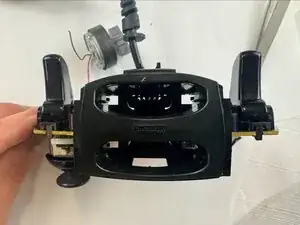
    • Desolder the three attachment points for the trigger, then unclip the trigger from the circuit board.

    • Clip in the new replacement trigger and solder the three attachment points.

Conclusão

To reassemble your device, follow these instructions in reverse order.

WyattGripp

Membro desde: 24/09/25

322 Reputação

0 comentários