Introdução

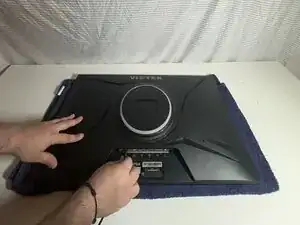
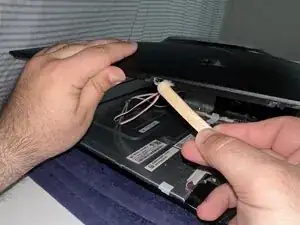
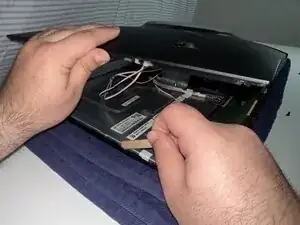
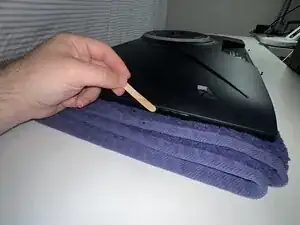
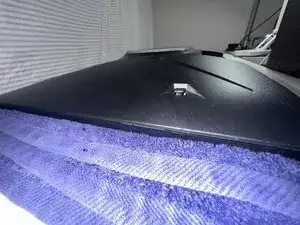
This guide will walk you through the process of replacing or repairing the back panel latch on your Viotek W2711SE monitor. Due to the monitor’s design, the latches and a few screws at the bottom are the only components holding the back panel in place. Over time, this puts uneven stress on the latches, which can lead to wear or breakage.

Fortunately, this repair does not require advanced tools or technical skills, just a bit of patience and a steady hand.

In this guide, the epoxy was used to recreate the latch by forming new attachment points, allowing the back panel to be removed in the future if needed. However, this method can also be adapted into a permanent fix by using the epoxy purely as glue, this will seal the back in place and make future disassembly difficult without breaking the panel.

Before beginning, make sure the monitor is unplugged and that you are working on a clean, static-free surface. Epoxy can irritate your skin so it's a good idea to wear gloves when you get to Step 6. It's also important to work in a well-ventilated area so you don't breathe the epoxy fumes.

  1. wgQ5hnFGYRorLIG3
    wgQ5hnFGYRorLIG3
    eVdPopmniP1gfSBx
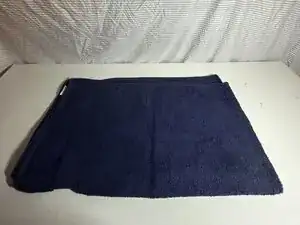
    • Clean your workspace and make sure you have enough room to lay the monitor down.

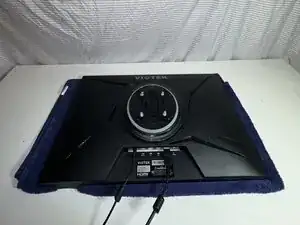
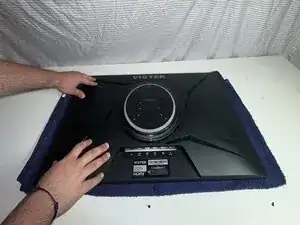
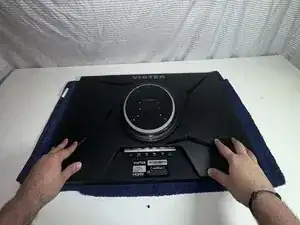
    • Place the monitor face down on a soft, static-free surface.

  2. UGOpYXKk6dDNXqej
    UGOpYXKk6dDNXqej
    LaJJD6GnQgDRA1Pd
    AE3RcXTIJyfdHPq1
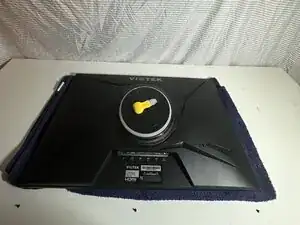
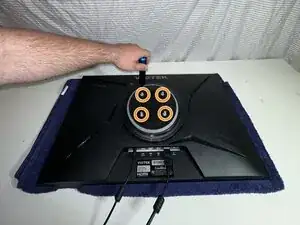
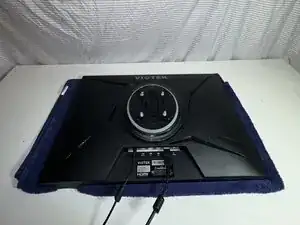
    • Before you begin, unplug all cables, starting with the display cable and then the power cable.

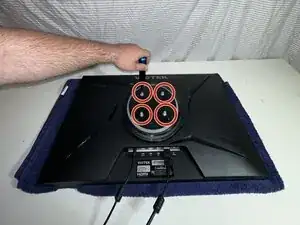
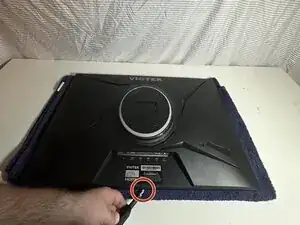
    • Use a Phillips screwdriver to remove four 24.5 mm screws from the center of the back panel.

  3. FVK6wNqxpJ5QFpTG
    FVK6wNqxpJ5QFpTG
    Smwo44fv6HnOujng
    XoRNEOTTM4dtKX4e
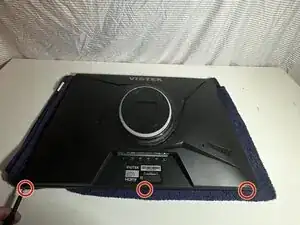
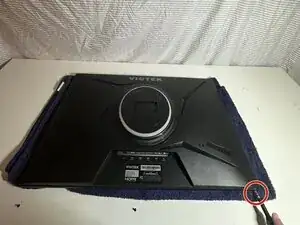
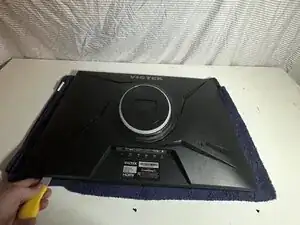
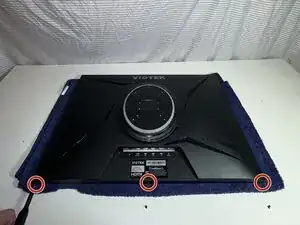
    • Use a Phillips #1 screwdriver to remove three 8.5 mm screws from the broken side of the panel.

    • Keep these screws organized so you don’t lose them.

  4. MqAPfP1dA6pD4AxN
    MqAPfP1dA6pD4AxN
    hPrPYlgNkOliZlJE
    ebSoZBT1bGLvcRC5
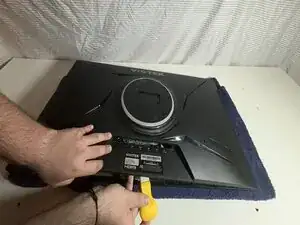
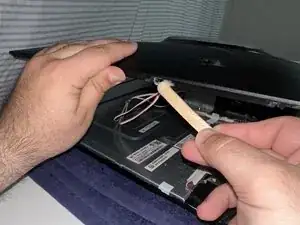
    • Use an opening tool to release the clips around the edge of the back panel, starting from the broken edge.

    • Do not force it. If you feel resistance, check that you've removed all of the screws securing the back panel. Avoid cracking other parts of the panel.

  5. KKJIlEoyKsnaOXlT
    KKJIlEoyKsnaOXlT
    NSLAw6LsR2aseXdX
    FLrSGCQaLSEge2VL
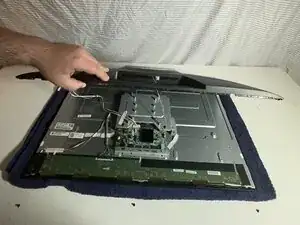
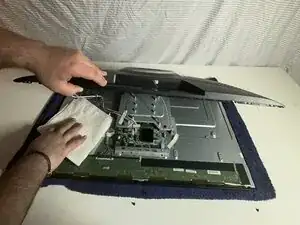
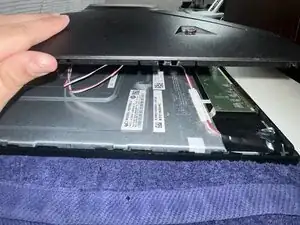
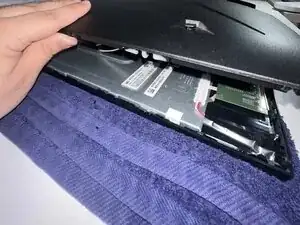
    • Lift the panel slowly and check for any short internal cables that could be pulled.

    • Be careful not to rip any cables when lifting the panel.

    • Clean out any dust or debris inside the monitor.

  6. 6qWaxtYphUcJcqIN
    6qWaxtYphUcJcqIN
    1qPfoQ6SKujHPQRC
    OmDpt5Ga3BEeB3FK
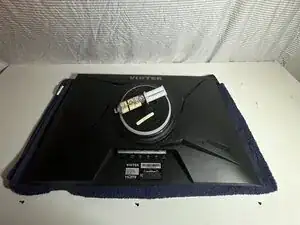
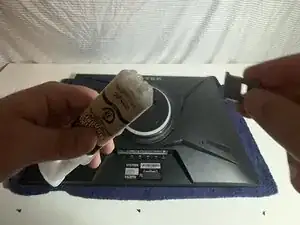
    • Follow the instructions on the package to prepare the epoxy.

    • Do not get epoxy on your hands. If you do, wash them immediately.

  7. rSCfIl6QJugHCg2D
    rSCfIl6QJugHCg2D
    qBEdDGtOHZuAvkwi
    sYeMLU2yTtww6vFN
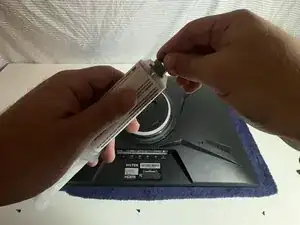
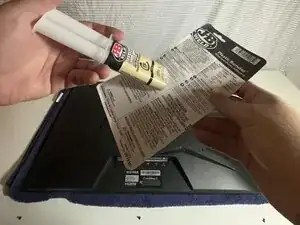
    • Follow the instructions for how to prepare the specific epoxy are you using.

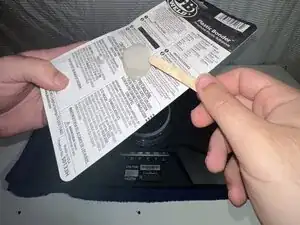
    • Dispense a small amount onto a flat, disposable surface like the back of the packaging.

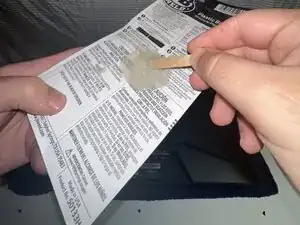
    • Mix with the provided stick or a disposable one.

    • Always wear gloves or avoid skin contact.

  8. RP5NMPltMUAhcZCi
    RP5NMPltMUAhcZCi
    lbmXbuLuaiBwgakL
    uULYXZQZ3aEwPjJh
    • Carefully apply epoxy to the broken clip.

    • In this example, the clip was completely broken at the attachment point, so epoxy was used to build a new support on what remained.

    • If you used the epoxy to rebuild the latch, make sure to wait at least 15 minutes for it to harden before closing the monitor.

    • Avoid excess epoxy buildup and direct contact with your hands.

  9. WuZaNKcH5bfCkJDe
    WuZaNKcH5bfCkJDe
    gtDQtKvAdH1m5l6n
    anDkxHHFaQo346Ww
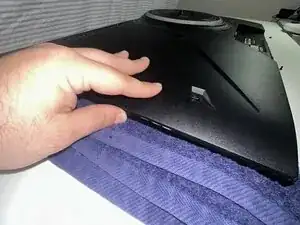
    • Press the panel down firmly.

    • Wipe off any excess epoxy to keep it tidy.

  10. NaEI2OXmX1ITJnvO
    NaEI2OXmX1ITJnvO
    d1CrQUaIVP5cIWXG
    cIwSJrWt3wE2cfTF
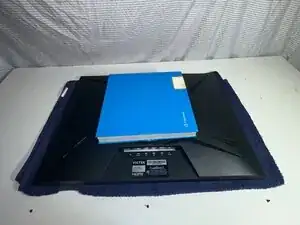
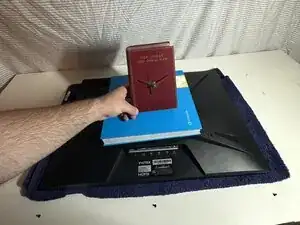
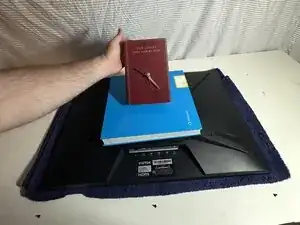
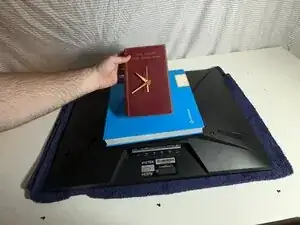
    • Once aligned, place a moderately heavy object on top of the monitor to keep pressure on the panel.

    • Use something flat and heavy enough to hold the panel down evenly.

  11. p5Ufto5CFJNo1Mga
    p5Ufto5CFJNo1Mga
    VtPBy32KvXb1SOlT
    nxnVoynHx6SJLlyX
    • Set a timer for 15 minutes to let the epoxy cure. If you plan to sand it down, wait a full 30 minutes before doing so.

    • Always make sure to use the direction on the packaging of the epoxy.

  12. IMyGkERTQqlNiEGS
    IMyGkERTQqlNiEGS
    hskFNphCNGNY5pcM
    cGGVrQsdRkOy3eYi
    • After the epoxy sets, use a Phillips #1 screwdriver to replace the 8.5 mm.

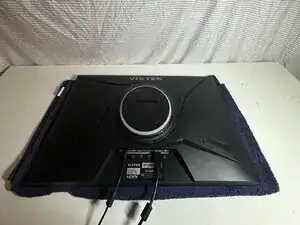
    • Replace the 24.5 mm Phillips #1 stand screws.

    • Plug the cords back into the bottom of the monitor.

Conclusão

To reassemble your device, follow these instructions in reverse order. Take your e-waste to an R2 or e-Stewards certified recycler.

Mattia polverosi

Membro desde: 09/04/25

205 Reputação

0 comentários