Introdução
If the speakers on your Verizon Ellipsis 10 is making crackling noises, low quality audio or does not produce noise. This guide is designed to provide you with simple steps to remove and replace the Verizon Ellipsis 10 Speaker.
The speakers are responsible for generating all onboard audio without the use of headphones or external devices. Faulty speakers may cause distorted playback, irregular audio, or complete audio failure. You should inspect the speakers for any debris as it can affect audio quality and test the tablet with external audio sources and adjust volume settings to confirm the issue is caused by the internal speakers and not by software or connected devices.
Before beginning make sure to power off your tablet completely and disconnect it from any external power source.
Ferramentas


-
-
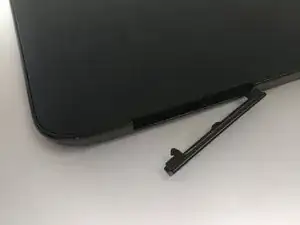
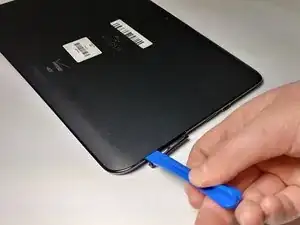
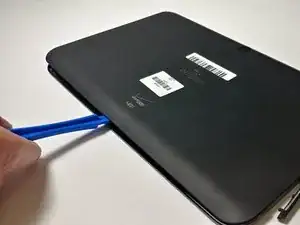
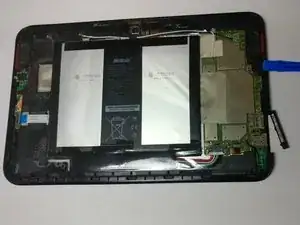
Start using the iFixit Opening Tool in the SD/SIM area to release the clips holding the back panel on.
-
-
-
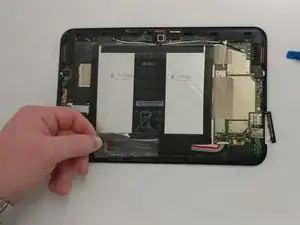
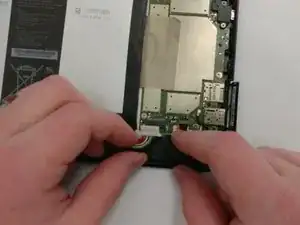
Remove the bottom piece of tape securing the battery making sure you are not peeling up anything else in the process.
-
-
-
Once you have a hold on the tape, carefully remove it making sure you aren’t damaging the battery in the process.
-
-
-
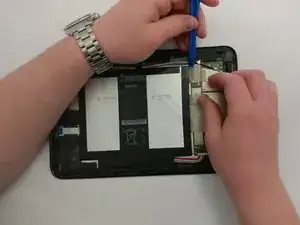
Unplug the battery power connector by sliding the white plastic plug down away from the board.
-
-
-
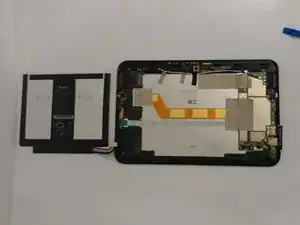
The battery should be free to come out of the device. Make sure not to bend or damage the battery.
-
-
-
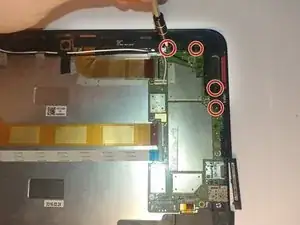
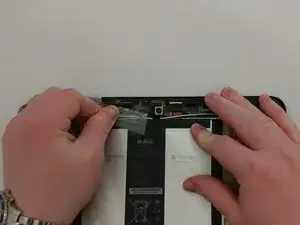
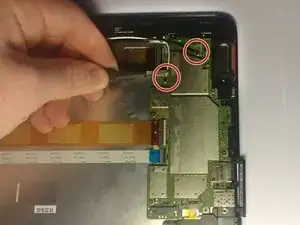
Remove the black and white wires connected to the motherboard by pulling up on their connections.
-
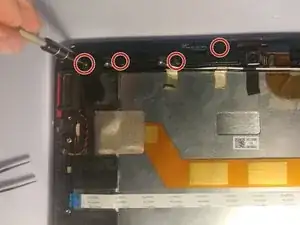
Remove the three strips of tape.
-
To reassemble your device, follow these instructions in reverse order.

Can I rig up a tool this was gave to me
Luckily SD card still in tac I let a friend use it for Netflix it was plugged in all nite while watching it could that be the reason it won't come on
ribinstick48 -