Introdução
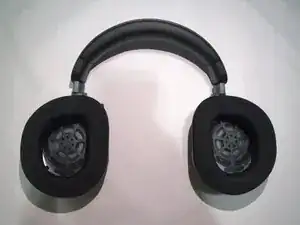
If your battery life of your Turtle Beach Stealth 700 Gen 3 is significantly worse than expected or it simply doesn't turn on after charging it, it could indicate that the problem lies in the battery that the device uses. Using this guide can help you easily replace it!
Note: Turn off the device before attempting to replace the battery. If you suspect the battery is swollen, then take the necessary precautions.
Ferramentas

Peças
-
-
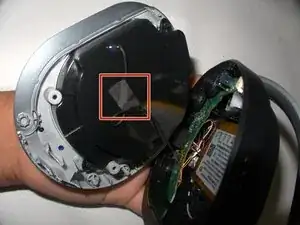
Gently remove the tape holding the black wire.
-
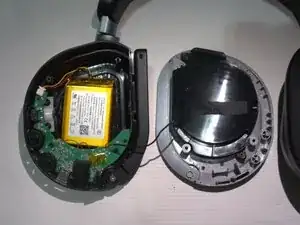
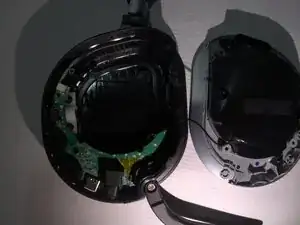
Separate the speaker from the ear cup to reveal the battery.
-
-
-
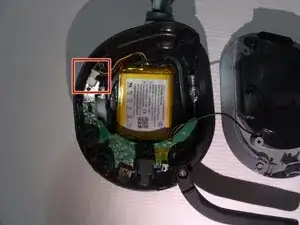
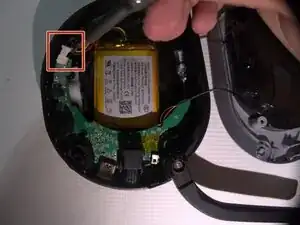
Inspect the connection to ensure the battery is connected securely to the motherboard.
-
If the connector is loose or disconnected, secure the connection and attempt to power on the device.
-
If your headphones are not working after checking the connector, proceed to the next step.
-
-
-
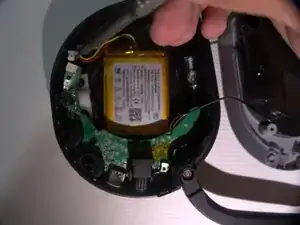
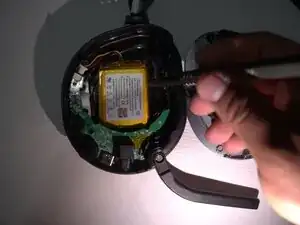
Use the point of a spudger to push on alternating sides of the connector to "walk" it out of its socket.
-
To reassemble your device, follow these instructions in reverse order. Take your e-waste to an R2 or e-Stewards certified recycler.
