Introdução

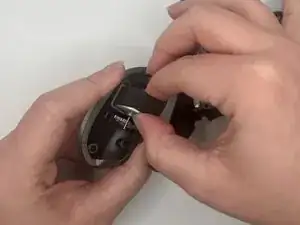
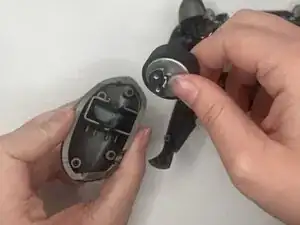
This guide will show you how to remove the vibration motors from your Turtle Beach Recon Cloud controller. Reasons you might have to replace your vibration motors are that they have simply stopped working or have become dislodged and need to be reseated or reconnected to the motherboard.

  1. BwprvVFvXjWIWPFq
    BwprvVFvXjWIWPFq
    AUUFLVtgVbXkHA5O
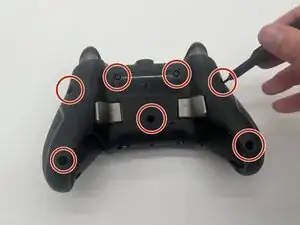
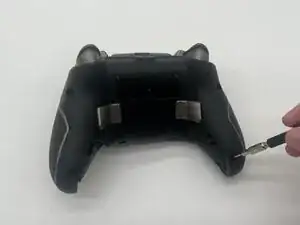
    • Use a Phillips #00 screwdriver to remove 7 screws from the back casing.

    • The 2 inner screws are hidden under the Turtle Beach sticker.

    • The two screws at the bottom of the grips are countersunk, so you may need a 1/4" extender if your driver doesn’t fit.

  2. HqiUpcnCN616ZmUx
    HqiUpcnCN616ZmUx
    RVZLttXX2C4skBHQ
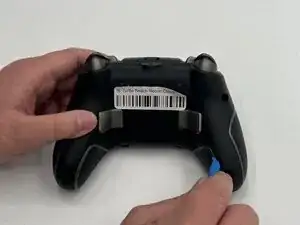
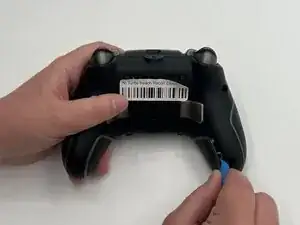
    • Use the iFixit opening tool to wedge it between the inner grip and the casing to pry it off.

    • Do the same to the other inner grip.

    • Do not take off the outer grips as they have wiring attached to them.

  3. ItLwLVlwCHbWZFCt
    ItLwLVlwCHbWZFCt
    M3yTlEf1mbnbKLOi
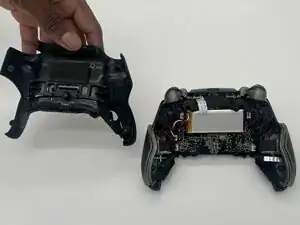
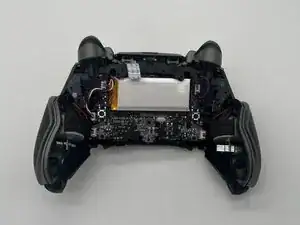
    • Lift off the back casing.

  4. 4YstpgLooJKcmkj2
    4YstpgLooJKcmkj2
    MpppAUdZHT4OTKIt
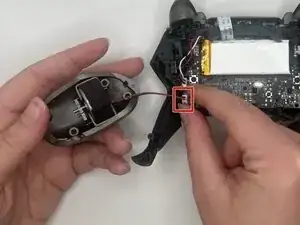
    • Unplug the vibration motor cable connector from the motherboard.

    • If the connector doesn't come out easily, use the point of a spudger to push on alternating sides of the connector to "walk" it out of its socket.

    • It may take a lot of alternating before the connector comes out. Be patient, and don't pull on the cables.

    • Be careful as the connector may be tough to pull out. If so, wiggle it out of the socket.

  5. 6kQamHMQKk6exJge
    6kQamHMQKk6exJge
    TmfMCaho1Wg4kMqF
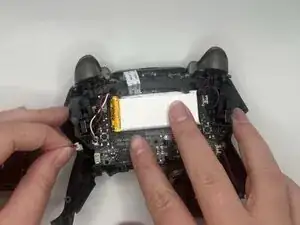
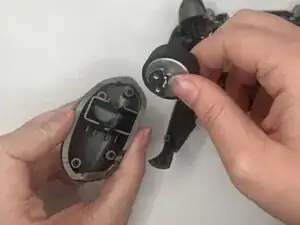
    • Pull the vibration motor out from the outer grip.

    • The motor should easily come out.

Conclusão

To reassemble your device, follow these instructions in reverse order. Take your e-waste to an R2 or e-Stewards certified recycler.

Daphne Dodson

Membro desde: 12/09/25

157 Reputação

0 comentários