Introdução
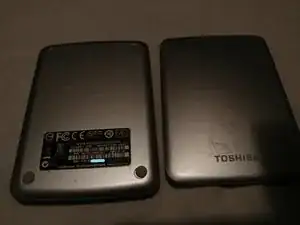
This guide will disassemble a Toshiba Canvio Connect V73600-C portable external USB 3 hard drive, specifically model HDTC710AS3A1, which is the silver 1TB model. This guide may work for other Toshiba Canvio models.
Ferramentas

-
-
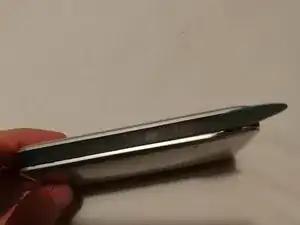
On the side of your hard drive casing, insert a spudger.
-
This can be tricky as the tolerances are quite tight.
-
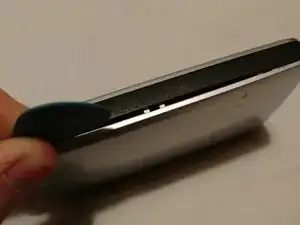
I used a needle to make the gap big enough to insert a pick.
-
-
-
Slide your spudger along the gap in the casing you made in the previous step, continuing to open the device.
-
-
-
Slide the spudger around the corner of the casing to start opening the next side.
-
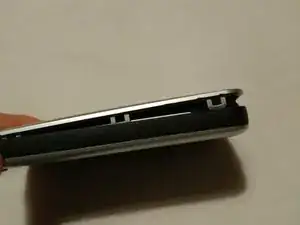
There may be a gap big enough to see the plastic clips holding the device together.
-
-
-
Once there is a big enough gap in the casing, gently prise the two parts away from each other, being sure not to break any clips.
-
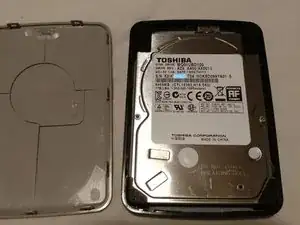
This will reveal the hard drive in the casing.
-
-
-
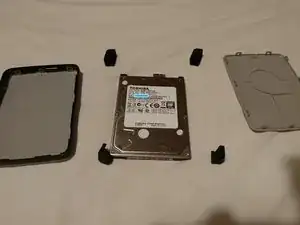
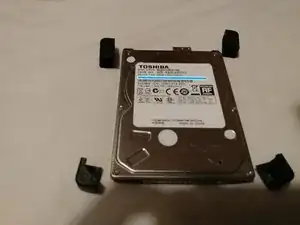
Simply lift the drive out of the case.
-
There may be some friction due to the anti-shock rubber on the corners of the drive.
-
Gently pry with a plastic pry tool if required.
-
-
-
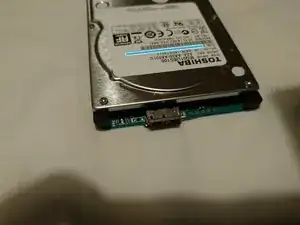
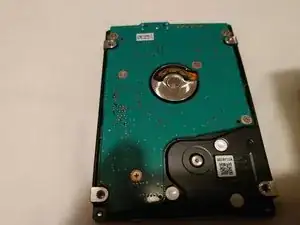
As the drive has a USB port soldered directly to its logic board, instead of a converter board in between, disassembling this device seems to be pointless unless the hard drive is being used for parts.
-
To reassemble your device, follow these instructions in reverse order.