Introdução
If you need more storage but don't want to replace the hard drive, consider putting in an msata ssd.
Peças
-
-
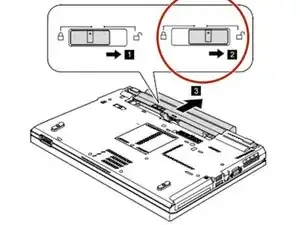
Unlock the battery latch and hold it it the unlocked position.
-
Remove the battery pack in the direction shown by arrow.
-
-
-
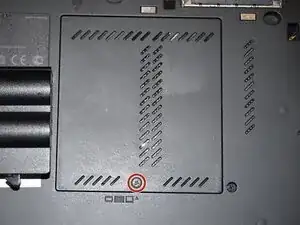
Loosen the screw in red (Phillips #2). This screw stays captive in the bottom RAM door cover, and does not need to be removed.
-
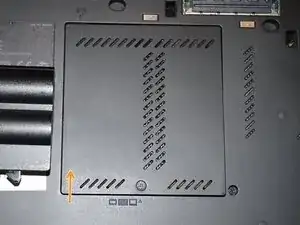
Pull the cover up with a fingernail or a nonmarring pry tool.
-
-
-
Make sure to buy an mSATA and not an m.2 ssd. an m.2 will not work without an adapter
-
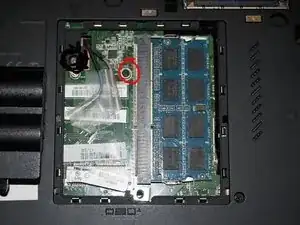
Unscrew the circled screw and slide in the mSATA SSD.
-
It is not possible to boot off of the mSATA SSD from the bios, so it cannot be your main drive.
-
Conclusão
To reassemble your device, follow these instructions in reverse order.