Introdução
Guia tipo pré-requisito exclusivo para desconectar os cabos da tela de um iMac 21,5" com tela Retina 4K do final de 2015.
Ferramentas

-
-
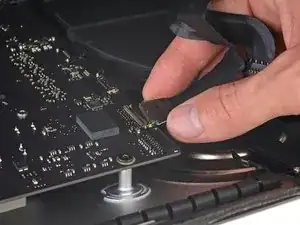
Segure a tela com uma mão enquanto usa a outra mão para desconectar o cabo de alimentação da tela.
-
-
-
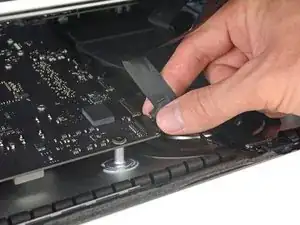
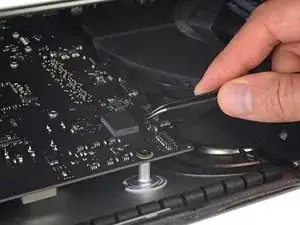
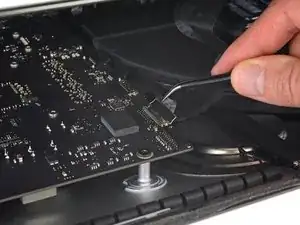
Ainda apoiando a tela com uma mão, vire para cima o suporte metálico com trava do cabo de dados da tela.
-
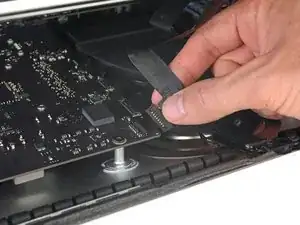
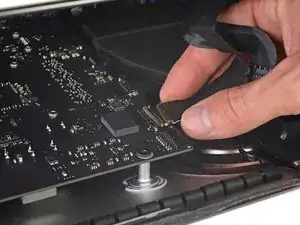
Cuidadosamente, puxe o cabo de dados da tela de seu soquete na placa lógica.
-
Conclusão
Para a remontagem de seu dispositivo, siga essas instruções na ordem inversa.

It was difficult to remove this connection. I ended up having to gently pull-up vertically a little on the wire side to unsnap it about 1mm and then horizontally wiggle it out.
delacrj2 -
I had a difficult time removing this connection. I had to lift the wire-side about 1mm before it unsnapped and then carefully wiggle it out horizontally.
delacrj2 -
Can this cable be replaced? I am worried mine is damaged. I have no display after the screen fell and stressed the display flex cables following an SSD upgrade.
Jeremy Brainard -
This step should be done with extreme caution and care, as this step 19 is not described in great detail (sorry, author).
The first (most outward) cable will slide out by gently pulling it by its tabs. The second (inner) cable is more tricky, as the locking lever must be moved backward first, before gently pulling backward on the cable connector. The angled tweezers are useful here, to help lift that locking lever, because fingers are too big for this.
Ernst -
be VERY careful and SLOW...take your time. These displays crack VERY easily when removing and they'll spider web on you. I've done probably 20 or so of these and cracked 3 being super careful.....ugh.
Faslane -
I found the best way to unplug this display power cable was to use my right hand, and the fingernails of my index finger and thumb to grab the ends of the tabs on either side of the connector, squeeze, and pull the connector out gently.
Phil McInnis -
i think the cable nearest the case edge is held in by friction and can be gently pulled, maybe with fingernails or a spudger. The next cable is held by a wire lever clip as described above it unlocks so the cable can be removed. These cables are also fiddly to re-insert, I didn't get one of them home and had no display after power-up, so at the end, don't re-seal the screen until tested.
Peter Taffs -
I suspect I broken either the video or the power connector when I opened it the iMac. What can be done / price to have the logic board fixed? Also where?
Roger Tiedemann -