Introdução

Guia tipo pré-requisito exclusivo para remoção do conjunto do disco rígido de um iMac 21,5" com tela Retina 4K do final de 2015.

Ferramentas

  1. EGSkL6kXHVGCmtmj
    EGSkL6kXHVGCmtmj
    snVMiOLDfgjXKECJ
    lSpidPoWASusAqki
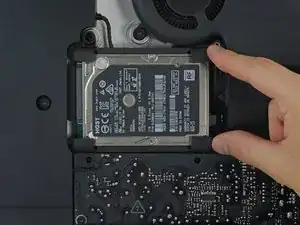
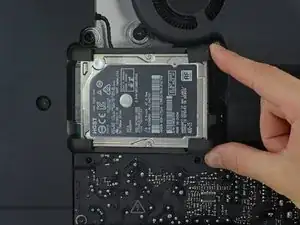
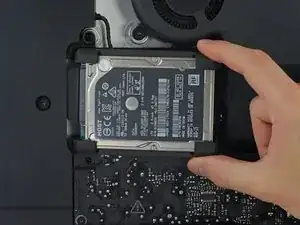
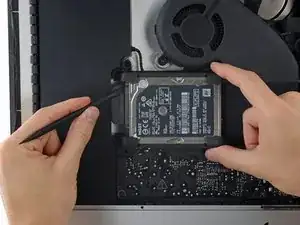
    • Erga o disco rígido da borda próxima à placa lógica e puxe-o um pouco para fora de seu recesso.

    • O disco rígido ainda está preso por seu cabo do SATA; não tente ainda removê-lo completamente do iMac.

  2. lPTZWiOAYX4DCip2
    lPTZWiOAYX4DCip2
    WWAqU5y5tyeOXye2
    Ze5CkUIkcEpVNERw
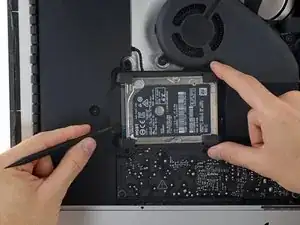
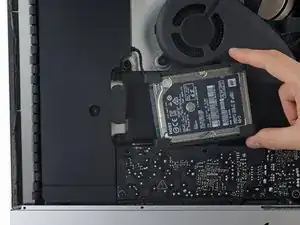
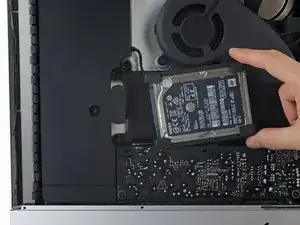
    • Com uma espátula, desconecte o único cabo do SATA fazendo alavanca nele, puxando-o com movimento leve para fora do disco rígido.

    • Remova o conjunto do disco rígido do iMac.

    I’ve found that loosening the T10 screws on the enclosure to the left helps give some room to remove and reinstall the drive. Otherwise reattaching the SATA cable can be a hassle.

    rothgar -

    Not only is it useful to loosen up the speaker next to the SATA connector I found it helpful to use a pen to mark the exact location of the edges of the SATA connector on top of the new drive, so I could guide the connector in place. It also helps to put the bumpers in after you get this SATA connector in place.

    bsmith1 -

    Waiting to put the bumpers on until after the SATA cable is attached was a must! Also loosing the speaker and moving over a couple centimeters was a huge help. Thanks

    Michael Bunsen -

    Saludos excelente guia

    Orlando valencia -

Conclusão

Para a remontagem de seu dispositivo, siga essas instruções na ordem inversa.

Evan Noronha

Membro desde: 06/02/15

228791 Reputação

0 comentários