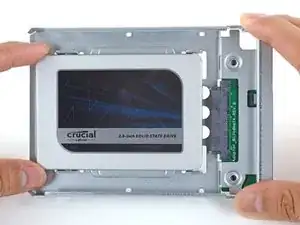
Introdução
Siga este guia para fazer upgrade no seu disco rígido iMac com um SSD usando um invólucro metálico de 2,5” a 3,5”. O guia inclui passos para instalar o sensor de temperatura, de forma que as ventoinhas do Mac operem na velocidade certa.
Este é um guia tipo pré-requisito exclusivo e não deve ser usado isoladamente. Este guia é um dos guias de reposição do HD do iMac.
Ferramentas


-
-
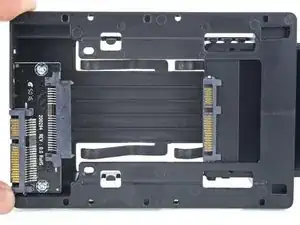
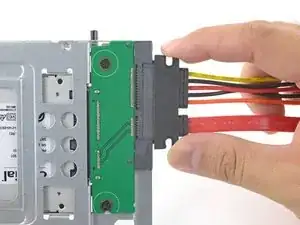
Alinhe os conectores do SSD com os soquetes do invólucro metálico.
-
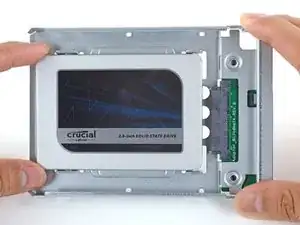
Pressione a unidade contra os soquetes do invólucro, até que o SSD se assente firmemente.
-
-
-
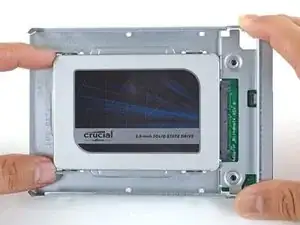
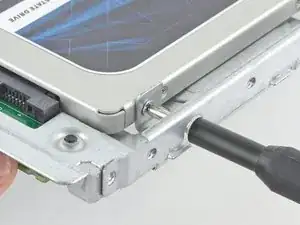
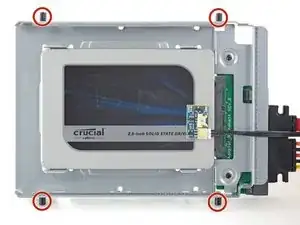
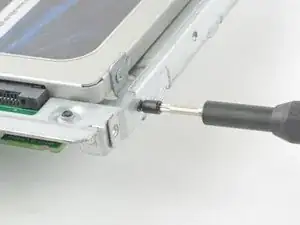
Com uma chave Phillips, instale os quatro parafusos prateados (dois de cada lado) ao longo das bordas do SSD para fixá-lo no invólucro.
-
-
-
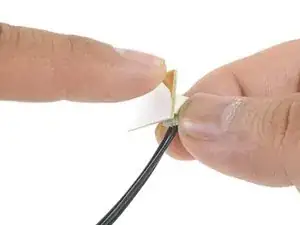
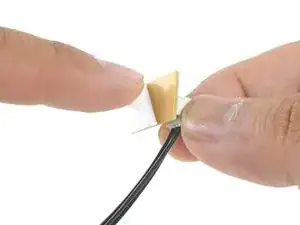
Remova a película branca da traseira da pequena placa de sensor de temperatura para expor o adesivo.
-
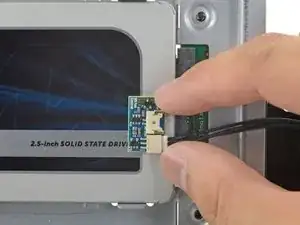
Cole a placa do sensor de temperatura numa superfície metálica exposta do SSD, próximo ao conector SATA.
-
Dobre o excesso dos fios do sensor de temperatura, de forma que eles não atrapalhem enquanto você instala o invólucro.
-
-
-
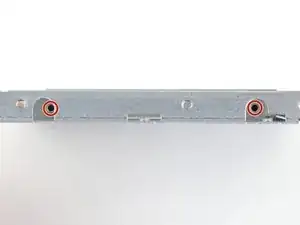
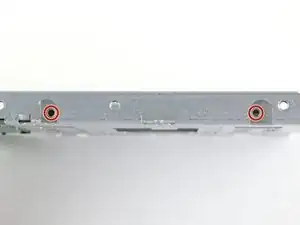
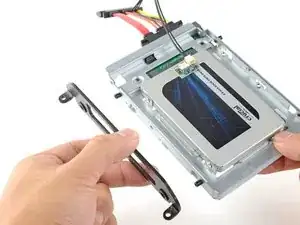
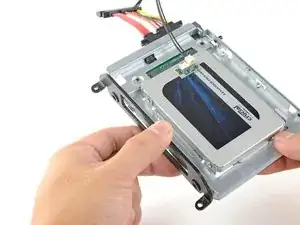
Com uma chave T8, instale os pinos de montagem do disco rígido velho nas laterais do invólucro.
-
-
-
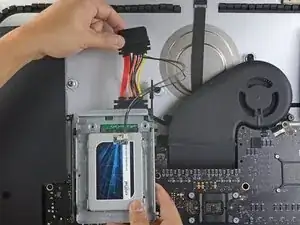
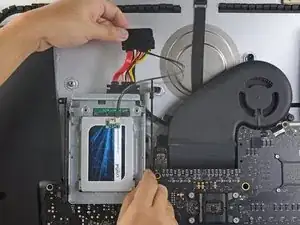
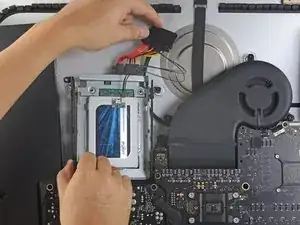
Empurre o invólucro do SSD no espaço ocupado anteriormente pelo disco rígido.
-
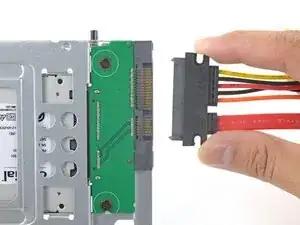
Disponha os cabos de tal forma que eles não interfiram nenhum outro componente.
-
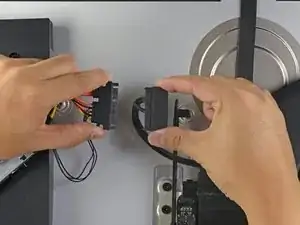
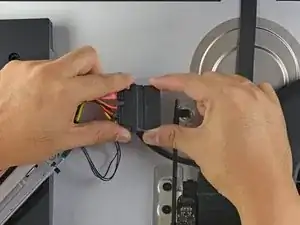
Para a remontagem de seu dispositivo, siga essas instruções na ordem inversa.

what if I’m installing a hard drive?
Troy Garcia -
Didn’t bother with the SSD caddy. Some 3M sticky pads did the trick!
James Clive -
Been using them for years...works great.
Michael Maxson -
Two thoughts on SSD replacement/upgrade:
1) It would help if some references were made to help us determine what we need in terms form factors. I’ve never used an SSD and see a 2.5” one that would work, but I don’t know if 2.5” SSDs are different (in form factor) from 2.5” HDs. A lot of us are still learning about SSDs and isn’t that what this site is about? (Learning new things about hardware and using hardware?)
2) I’m not clear if I definitely need a new temperature sensor if I put in an SSD or if
Hal Vaughan -
You do not need the temperature sensor, just replace the old HD for a new SATA HD or better Sata SSD. This sensor was only needed in former models, I think the iMac 2011. I replaced already some drives of the 27" iMac 2017 and never needed the extra sensor. E.g. Apple used a normal not branded 1 TB Seagate SATA Desktop HD ST1000DM003.
Frank N -
Can I buy the kit without the SSD. I'm thinking of replacing my 3TB hard drive with a 4TB SSD.
Also, would you happen to know what the maximum hard drive dimension that can fit inside of this iMac? I may try a 14TB hard drive instead.
Larry -
A 14Tb HDD does not represent any problem. But I will care about rising temperature. Must attach a heat sensor. If rise to high, it will suddenly shutdown to protect it.
Neos Marketing -
Is it possible to have some reference of compatible SSD please?
I would like to replace the HDD from my Fusion drive, Imac 5K late 2014, by a SSD.
But i don't know which model should i take, and there is no recommandation on this website :(
thanks in advance
Nathan André -
Is it possible to use an M.2 NVMe SSD with an adapter (mount) for a 2.5" SATA SSD instead of a SATA SSD?
Kirill Legion -
Great tuning set and tutorial.
With the new SSD my late 2012 iMac feels like 10 years younger now! :-)
The only things to mention:
- before starting read the whole tutorial very carefully!
- prepare your working place
- take enough time for each step!!
Chris Wagner -
Has anyone used a Samsung 870 EVO SATA 2.5”?
Mark -
yes, i replaced the fusion drive with the samsung 870 evo. works great!
foto fuzzi -