Introdução
A remoção da tela do iMac do final de 21,5" requer cortar o adesivo com uma ferramenta de abertura especial para o iMac.
Ferramentas


-
-
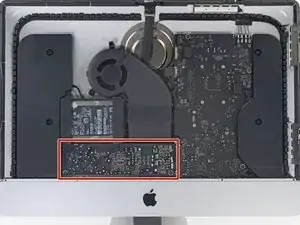
Antes de começar os trabalhos no seu iMac: Tire o computador da tomada e pressione segurando o botão de liga/desliga por dez segundos para descarregar os condensadores da fonte de alimentação de energia.
-
-
-
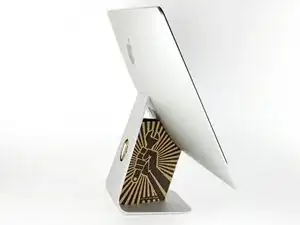
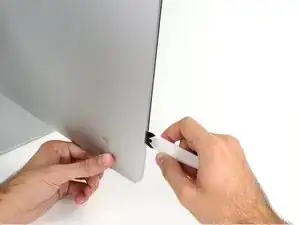
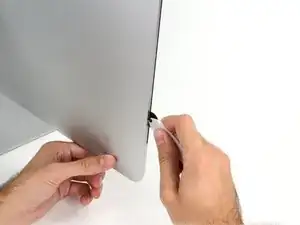
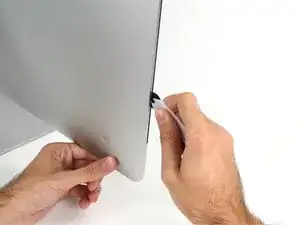
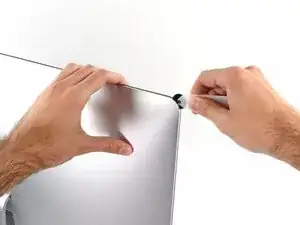
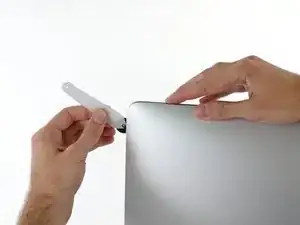
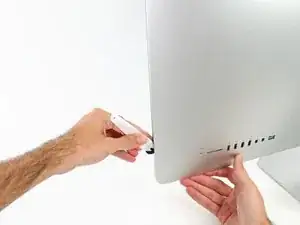
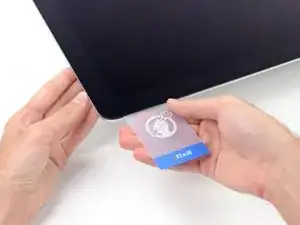
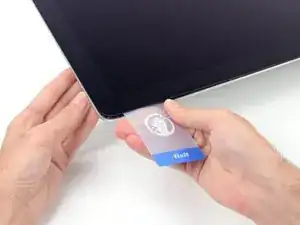
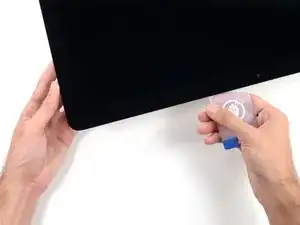
Começando pelo lado esquerdo da tela, próximo ao botão de liga/desliga, introduza a ferramenta de abertura para iMac no vão entre o painel de vidro e o invólucro traseiro.
-
-
-
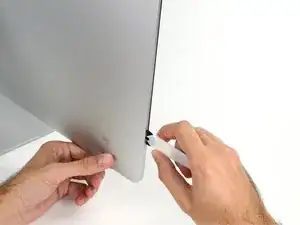
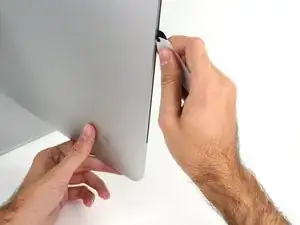
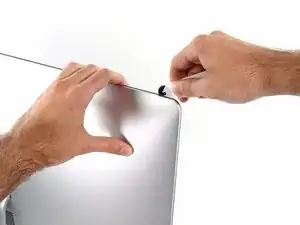
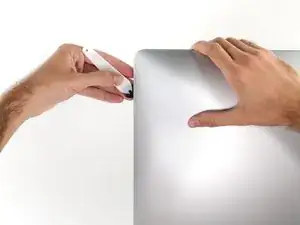
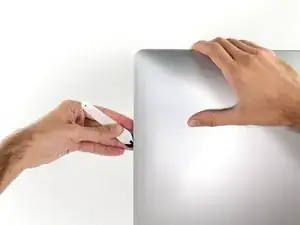
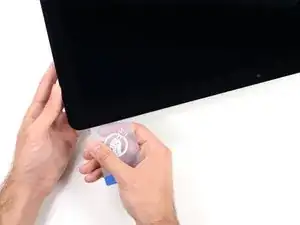
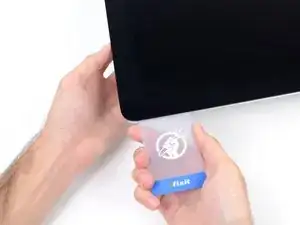
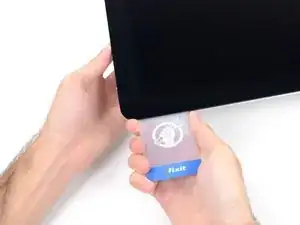
Use a ferramenta como um cortador de pizza - empurre-a por toda a extensão do vão e ela cortará o ponto central do adesivo de espuma.
-
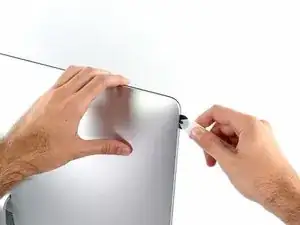
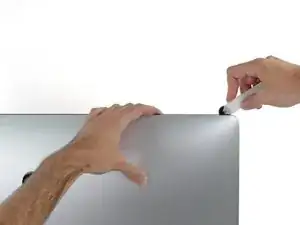
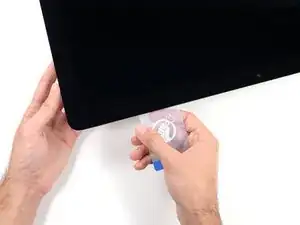
Passe a ferramenta por toda a extensão da lateral esquerda da tela.
-
-
-
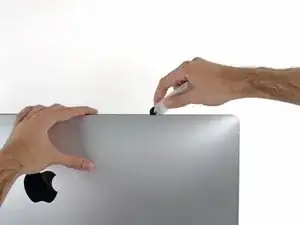
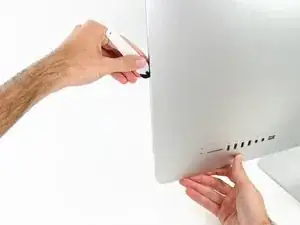
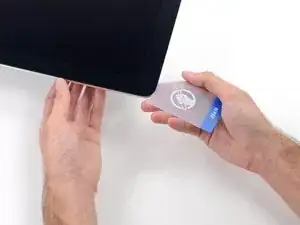
Finalize empurrando a ferramenta de abertura para a parte inferior na lateral direita da tela.
-
-
-
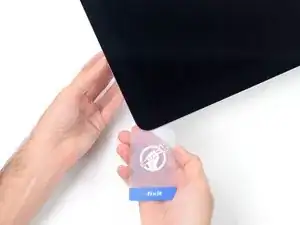
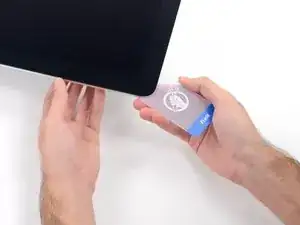
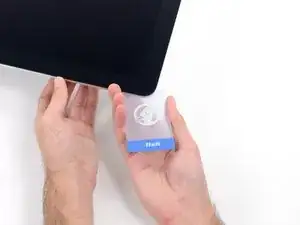
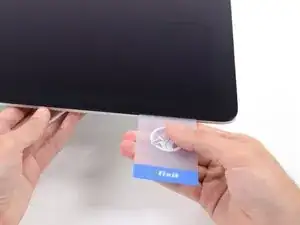
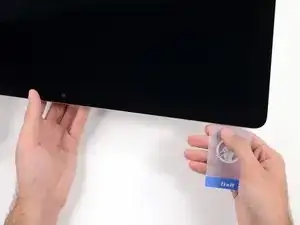
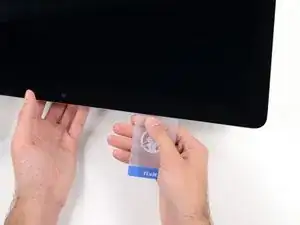
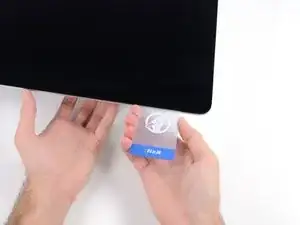
Começando pelo canto direito superior do iMac, force um cartão de plástico por entre a tela e a moldura.
-
-
-
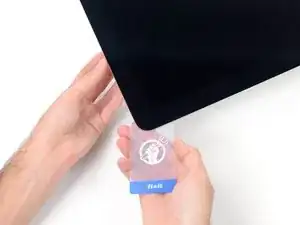
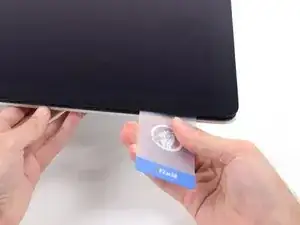
Com um movimento leve, vire o cartão lateralmente, para formar um espaço entre a tela e a moldura.
-
Mova lentamente e tenha cuidado para não tensionar demais o vidro da tela, você só precisa fazer um vão de aproximadamente 6,3 mm.
-
-
-
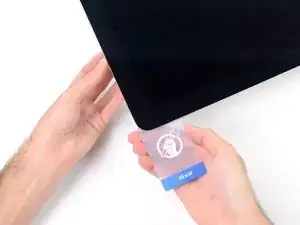
Passe o cartão em direção ao centro da tela, para cortar todo adesivo restante na extensão do canto direito superior do iMac.
-
-
-
Force o cartão novamente no canto direito superior e deixe-o ali para evitar que o adesivo cole novamente.
-
-
-
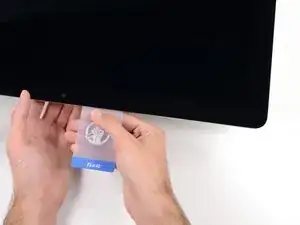
Introduza um segundo cartão de plástico no vão, por entre a tela e a moldura, perto do canto esquerdo superior do iMac.
-
-
-
Com um movimento leve, vire o cartão para cima, aumentando ligeiramente o espaço entre a tela e a moldura.
-
-
-
Passe o cartão de plástico na direção do centro, parando novamente um pouco antes da câmera iSight.
-
-
-
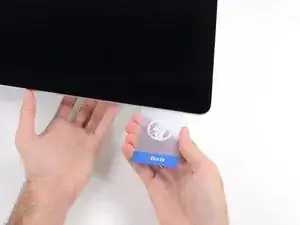
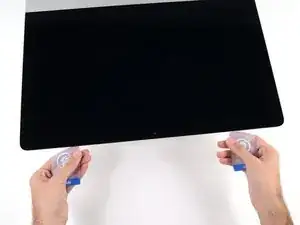
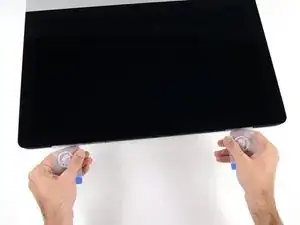
Com ambos os cartões de plástico introduzidos próximo aos cantos, como mostra a foto, vire cuidadosamente os cartões lateralmente para aumentar o vão entre a tela e a estrutura.
-
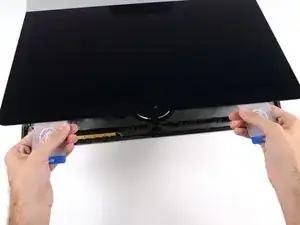
Comece a erguer a parte superior da tela para fora da moldura.
-
-
-
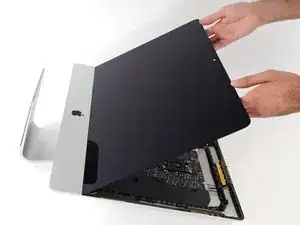
Enquanto segura a tela com uma mão, use a outra mão para desconectar o cabo de alimentação da tela.
-
-
-
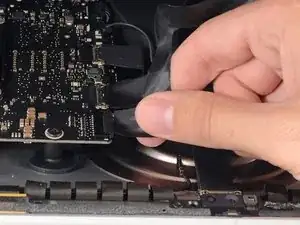
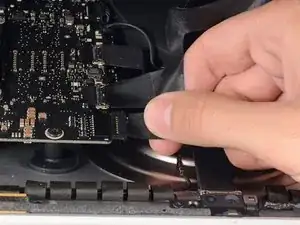
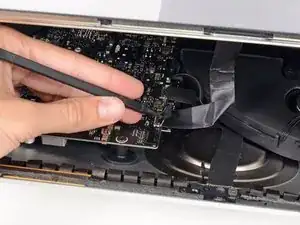
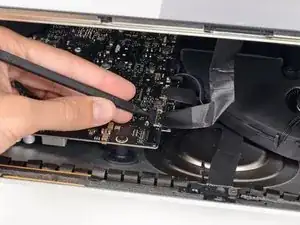
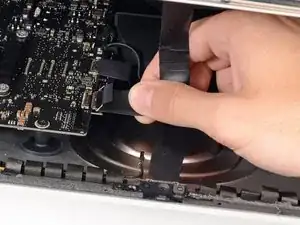
Com a ponta pontiaguda de uma espátula, vire para cima o suporte metálico com trava do cabo de dados da tela.
-
Cuidadosamente, puxe o cabo de dados da tela de seu soquete na placa lógica.
-
-
-
Agarre a pequena tira na extremidade de uma das fitas adesivas da tela na borda inferior e puxe o adesivo na direção da parte superior do iMac para removê-lo.
-
Repita esse passo com a outra faixa adesiva e remova-a.
-
-
-
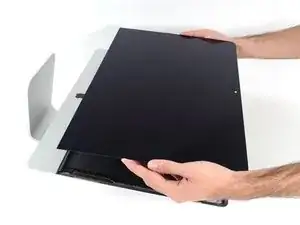
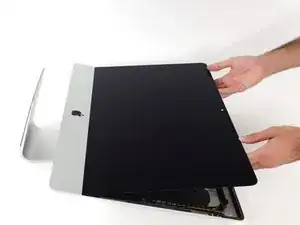
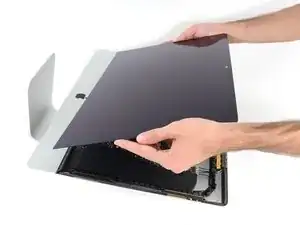
Erga a tela da moldura e remova-a do iMac.
-
Pode ser que seja necessário erguê-la lentamente de um lado, para soltar o adesivo restante.
-
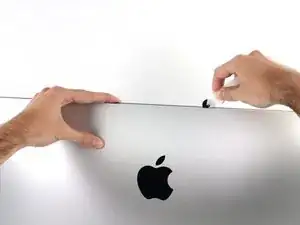
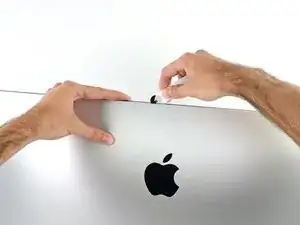
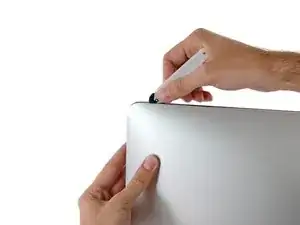
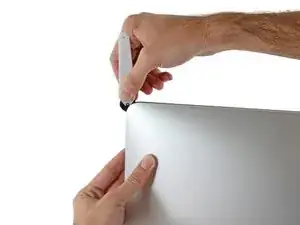
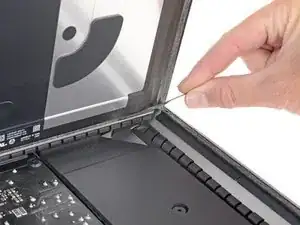
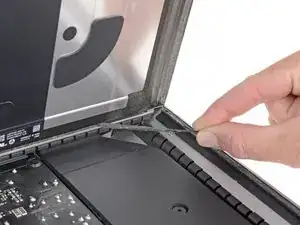
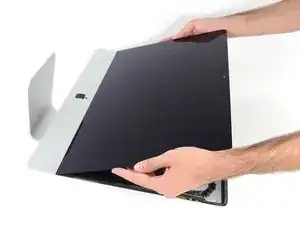
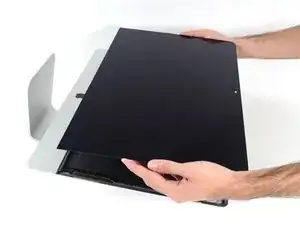
Para a remontagem de seu dispositivo, siga essas instruções na ordem inversa.

7 comentários
I just broke mine... when i put inside the master card.... :(((( how to proceed? its a screen not a glass - need to repair whole screen from apple.... i was trying to put ssd drive inside...
Сracks only at the edge in one place and its work but :(((((( how can get in now???
Anushka -
Hi, where can I buy a replacement display for my iMac EMC 2742 (2742 is the same as 2638, I assume?)...Thanks so much!
Cameron -
I put off replacing my hdd with an ssd on my late 2013 iMac because it looked a bit tricky. This guide and an iMac opening tool made the job really strait-forward. Just be gentle and patient and the screen comes off with very little bother. Thanks ifixit!
The wedge is an extremely tight fit for this model. I was worried that the amount of force needed to use it as shown might damage the stand, so I used it with the long side down instead. It worked fine that way and didn’t need anywhere near as much force to insert.
roberttrevellyan -
Here’s a good YouTube vid on upgrading the RAM: Can a Normal Person Upgrade the RAM in the 2017 21.5" iMac?
DanJ -
Here are a couple tips from me:
1) Expose the adhesive to extreme temperatures. I did this by transporting my iMac in my car, screen-down on a piece of cardboard on a cold February morning (in Chicago). When I went to pick up the iMac, the screen practically fell off the chassis. I would have been distraught by this if I hadn’t already planned this replacement. So it was a happy accident.
2) Remember to expell the residual power from the power supply by pushing the power button while the iMac is unplugged. This does NOT guarantee it’s safe to touch, but when I accidentally brushed the solder and exposed capacitors, I didn’t get shocked.
jerrid_foiles -
Instead of using the wedge, I placed the iMac faced up with the top side (web cam) facing me while I ran the pizza roller around. It worked out great!
Sam Fung -
“All iMacs also come with a traditional hard drive” mine doesn’t!! it’s HDD bay is completely empty, no SATA cable or anything. I guess I’ll have to upgrade the PCIe SSD instead.
Chris Hughes -
There is no replacement glass for this model, it is part of the LCD and impossible to remove or replace- the entire LCD has to be replaced unfortunately if the glass is cracked or damaged. You will have to Google search for a replacement. Also be careful with some of the lock tight tork screws as I broke one of my screw mounts taking one out.
Phil Tesone -
I used this service wedge but also found it a very tight fit. The same stabilization can be achieved by using a big rolled up towel.
Ernst -
While this is a good instruction guide, I recommend to also look at OWC’s instruction video about drive installation, before starting the exercise. Those install videos are very detailed and useful.
Ernst -
Main advice: TAKE YOUR TIME with the pizza roller.
Make several passes, until you really feel like there's no more sticker in the way. Stay away from the camera though (approx. 1inch / 2.5cm on both sides). This will reduce the work left with the plastic card. Adhesive is really on the edge of the screen so there is absolutely no need to go any further than the recommended 1cm / 3/8inch depth.
Where are the sensitive parts?
Facing your iMac, imagine you're looking at a watch. There are antennas on 1, 2 and 4 o'clock. Do not insert any metal piece there (nor anywhere else, btw). Other than that AND the screen cables underneath the camera, not much danger.
Froggy Manny -
OWC hard drive instalation video: https://www.youtube.com/watch?v=9GrteBJ9...
vrino -
It's a pity iFixit UK use UPS as their shipping agent. I still have not received my upgrade kit. UPS is one of the worst shipping/courier companies operating. They're a complete disaster!!
Roger Hawkins -