Introdução

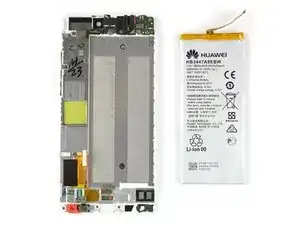
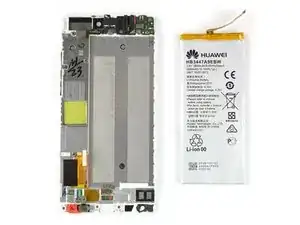
Use este guia para substituir a bateria de seu smartphone modelo Huawei P8.

  1. DAcIpvQOek3gwDB2
    DAcIpvQOek3gwDB2
    4YnwNJ1GHINJlpL3
    • Primeiramente, desligue o seu smartphone.

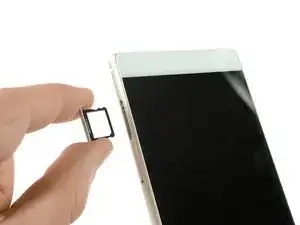
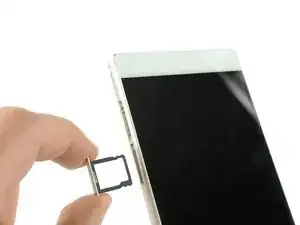
    • Remova as bandejas do cartão SD e do SIM.

  2. O1dXFeSKdXHsubde
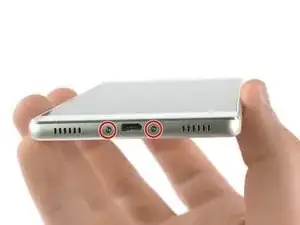
    • Remova os dois parafusos Torx T2 localizados na parte inferior, ao lado da porta Micro USB do dispositivo.

    • Se a tela estiver quebrada, você pode usar uma fita para proteger seus olhos dos estilhaços de vidro e obter uma melhor aderência para abrir o smartphone.

    Torx 2 also works :)

    Dennis Meerveld -

    Tried pentalobe drivers but had to get a Torx 2 in the end, possibly some variation across regional models.

    Ben Raphael -

    Pentalobe screws on my p8…

    In the kit,i have only T2…

    joska Horvath -

    T3 works best, T2 doesn’t cling to the screws too well

    Castlevin -

  3. WsDspqUFHFfddNV2
    WsDspqUFHFfddNV2
    aLvxTSkFcxAu5Yrk
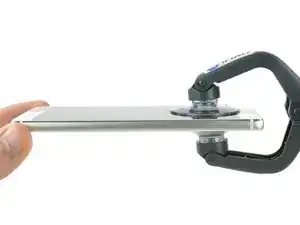
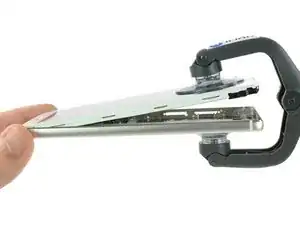
    • Utilize um iSclack ou um punho de sucção para separar a unidade de display e o painel traseiro.

  4. bA1rksqXv4LOt21m
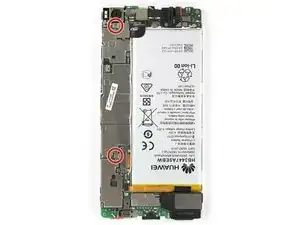
    • Remova os dois parafusos Phillips tamanho 00 que fixam os suportes do cabo conector da câmera frontal e do display/bateria

  5. t6sDuCEiVYNKCg6m
    t6sDuCEiVYNKCg6m
    cKZkQCkJjpMgH4Ak
    Sox6DeVnSheIXmRO
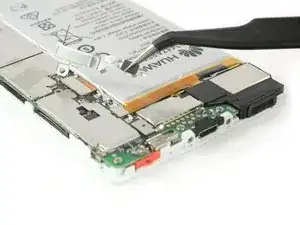
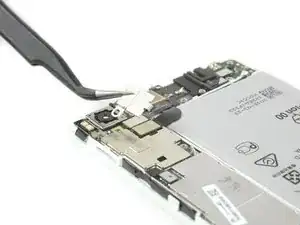
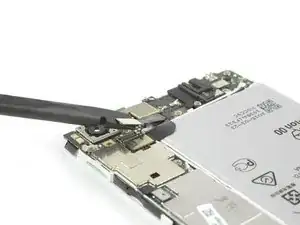
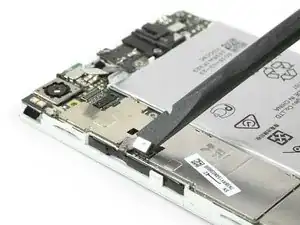
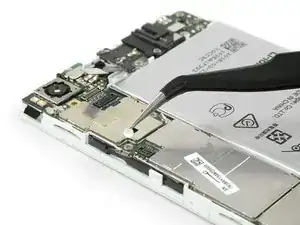
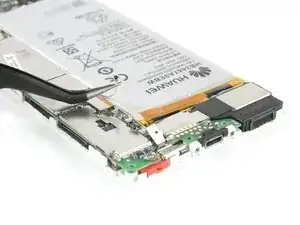
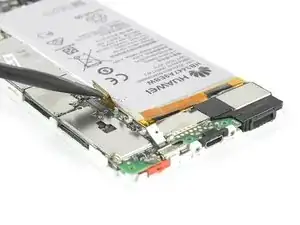
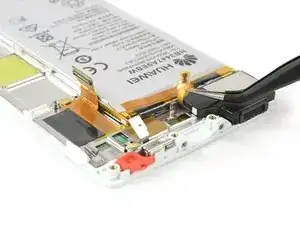
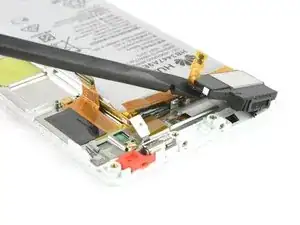
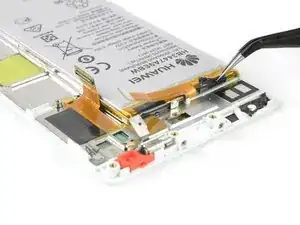
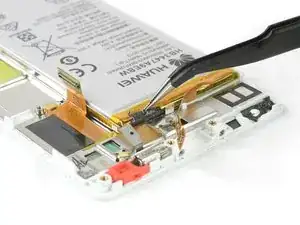
    • Use uma pinça para remover o suporte que cobre o cabo conector flex do display e da bateria.

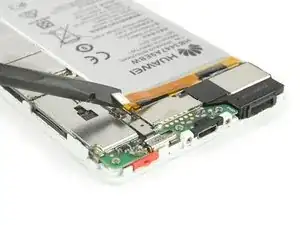
    • Desplugue o cabo conector flex da bateria com uma espátula.

    • Remova o suporte que cobre o cabo conector flex da câmera frontal.

  6. I5ddssrrCC4NTT1i
    I5ddssrrCC4NTT1i
    xtpBaeSCKLZBAoFZ
    xXkWKgitMsPXvJe4
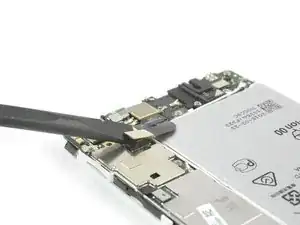
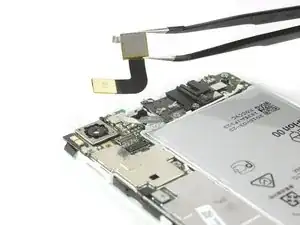
    • Desplugue os cabos conectores flex do conector do fone de ouvido e da câmera frontal.

    • Remova a câmera frontal.

  7. K5IiW4iiMRZiIyPU
    K5IiW4iiMRZiIyPU
    iVkZXLGnSYZZPcRW
    • Use uma espátula para desconectar o cabo power/volume e afaste-o, virando-o de forma que ele não fique no caminho.

    • Remova o indicador de contato com água.

  8. 3LQK2BlCEQGMQTbO
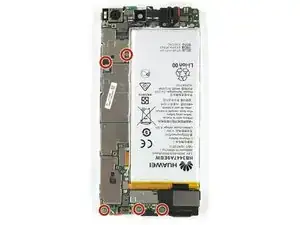
    • Remova os cinco parafusos Phillips tipo #00 que fixam a placa-mãe de seu Huawei P8.

  9. RmWyuoM4YLieCYTW
    RmWyuoM4YLieCYTW
    g1aLUtLHq6pEg5Vx
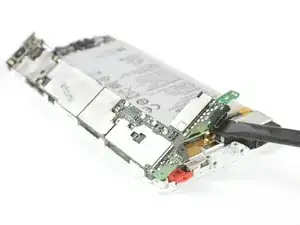
    • Desplugue o conector flex do motor de vibração.

    • Desconecte o cabo da antena.

  10. ioQekpoFYQtLFhRK
    ioQekpoFYQtLFhRK
    qRMq2IwJUUBs2tPh
    MVJ2NG6qSYnclMOJ
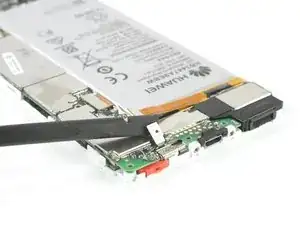
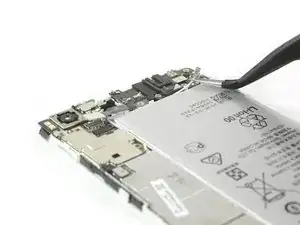
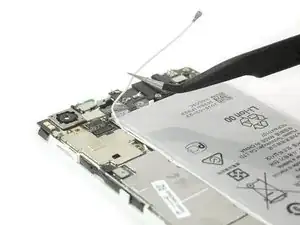
    • Desplugue o cabo conector flex do display da placa-mãe com uma espátula.

    • Desconecte e remova o cabo da antena com uma pinça.

  11. AofZVkuJFsiHBgGX
    • Remova a placa-mãe do smartphone.

  12. VpVZiRtNT4qaTXD6
    VpVZiRtNT4qaTXD6
    p6VEpT3OUrRxRxnp
    • Vire cuidadosamente o cabo flex de seu alto-falante para cima.

    • Se estiver difícil de destacá-lo, aqueça o conjunto do fone de ouvido com uma bolsa térmica de gel iOpener ou uma pistola de ar quente.

    • Levante o conjunto do alto-falante com uma espátula e remova-o.

  13. ZR2oWvLgyFRcFm6y
    ZR2oWvLgyFRcFm6y
    OntTlkyMtBxxdoma
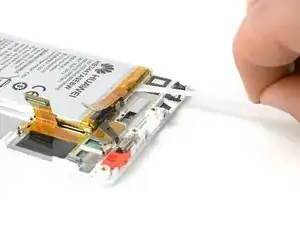
    • Libere a extremidade da primeira aba de puxar do adesivo, de forma a obter uma boa aderência para puxá-la.

    • Para liberar a bateria, puxe a aba do adesivo com um movimento constante e lento.

  14. OpEPCtqIRsHynyQE
    OpEPCtqIRsHynyQE
    U6tbUKEmjX46EgI2
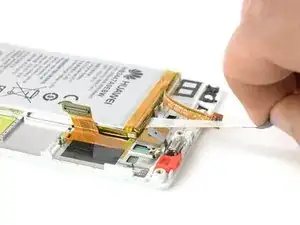
    • Libere a ponta da segunda aba do adesivo.

    • Puxe a aba do adesivo, com um movimento constante e lento.

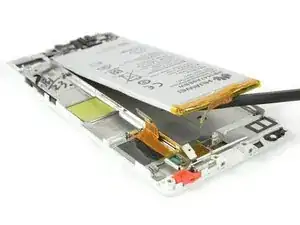
    • Se as abas por acaso rasgarem, use uma bolsa térmica de gel iOpener para aquecê-las e amolecê-las um pouco, de forma que você possa destacar a bateria com uma espátula.

  15. 6KWNdGjPNWjZWjmC
    6KWNdGjPNWjZWjmC
    eW6dUBWBF5xEv3g1
Conclusão

Para montar novamente seu dispositivo, siga as instruções na ordem inversa.

Dominik Schnabelrauch

Membro desde: 23/11/16

252795 Reputação

9 comentários

Really helpful guide. Only hiccup was that on my handset the screws holding the casing together (Step 2) were Torx 2 rather than pentalobe, possibly a regional variation. I opted not to remove the loudspeaker (Step 10) as the ribbon cable was firmly stuck down and I worried it would break. This meant I could only cleanly remove the adhesive pad in line with the charging port. I was able to prise out the battery using spudger and screwdriver to scrape the other pad from the phone body. All now reassembled and working properly!

Ben Raphael -

Overall a very helpful guide . I also had torx screws in mine . The torx screws are tiny , so make sure you have the right screwdriver before starting . We didn’t bother removing the loudspeader assembly either (Step 10) . You can just prise up the ribbon cable (carefully) . Add heat if necessary . Now to the biggest problem . Removing the old battery from the phone . What a nightmare ! It’s really stuck down .We took our time using a hairdryer (no heat gun) , and a flat head screwdriver , and went from one end to the other prising it off gently . It still took about 20 minutes . Saying that . Don’t rush it , as it’s the final stage . Also . If you do use a flat head screwdriver then don’t twist it , as you might damage the casing . Just slide it underneath it applying heat . Total time to remove the old battery was 90 minutes , but about 50 of those were spent just getting the first 2 screws out . 20 minutes to put the new battery in and reassemble . Make sure all flex connectors are properly reseated .

Paul -

My P8 battery has completely died on me. I cannot believe that to replace a battery, we have to now go to these lengths to do it. There must be a mountain of mobile phones, where the only issue with them is a flat battery. Surely, this cannot be allowed to continue. I know why the manufacturers want to make it hard to simply replace a battery, because it sells more mobile phones. But think of all that wasted technology, where a phone may have lasted just over a 24 month contract before the battery is done.

joeninetee -

Many thanks for this tutorial. Together we shall beat them!

joeninetee -

Thank you for a very nice and easy to follow tutorial!

I have now replaced my battery with what should be an original battery for the Huawei Ascend P8, battery nr: HB3447A9EBW. For some reason the width of the new battery is a few millimeters smaller than the old one, meaning that it does not fill out the space completely. Has anyone else experienced the same?

After having assembled the phone again I experience some weird issues with the battery level dropping from 50%, 60%, 70% or even 100% in an instant. I have tried calibrating the battery by, letting it die completely, recharge it to 100% let it drain completely again and recharge. I have tried different battery calibration apps and a factory reset - nothing helps.

I contacted the company I bought the battery from and got a replacement - still same issue.

Unfortunately i damaged the original battery when taking it out, so i cant use that as a reference.

Any suggestions would be most appreciated!

Kris -

Most likely you’ve got a fake battery… :( A telling thing can be if the serial does not match the one you can read from the QR code beside it. Only solution would be to get a genuine one. I can feel your pain.

Bence Szalai -

I have the same issue… I open the back cover and unplug the battery flex connector and then reconnect it again… it is OK for some time but when flex connector is loose again… I grtget the same problem… InIn my case… The battery bracket holding the plug tight is lost and hence connection losen after some time… I smam thing to cut a bracket from a Pepsi Cane…

stahseenjaved -

Great tutorial. Unfortunately the glue stripes were too sticky. Don’t know what Huawei intends to do with such strong stripes. After 30 minutes I could remove them step by step.

Samuel -

after replacing battery phone doesnt switch on only if charger pluged in does it show the hauwie logo then restart same thing again

Dale Olivier -