Introdução

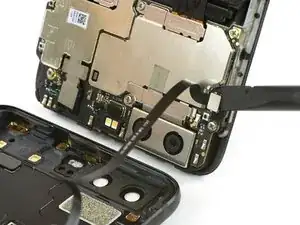
Use este guia para substituir a bateria de seu smartphone modelo Huawei P10.

  1. 5kZSF1VgiLHUdyyv
    5kZSF1VgiLHUdyyv
    mQihCqm5GGlSDcKL
    jVG1EPmTTIdtTHi5
    • Desligue o seu smartphone.

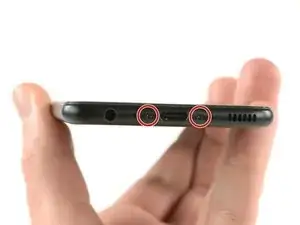
    • Remova os dois parafusos Pentalobe P2 da parte inferior.

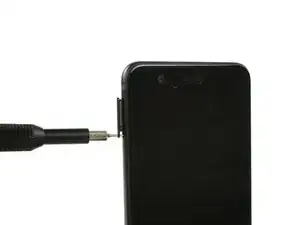
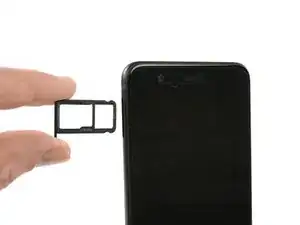
    • Remova a bandeja do chip SIM.

    Das Honor 9 hat an der Unterkante keine Schrauben.

    Wie ist das Honor 9 zu öffnen?

    Michael Tuschek -

    Vielleicht beantwortet diese Anleitung deine Frage ;)

    Tobias Isakeit -

    Hi, my P10 does not have screws, just two tiny holes. Do I push in here to unfasten? Einar, Norway

    Einar Ryvarden -

    Hi Einar Ryvarden,

    in case you bought a used or refurbished phone, someone might have forgotten to put them back in. Since you have holes at the bottom edge next to the charging port this is likely. You can try to start with step 2 and see if you can lift the phone assembly (don’t forget to remove the SIM tray first). As far as I know there is no version of the regular Huawei P10 with no screws. However you there are none in the P10 lite and in the P10 plus, maybe one of the opening procedures for those phones might help you.

    Dominik Schnabelrauch -

  2. dafShavrRqe1bsKB
    dafShavrRqe1bsKB
    K4uhwPOLpW1gekMx
    oLwmeu5Ptyq4gnEs
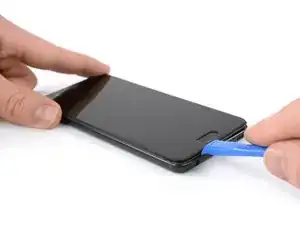
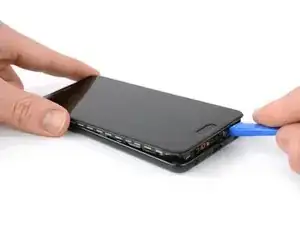
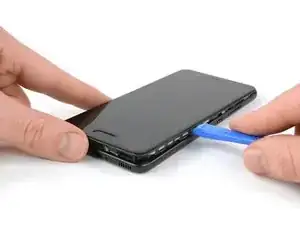
    • Insira uma ferramenta de abertura de plástico entre o display e o invólucro, começando pela área inferior de seu smartphone.

    • Faça alavanca cuidadosamente e libere o display e suas partes para fora do invólucro.

    • Depois de liberar a extremidade inferior, use a ferramenta de abertura para abrir os clipes em ambos os lados.

    Hi! I cannot find a way to insert the plastic opening tool. Any suggestions on how I can create a gap to start. Everything seems quit rigid.

    Also, where will I find your reply.

    vbr/lars.skoldebring@gmail.com

    lars.skoldebring -

    Hi Lars, you might want to use a suction handle to lift the display and create a small gap to insert the plastic tool. If you don’t have a suction handle you can “build” a handle with tape that you stick onto the display in a shape similar to this —> __∏__ (also you may want to edit your post and remove your email address ;) )

    Tobias Isakeit -

    Hi,

    I’m stuck at this step for about two hours… There’s nothing I can do to open the case. Tried all kinds of opening tools and a suction handle. There is no gap at all between the display and the body. How can anything be inserted into a gap that practically does not exist? Please help.

    Mark Movshovich -

    Sorry to hear that. You could try and lift the display by using a suction cup and pull to create a small gap for a tool to get in.

    Tobias Isakeit -

  3. OHcFOOMU1RUU6Qbl
    OHcFOOMU1RUU6Qbl
    HVkOQd4iCx212VAM
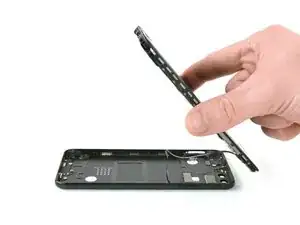
    • Ainda não abra completamente o smartphone. O cabo dos botões de standby e volume ainda está conectado à tampa traseira.

    • Abra o smartphone virando uma parte para trás.

    • Use uma espátula para desconectar o cabo flex dos botões de ligar e volume.

    The cable is for the standby and volume buttons, not for the fingerprint sensor!

    JaL -

    Thanks JaL, of course it is.

    Tobias Isakeit -

  4. agMDmUNI6VNpJHCB
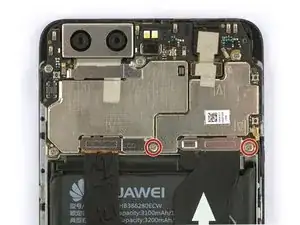
    • Remova os dois parafusos Phillips tipo #00.

    a me risultano PH000

    Il Lando -

  5. ftScvkZffbLXJhob
    ftScvkZffbLXJhob
    LL246gDgJX2xhIda
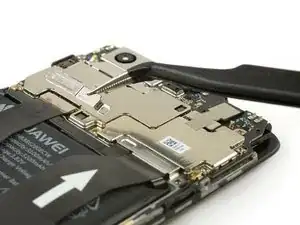
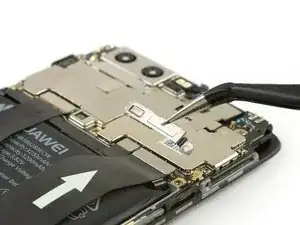
    • Use uma pinça para remover os dois suportes de cabo.

  6. uUKagXgMqxZHcMHd
    uUKagXgMqxZHcMHd
    TMq12fS5BJoI3Ih4
    RUTrqCreWjbGYuBL
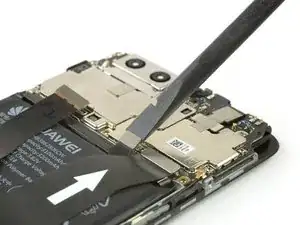
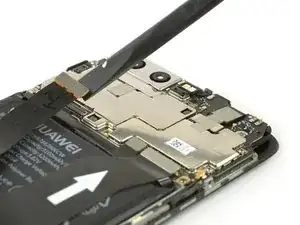
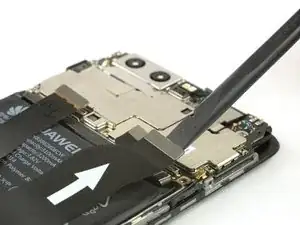
    • Use uma espátula para desconectar o cabo flex da bateria, de interconexão e do display.

  7. 2KxuxooIn62pFWlU
    2KxuxooIn62pFWlU
    bnqdXxvtJNFS22e2
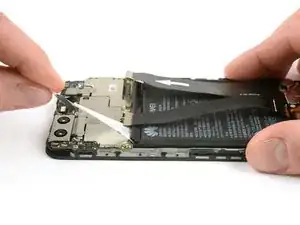
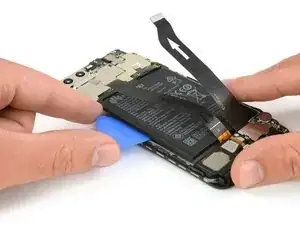
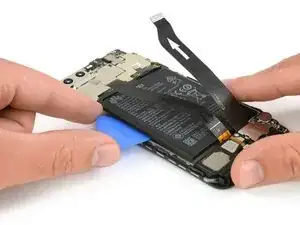
    • A bateria está colada por meio de duas faixas adesivas. Uma delas têm uma tira de puxar e a outra, não.

    • Retire a fita adesiva que está sob a bateria, puxando constantemente a tira, incidindo em um ângulo plano.

    • É capaz que a fita adesiva se rompa. Neste caso, você pode pegar e torcer com a ponta de uma pinça por algumas vezes e, então, continuar.

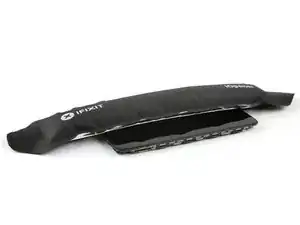
    • Use uma bolsa térmica iOpener para amolecer os resíduos de adesivo.

    It wasn’t easy to find the piece to pull. It was a black label, folded and stuck to the battery

    Donato Grieco -

  8. opJKA5bvNTIlxenD
    opJKA5bvNTIlxenD
    2mIiIFd4O2ZfJgSY
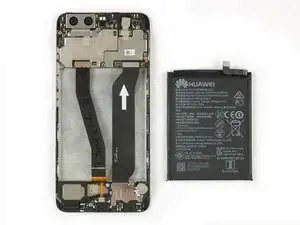
    • Tome cuidado para não envergar ou perfurar a bateria.

    • Insira uma palheta de abrir ou uma espátula por debaixo da bateria e faça alavanca para removê-la.

    • Remova a bateria.

    • Ao montar novamente seu smartphone, reponha faixas adesivas usadas trocando-as por fita adesiva de dupla face ou adesivo pré-cortado.

    • Jamais reinstale uma bateria que tenha sido empenada ou danificada durante a remoção.

Conclusão

Para montar novamente seu dispositivo, siga estas instruções na ordem inversa. Ao montar novamente seu smartphone, aplique adesivos novos quando necessário.

Dominik Schnabelrauch

Membro desde: 23/11/16

252795 Reputação

16 comentários

Thanks for posting this this give me new ideas.

Dave Dayanan -

Facile comme bonjour. Les outils que j'avais reçu avec la batterie étaient de piètre qualité, j'ai donc utilisé des mini-spatules utilisées pour lisser les joints en silicone, c'est pile la consistance voulue pour décoller le dos et la batterie, ni trop ferme ni trop souple.

lepisosteus74 -

Easy fix, thanks a lot.

Noé Barreau -

Excellent guide, was done in 20 minutes, thankyou!

Mog Kupo -

Eccellente guida peccato che una volta montata la nuova batteria in cellulare si sente che si accende la il display rimane buio, controllato connessioni ma sono tutte ok e display sempre spento, cosa può essere?

Adriano

Adriano Da Rold -

Per prima cosa puoi provare a controllare il cavo più a sinistra (quello del display). Accertati che non abbia qualche tipo di piega e che anche i piccoli pin dei contatti non siano piegati.

albertob -

stessa cosa, avete poi trovato soluzioni?

Andrea Melappioni -

Hello,

The battery seems connected but nothing appears on my screen.

Do you have any idea of where it comes from ?

jstentz -

i have the same issue. Any comment on this?

Taha Çakır -

ottima guida

Avio Peterle -

Easy to handle, great explanation and perfect equipment!

Robert Fey -

I did it! thank you so much Mr. Schnabelrauch. I feel proud

Antoine Trudel -

Hi Antoine,

happy to hear and have fun with your new battery life :)

Dominik Schnabelrauch -

thanks, only the battery was a problem with all the glue

Michel Lebioda -

Any youtube video for this?

And Wan -

Hi there, I had a battery that I just replaced that was swollen and device would just power cycle. New battery fixed that issue but now phone will not charge. Any tips?

Austin Harris -