Introdução
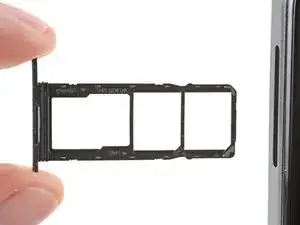
Siga este guia para remover ou substituir a bandeja do cartão SIM de seu smartphone Pulse da HMD.
Ferramentas

-
-
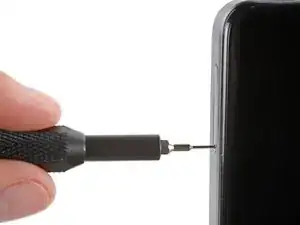
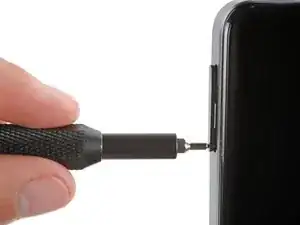
Aperte firmemente uma ferramenta de ejeção da bandeja SIM ou um clipe de papel alongado no o orifício da sua bandeja SIM, do lado esquerdo do seu telefone, até que a bandeja seja ejetada.
-
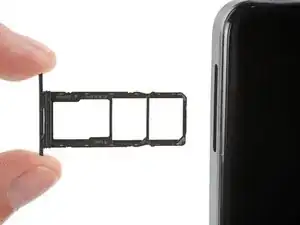
Remova a bandeja do cartão SIM.
-
Conclusão
Clique aqui para ver mais guias para o Pulse da HMD.

There is a SIM eject tool inside the cap of the screwdriver that comes with the iFixit kit.
James Huggett -
I see descriptions of how to handle this or that (by the way, pushing in the tool, a matching pin or wire aso. wouldn't work, I had to bend some wire to form kind of a soft hook to fish the tray out - which worked very, very slowly, until ... the plastic part leaped out and off into somewhere: I can't find it anymore). But what about spare parts??
So, I got a brandnew HMD Pulse, now WITHOUT card tray, thus with no chance at all to activate it.
I contacted two support teams (hmd.com by chat, hmdglobal.ctdi.eu by contact form) and sent a message to store.ifixit.de. So far, I have been unable to find out even if a replacement SIM-card tray for this phone model is available at all. It's a mess that the loss of that little plastic thing, apart from its functional necessity worth just a few Cents, turns my new phone into a useless piece of hazardous, just recyclable waste, and my expense for it into a mere loss. If spare parts are that hard to get (or not even provided?), sustainability seems an illusion. Or a hoax??
Felix -
First problem luckily disappeared: I found the SIM card tray. Now I'm struggling with a different problem ,which has nothing to do with repair, only with Android. But my wish remains: to learn thet ALL losable parts are available as spare parts, and easy to discover. Yet, for here and now, bye.
Felix -
may i know how and where i can place a order for the sim card tray ?
Jerry -