Introdução

Use this guide to reconnect the battery during reassembly in your Steam Deck OLED.

  1. Y2dKx1uklHVSgHct
    Y2dKx1uklHVSgHct
    YfYdFfjbm6ftyKGo
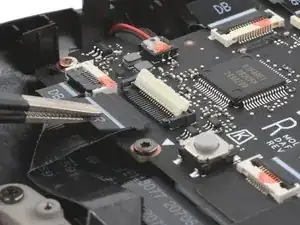
    • During disassembly, skip the next three steps.

    • During reassembly:

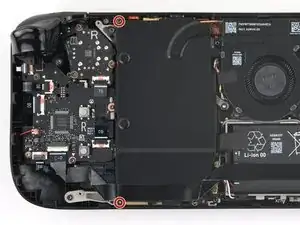
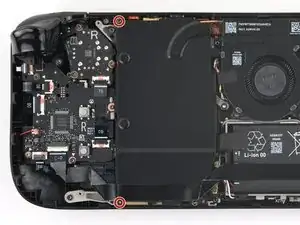
    • Reinstall the two 3.8 mm‑long screws to secure the motherboard shield.

    • Reconnect the interconnect cable ZIF connector.

  2. NPOSGMuDh4R1TBPD
    NPOSGMuDh4R1TBPD
    5AjsBfuQL1MnMiOy
    cCwJITNQcAn1kQw6
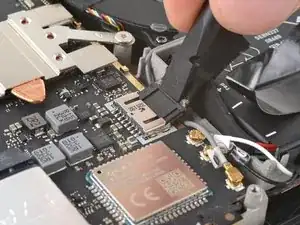
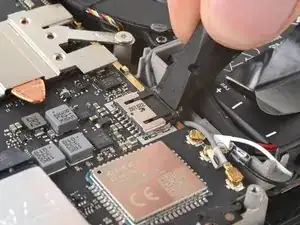
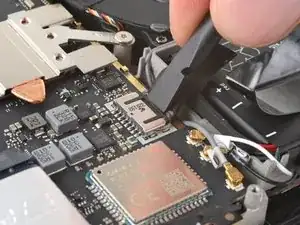
    • During reassembly:

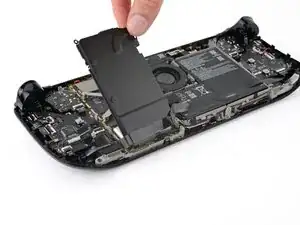
    • Use the flat end of a spudger to slide the battery connector into its socket on the motherboard.

  3. VFpxUmTfIGIlRmnr
    VFpxUmTfIGIlRmnr
    BHXO1C63DbO2xvVe
    DnV2d2OCHTvhyFfn
    • During reassembly, follow this step and the above three steps to reconnect the battery.

    • Use your T6 Torx driver to remove the two 3.8 mm‑long screws securing the motherboard shield.

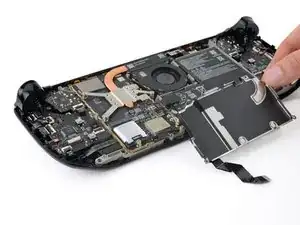
    • Lift the top edge of the motherboard shield up and flip it over the bottom edge of the frame, away from the motherboard.

    • Be careful not to crease or strain the cable.

    The speaker cable is taped to the motherboard shield and the interconnect table is glued on top of the tape, so you can't just flip the shield over. You have to peel off the interconnect cable, unplug and peel off the speaker cable as well and then you can remove motherboard shield.

    Adrián Buzás -

Conclusão

To reassemble your device, follow these instructions in reverse order.

Clay Eickemeyer

Membro desde: 19/09/22

99651 Reputação

0 comentários