Introdução
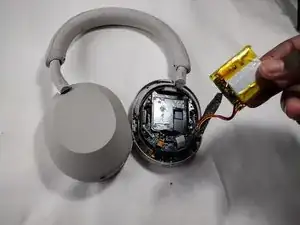
This guide will teach you how to replace the battery for your Sony WH-1000MX5 headset. The headset uses lithium-ion batteries, which can swell.
In the event the battery looks swollen or hot to touch, stop and read this guide on how to handle a swollen battery
Ferramentas


-
-
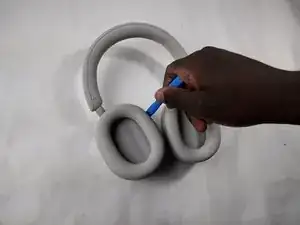
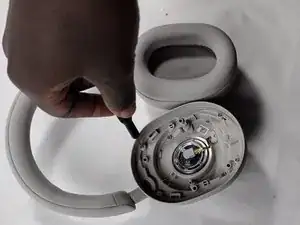
Place the edge of an iFixit opening tool under the earpad cushion.
-
Slide it alongside the edge of the cushion until it detaches from the rest of the headphones.
-
-
-
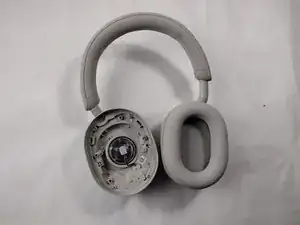
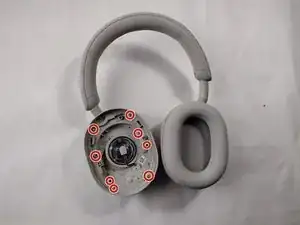
Use a Phillips #000 screwdriver to remove the eight screws along the outer inside edge.
-
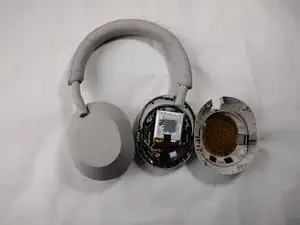
Flip the headphones to the other side and slowly lift up the back plastic cover piece.
-
Gently disconnect the touch sensor ribbon cable by pulling it out evenly from the main board.
-
-
-
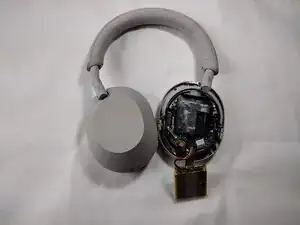
Peel off the tape covering the battery connector.
-
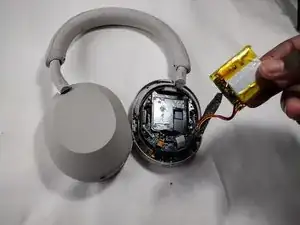
Pull out the battery and disconnect the battery cable from the motherboard.
-
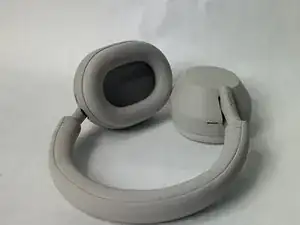
To reassemble your device, follow the above steps in reverse order.
For optimal performance, after completing this guide, calibrate your newly installed battery.
Take your e-waste to an R2 or e-Stewards certified recycler.
Repair didn’t go as planned? Try some basic troubleshooting or ask our Answers community for help.

Um comentário
Hey folks, thanks for taking the time to layout this procedure. These headphones are amazing, and this really helps me get my friends onboard.
Weis mann auch ob man die Originalen Orpolster irgendwo beschaffen kann? Ich kann nirgens etwas finden. Wär cool wenns einen link dazu gibt.
Skater Kid -