Introdução
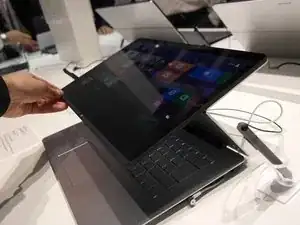
This guide goes over replacing a hard drive in a Sony Vaio Flip 15 laptop.
Ferramentas


-
-
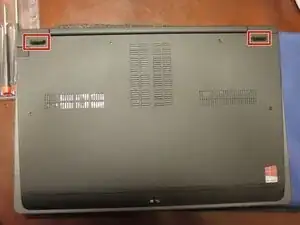
Remove the rubber feet by pulling them or using a spudger.
-
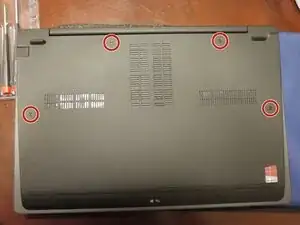
Remove the screws underneath those feet.
-
-
-
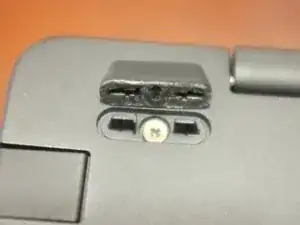
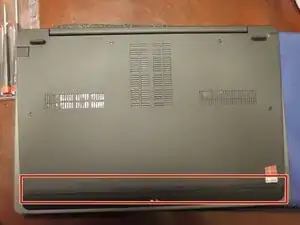
Carefully remove the rubber strip at the front edge using a spudger or a slotted screwdriver.
-
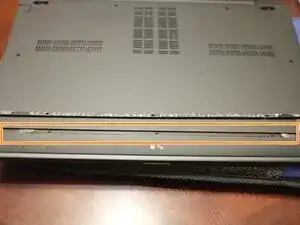
Remove the plastic strip from inside the grove.
-
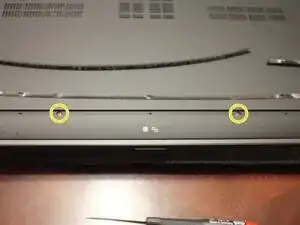
Once you've removed the strip you'll see a couple screws on either side.
-
-
-
Carefully pry of the bottom of the laptop. This can be done with a metal spudger or a thin putty knife.
-
-
-
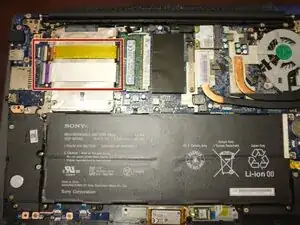
You can see here the giant battery front and center as well as the foil covered hdd on the upper left.
-
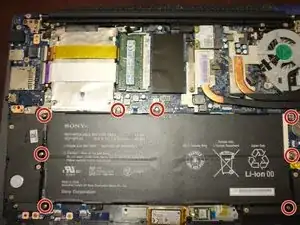
To remove the battery, remove all the screws holding it down.
-
-
-
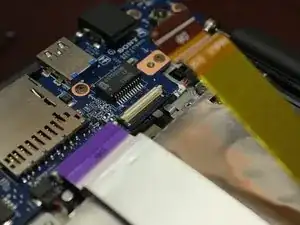
The two cables travelling over the hdd will need to be disconnected, to do this you need to lift up the connector as shown.
-
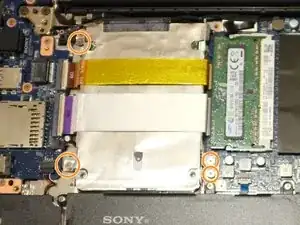
You will notice there are 3 locations the hdd is secured to the laptop. There are 4 screws though, the bottom right corner has a tiny bracket that has two screws holding this corner down.
-
-
-
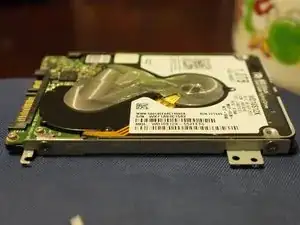
Once you have removed the hdd, you will need to remove the brackets on either side as well as removing the foil from the top of the hdd and transferring them to the new drive.
-
Follow the guide in reverse order to put the laptop back together.
-
Be sure to tighten the screws well as if you don't the laptop will tend to snap in and out at the point where the rubber strip is.
-
To reassemble your device, follow these instructions in reverse order.

13 comentários
The Vaio's original HDD is not enclosed in a case and the foil covers its exposed side. If I'm replacing the HHD with a SSD that is encased, do I still need to use the foil?
if6ws9 -
I don't know if you need to use the foil, I chose to so I wouldn't lose it or get it damaged in any way since I prefer to keep everything looking good in case I choose to sell it at a later date. I figured it couldn't hurt to put it on the ssd (although likely unnecessary as it was probably to create some sort of barrier for emi from interfering with the HDD which is not a problem with an ssd).
Donald -
The foil isn't needed when installing an SSD as they produce no heat and it won't redirect heat from the battery away from your drive. I chose not to put the foil back and saw a normal temperature reading but do so at your own discretion.
Does the Flip 15a have an msata port? I've read that it does and that it may be an m.2 port but, I can't find anything official.
CJL -
I don't believe it has an msata port, but I could be wrong on that account. The original had was a standard 2.5" drive.
Donald -