Introdução

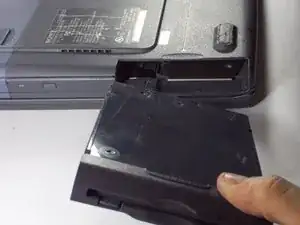
This guide will show how to remove the floppy drive for replacement.
  1. ChCGeDRauTOPZlgf
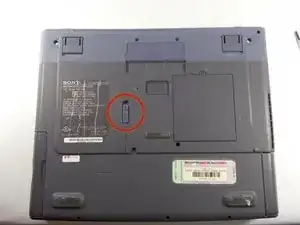
    • Locate the release tab on the bottom of the device.

  2. gVyHclEk5uWyjISK
    gVyHclEk5uWyjISK
    RU1ArP1Ohuh2YKb3
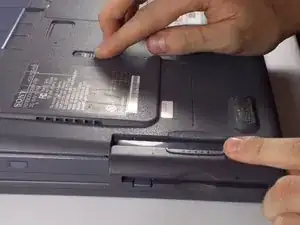
    • Slide tab in the direction of the arrow and pull out the floppy drive.

Conclusão

To reassemble your device, follow these instructions in reverse order.

Tim Cowley

Membro desde: 12/03/14

1 Reputação

0 comentários