Introdução

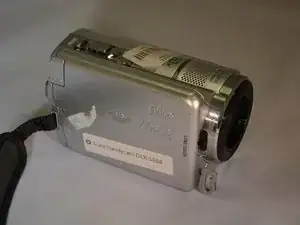
In this guide we well be removing the internal HDD of the DCR-SR68 Handycam and replacing it with a new one. This will involve removing some of the exterior casing to access the HDD.

  1. ETfVfeiCXtmHREVV
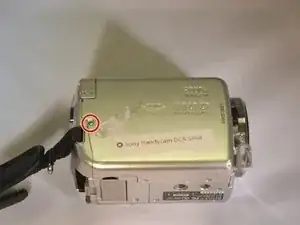
    • Undo Hand Strap

    • Remove battery.

    • Get the iFixit screwdriver and remove the extension.

    • Use a JO Philips head bit.

    I want to buy the harddisk for DCR- SR20E

    Helkholun Haokip -

  2. Nv41afqahR1E3QIH
    Nv41afqahR1E3QIH
    sVmMintOyT3mImNn
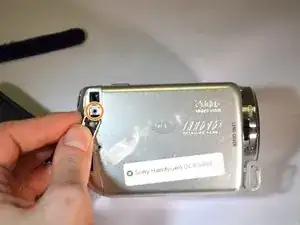
    • Place device on left side with lens facing right.

    • Using the screwdriver, unscrew the left middle 3mm Philips screw.

    • Open the "DC IN" tabe. (Second 3mm Philips screw is revealed)

    • Unscrew this screw.

  3. 6GjMQSKFu3OOAGNl
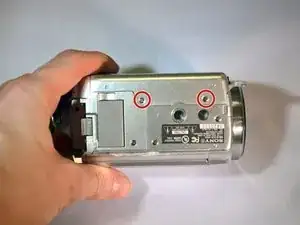
    • Turn device over onto it's top with the lens facing right.

    • Unscrew the top left and top right 3mm Philips screws.

    • The right side casing is now free.

  4. AXeCYogTTML6c4FD
    AXeCYogTTML6c4FD
    CmA5ZeTdAsPp15wg
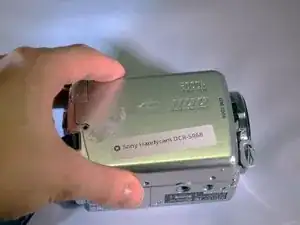
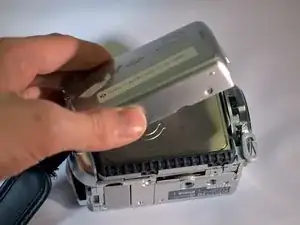
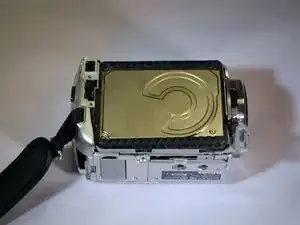
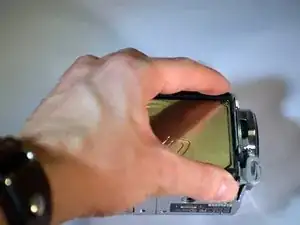
    • Remove the right side casing by pulling up and away.

    • The HDD is now revealed.

  5. EPlDACdNshiHsi24
    EPlDACdNshiHsi24
    nfZ3MURHZXVCFGiB
    ZdSsHWosDXILHbk5
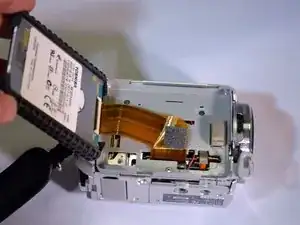
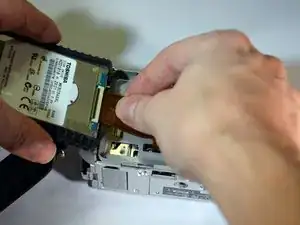
    • Using your fingers, lift the HDD from it's right end, pivoting on it's left end.

    • The HDD ribbon wire is now exposed.

  6. TPQDbYQPmLFOZFpS
    TPQDbYQPmLFOZFpS
    61ZUoAUWOKCteXan
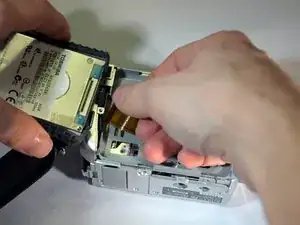
    • Using your fingers, gently pull the ribbon wire out of it's socket.

    • The HDD is now free from the device.

  7. S2Ymxqt2GZPoO3Cf
    S2Ymxqt2GZPoO3Cf
    nuQYRKZIyAMfJnBN
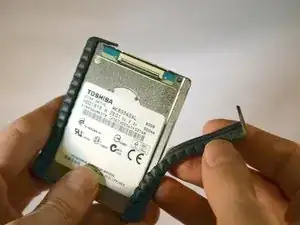
    • Using your fingers, pull the black rubber bumpers off of the HDD.

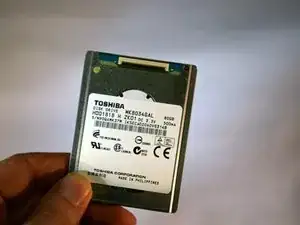
    • Set the old HDD aside.

    Hi.

    Easy to replace!

    Where to find a new hdd?

    bernard fradin -

    Hi,

    Your instructions were exactly right. The hardest part of the replacement was trying to get the ribbon wire back into the socket of the new HDD. Thank you so much for putting these instructions together.

    Bruce -

Conclusão

To reassemble your device, follow these instructions in reverse order.

Michael Smith

Membro desde: 07/01/16

197 Reputação

9 comentários

Hi. Would you know if the hard drive of the sr67 would work in a sr 68? My sony handycam dcr sr67 Got water damage and I need to download videos. Can't find an old 67. 0nly 68. No one can fix the old one. Thanks renee

Renee -

What does the letter H after hte HDD1818 stands for?

guimoramirez -

My dcr-sr68 hdd not formting please find salution

Naman Jain -

My SONY HANDYCAM DCR - SR68 HDD FORMATING shows Error E:31.00

What does it mean ?

Daanish -

My sony handycam DCR-SR68 HDD not formating plz find

bharat kumar solanki -

Can we use HDD laptop version into this camcorder?

Zinatul Iffah Abdullah -

Where I can purchase hdd

Manoj Kumar Deswal -

My battery is not working

Arshan Hasan -

where can i get the new or used hard drive?

Mukul Jangra -