Introdução
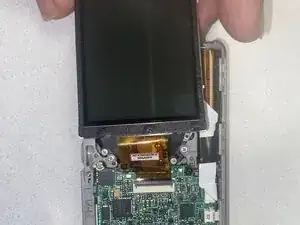
This guide will walk you through the process of replacing the LCD screen for the Sony Cybershot DSC-S750. Replacing the LCD screen on a Sony Cybershot DSC-S750 is a common DIY repair, but it requires care due to delicate internal components. The specific steps may vary slightly, but the general process involves careful disassembly of the camera body.


-
-
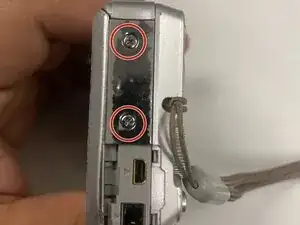
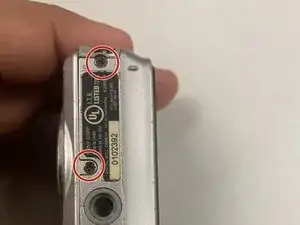
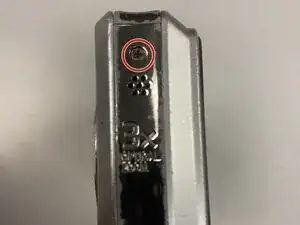
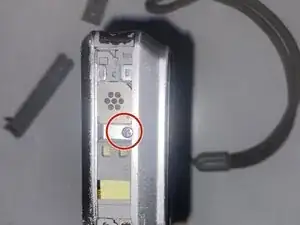
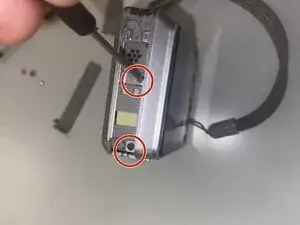
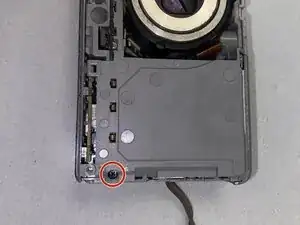
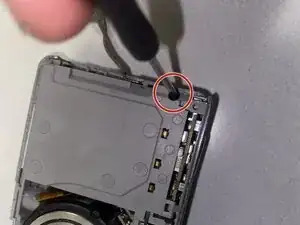
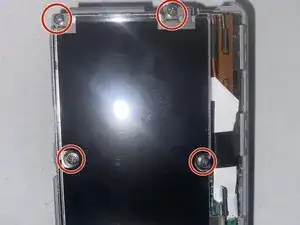
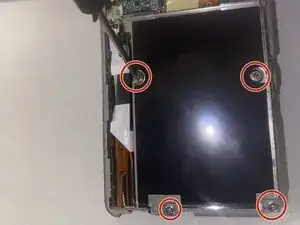
Now that the inner shell is exposed after unscrewing the outer shell, remove the screws from the inner shell of the camera.
-
-
-
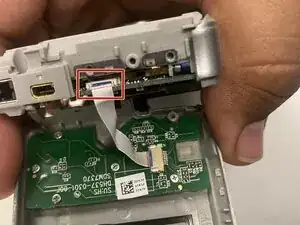
Remove the ribbon cable that connects the screen to the battery.
-
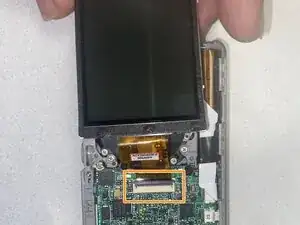
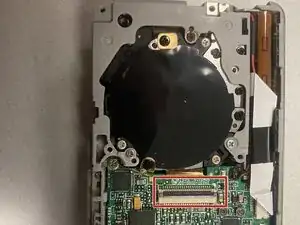
Remove the ribbon cable that is used to connect the LCD screen to the mother board.
-
Conclusão
To reassemble your device, follow these instructions in reverse order.