Introdução
Ferramentas

-
-
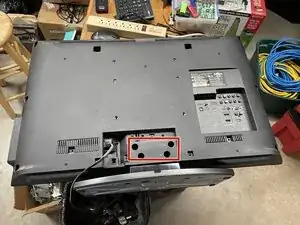
Lay the TV down on a flat surface
-
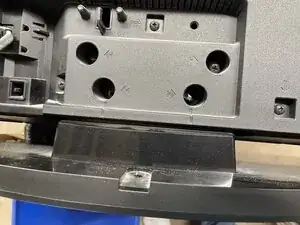
Use a Phillips Screwdriver to remove the 4 screws holding the stand.
-
Pull the stand away from the TV to remove it.
-
-
-
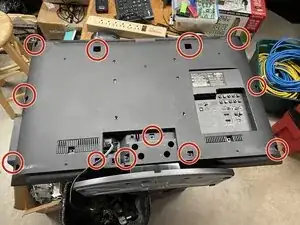
Remove all screws holding the back panel on, including the screw near the RCA audio out connector
-
-
-
Carefully lift the back panel off from the bottom. There are some plastic tabs at the top of the back panel where it meets the front bezel.
-
-
-
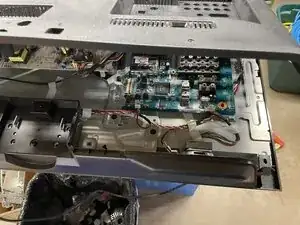
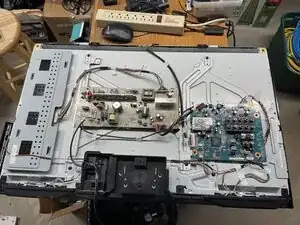
The TV is now open, allowing access to the main board, LCD Driver, and any other serviceable parts.
-
Conclusão
To reassemble your device, follow these instructions in reverse order.