Introdução
Use this guide to replace the front plate on the Sony Alpha 5100 (or Sony a5100).
Always use CAUTION when self-repairing and follow the instructions closely to avoid potential damage to the device.
-
-
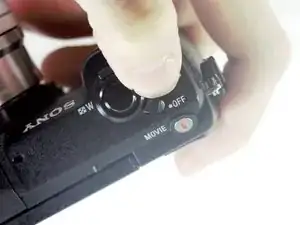
Slide the power switch on the top of the camera to "off."
-
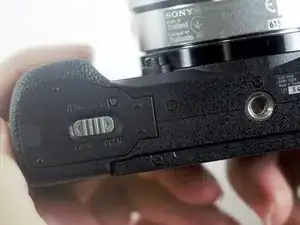
Turn the camera over to the bottom, and push the latch towards the side marked "open" to release the battery cover.
-
-
-
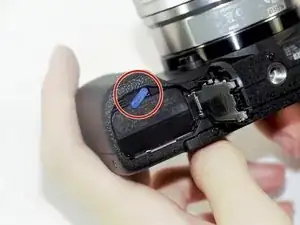
Push the blue spring-loaded lever to release the battery.
-
Remove the battery from the camera.
-
-
-
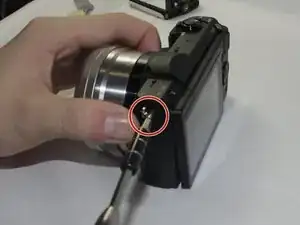
Remove one 2mm Phillips #00 screw from the flash plate cover.
-
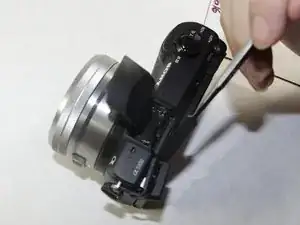
Use the spudger to pop the plate off.
-
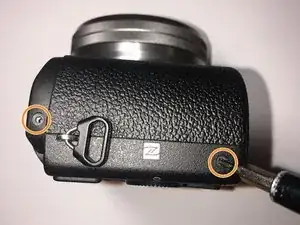
Remove two 2mm Phillips #00 screws on the side of the camera.
-
-
-
Pop the memory card door open by gently lifting the door up.
-
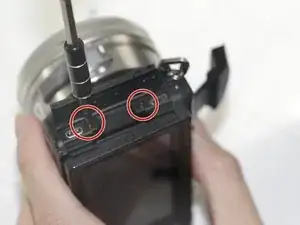
Remove two 2mm Phillips #00 screws from the side of the camera.
-
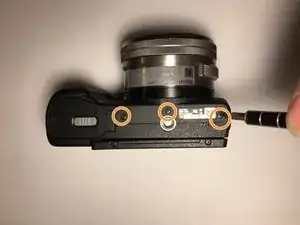
Remove three 2mm Phillips #00 screws on the bottom of the camera.
-
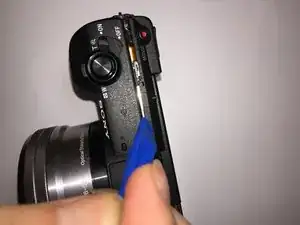
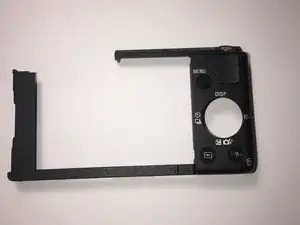
To reassemble your device, follow these instructions in reverse order.