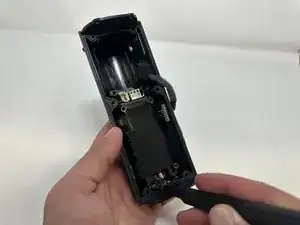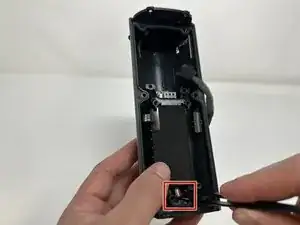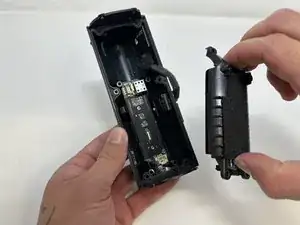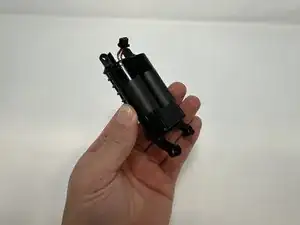
Introdução

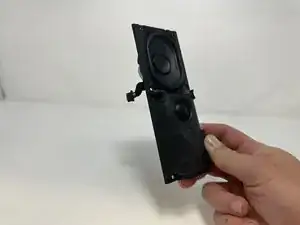
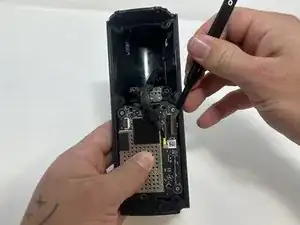
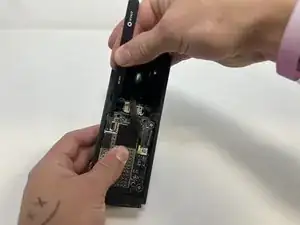
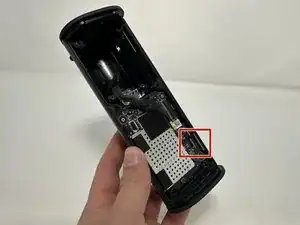
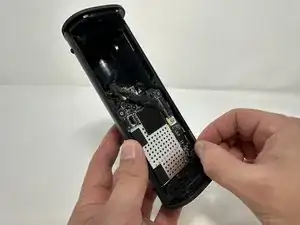
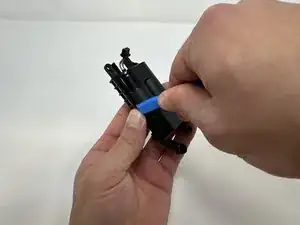
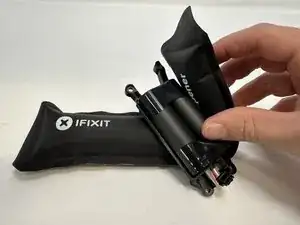
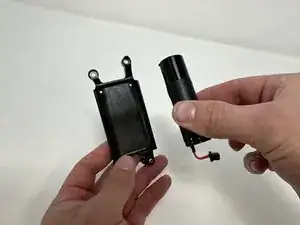
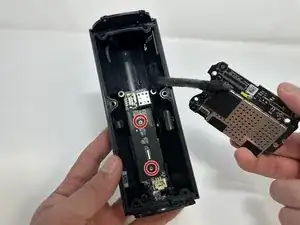
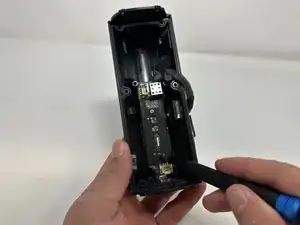
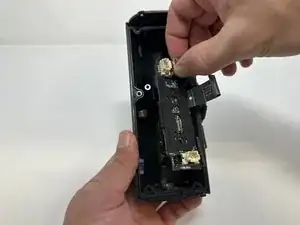
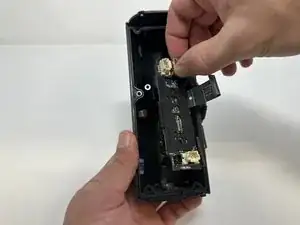
If your Sonos Roam is unresponsive, having problems turning on, not staying on, and you have already tried replacing the outer circuit board then use this guide to replace the inner circuit board.

This circuit board is responsible for sending signals to the entire device. This means it is in charge of connectivity, charging, and audio for the Sonos Roam.

Before using this guide, try rebooting your Sonos Roam.

There are steps that recommend (not require) the use of the iOpener. This will help with carefully removing the adhesive used to keep this device together. Refer to this link on how to properly use the iOpener.

  1. fQq56AbQJRPOaTYu
    fQq56AbQJRPOaTYu
    KsW2s361JCkYIJQT
    5MBYncQL2NxagpDy
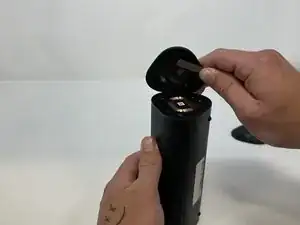
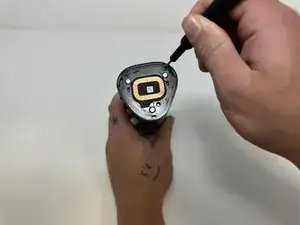
    • Power off your Sonos Roam before beginning disassembly.

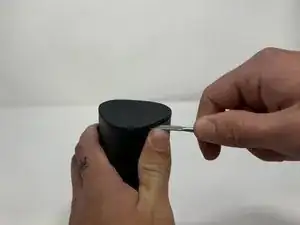
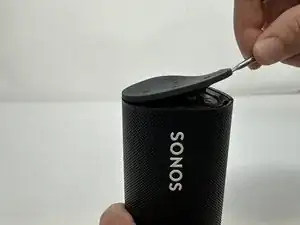
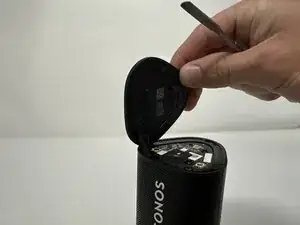
    • Use the metal spudger to pry the end cap with the buttons.

    • Pry from all sides to loosen the adhesive.

    • Use the iOpener, a blowdryer, or a similar heating device to loosen the adhesive if having difficulty.

    What about IP67 rating? Am I going to lose the water resistance rating if I do not reapply some glue or additional adhesive when reassembling things back?

    Askar -
  2. Fa1WAjLd1PTbOgJf
    Fa1WAjLd1PTbOgJf
    bjRsPyljKxuOH4NV
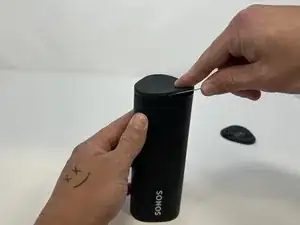
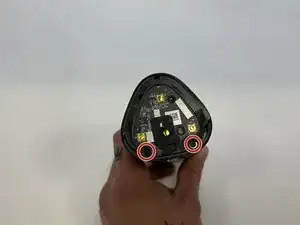
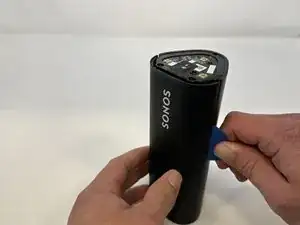
    • Flip the device to the other end cap.

    • Use the metal spudger to loosen the adhesive.

    • Use the iOpener, a blowdryer, or a similar heating device to loosen the adhesive if having difficulty.

  3. 3NJEEKwTJ3cHVylI
    3NJEEKwTJ3cHVylI
    PuNOCsS2YDgUkTLT
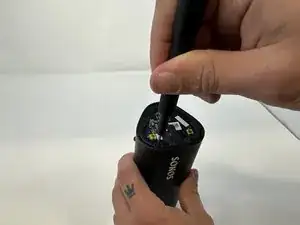
    • Flip the device so that the Sonos logo is on the top.

    • Use the Torx T6 screwdriver to remove the two 6 mm screws.

    my sonos roam sl used t7 screws here

    Arndt Kurek -
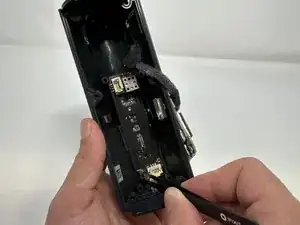
  4. 2yXndWqBYFKlbDYx
    2yXndWqBYFKlbDYx
    sNeZtEdHfKjO2uGw
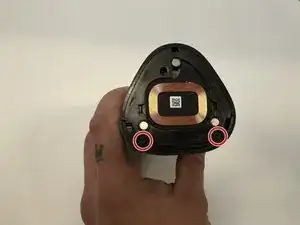
    • Flip the device.

    • Use the Torx T6 screwdriver to remove the two 6 mm screws.

  5. eqhulqqTvQLmoNXq
    eqhulqqTvQLmoNXq
    L1IKTYCJPR6WbaRs
    ufiHRMw4APQ5MnRX
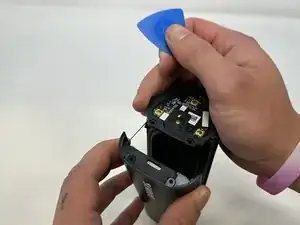
    • Flip the device so the Sonos logo is on the top.

    • Use the iFixit opening picks to wedge between the split of the grille and the back of the speaker to pry the grille apart.

    • Use the iOpener, a blowdryer, or a similar heating device to loosen the adhesive if having difficulty.

    wichtig darauf zu achten, dass nicht versehentlich nur das dünne 1mm Gitter abgelöst wird sondern das dünne Gitter an dem dicken Gitter (oben und unten jeweils etwa 12mm) bleibt.

    CK1 -

  6. u5MDFTO53QorTvph
    u5MDFTO53QorTvph
    OnmpcYbrSNVmjZpv
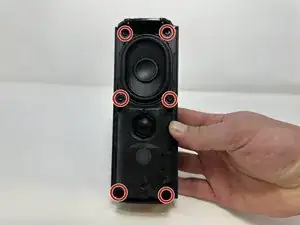
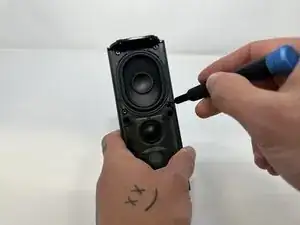
    • Use the TR10 Torx screwdriver to remove the six 7 mm screws.

  7. 4BWE6oPmMVUWrYSU
    4BWE6oPmMVUWrYSU
    NbYFWEtK2YIubaXV
    xdHkiRKIsZp413SS
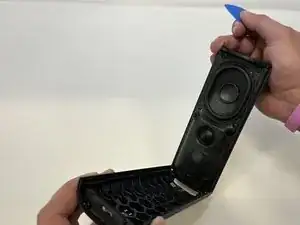
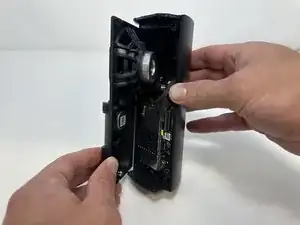
    • Begin to carefully separate the speaker module from the device.

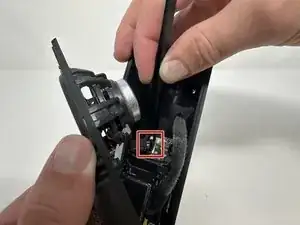
    • Firmly squeeze the middle of the plug using the tweezers to pull it out of the socket.

    • Separate the speaker module from the device.

    Should mention there is a latch that holds the connector in place. You need to depress the latch to release the connector, otherwise you may struggle trying to pry it from the edges. Depress the latch instantly releases the connector.

    Aaron Lai -

  8. qDHExrQGCmIq1wqD
    qDHExrQGCmIq1wqD
    rPR1A2VOnUo5KwTC
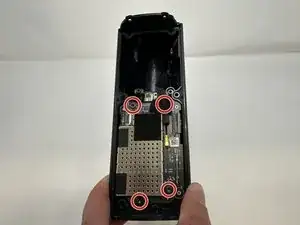
    • Use the TR10 Torx screwdriver to remove the four 7 mm screws.

  9. AhKurEl34YkSN5vw
    AhKurEl34YkSN5vw
    h2Xy5qFBO4rWYlYZ
    opEsR3fXZVtixprJ
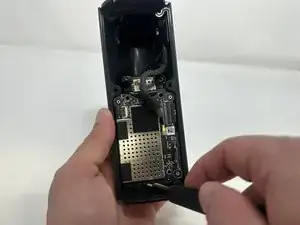
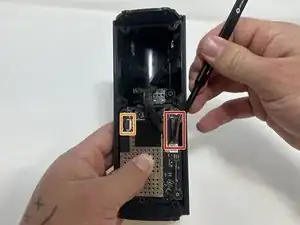
    • Use the tweezers to flip the latch holding the large ribbon in place.

    • Grab the large ribbon with the tweezers and pull upwards to remove it.

    • Use the tweezers to flip the latch holding the small ribbon in place.

    • Grab the small ribbon with the tweezers and pull upwards to remove it.

    A diagram of how the latch works would be helpful as well as the photo

    Neil Makaroff -

    Yes, this is a key unaddressed point. Flip which part of the latch in which direction??????

    joehuber -

    When re-assembling, I used tweezers to put the ribbons in place. The ribbons have keys that stick out, and the ribbon must be far enough toward the latch for the ribbons' keys to be past the notches on the white-ish mount point. With the ribbon mostly flat, I closed the latch. Everything is working.

    Matt Burke -

    It turns out that what needs to be done is to approach the large connector from the right on a path perpendicular to the edge of the case with a fine point tool, like a tweezer or small screwdriver. Put the tip just under the edge of the grey bar and flip it up and to the left. It moves very easily and releases the flat large cable.⏎

    Approach the small connector from the left and flip its grey bar up and to the right.

    joehuber -

  10. OAnYlvoXEsNNiMBy
    OAnYlvoXEsNNiMBy
    ftRCdLC5WUgYXUaP
    fwwNFhcU1a1FKHUU
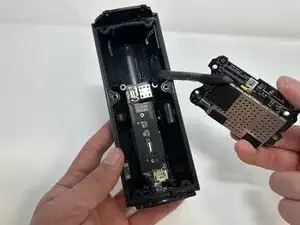
    • Grab the metal piece sticking out of the outer circuit board.

    • Pull upwards to remove the outer circuit board.

  11. XUYPSAS1fErfPgD4
    XUYPSAS1fErfPgD4
    jGi3uFKQiWVyXA2F
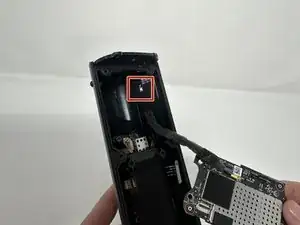
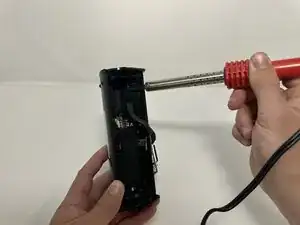
    • Soldering Iron is very hot and can cause injury if not used properly.

    • Use a soldering iron to desolder the outer circuit board from the speaker casing.

    is it necessary to desolder the board to replace the battery? it appears subsequent steps just push it to the side...

    Daniel Rodriguez -

    Same here, not sure if that is a necessary step to replace the battery

    Askar -

    I made the repair without soldering. Works without any problem

    Ze si -

    Same here. No need to desolder

    Neil Makaroff -

    Do not de-solder the board, no need.

    See all you tube videos, none do that.

    I’m not going to, just pry, unscrew, blow dry when you feel you’re forcing, unclip,

    Reclip, re snap, re screw, charge and listen and go tell sonos to eff themselves.

    robert stellato -

  12. FTnHwpJMYqaGxHW2
    FTnHwpJMYqaGxHW2
    1s3gFifHVnJAJbvf
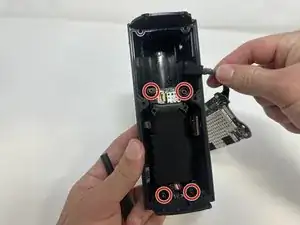
    • Use the TR10 Torx screwdriver to remove the four 7 mm screws.

  13. HgdPNQnhSsmxOINy
    HgdPNQnhSsmxOINy
    2LOcWQj3RFKkpAyI
    • Use the tweezers to firmly squeeze the middle of the plug.

    • Pull the plug out to remove it from its socket.

    • Remove the battery from the device.

  14. OqeBoOA5g2gWHayM
    OqeBoOA5g2gWHayM
    rJPZqwIOkwuEkotZ
    UPigsy2wbI2LwZoS
    • Use the iFixit opening tool to pry the battery out of its casing.

    • Use the iOpener, blowdryer, or a similar heating device to loosen the adhesive if having difficulty.

    I used the iOpener plastic cards to shove between the battery and the case on both sides to break the adhesive.

    Matt Burke -

  15. yYF1xT5DKlVIUpMg
    • Remove the battery from its casing.

    Step 11 is optional. There is no need to unsolder the circuit board to get the battery out, you can pry the cable off and move the board out of the way while it is still attached to the case.

    Kristoffer Rydquist -

    Agree with prior comment, did not unsolder wire and still completed successful battery change.

    FYI, my Sonos battery most probably failed as the charger was not sufficient power. This was not in any literature but Sonos help line stated minimum power needed.

    Paul Ukrainetz -

    I also agree that step 11 is unnecessary. No need to unsolder anything, just carefully flip the board out of the way. This lead is going to one of the antennas, so I would not want to deal with resoldering this micro-coax. Hardest part is dealing with all the adhesive.

    Matt Schirmacher -

    Bravo pour les explications très claires, précise et bien illustrées !! Il est vrai que dessouder le fil n'est pas nécessaire .. de si quelqu'un peut dire à SONOS qu'un petit interrupteur à pression serait bien utile pour un hard reset des enceintes plutot que de devoir démonter les batteries :-)

    Teran -

    und wo bekommt man die Ersatzakkus bzw. welche Bezeichnung muss man suchen?

    Marion Wuethrich -

    Den Akku gibt es bei Amazon. Link: https://www.amazon.de/dp/B0CJFP5VK6?ref=...

    Joe Urs -

    Thank you very much for this repair guide. My Roam plays like he did on day one. :-)

    Joe Urs -

  16. EFBnYbRmxRTOdvdJ
    EFBnYbRmxRTOdvdJ
    ZtVYFmcXfJQhF1bA
    • Use the TR9 Torx screwdriver to remove the two 5 mm screws.

  17. QJjv6MFHDiOXs5Kf
    QJjv6MFHDiOXs5Kf
    OC4hg1SgUt2cjjbQ
    w4rNR6LDCJHvDBaa
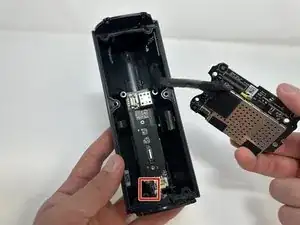
    • Use the tweezers to firmly squeeze the center of the plug.

    • Pull the plug out to remove it from its socket.

    • Grab the metal box to remove the inner circuit board.

Conclusão

To reassemble your device, follow these instructions in reverse order.

Lauren Young

Membro desde: 20/09/23

839 Reputação

3 comentários

Danke für die Anleitung.

Ich müsste die Leiterplatte auch tauschen. Weiß jemand, wo es noch passenden Ersatz gibt?

Danyel Bürgel -

Vielleicht hier?

VauWeh -

Danke aber das hatte ich schon versucht. Bietet man nicht an. Ich kann den Fehler eingrenzen aber den Chip bekomme ich leider auch nirgends.

Danyel Bürgel -