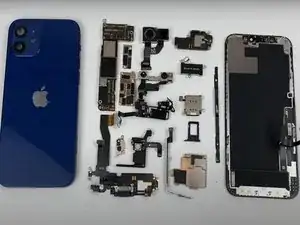
Introdução

  1. uKOKPxRXBlKuVnuC
    uKOKPxRXBlKuVnuC
    igXaDOhWoaeCJNBA
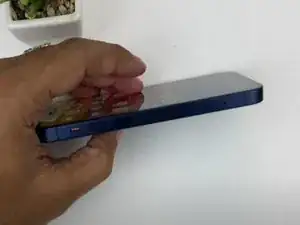
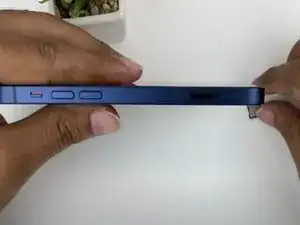
    • Attraverso un estrattore SIM rimuovi il supporto per la scheda SIM.

  2. WqHCpLkDP1rQrkWm
    WqHCpLkDP1rQrkWm
    31nZmYVXJWHQtRoi
    f1O1rBr3OX2Sl1Gc
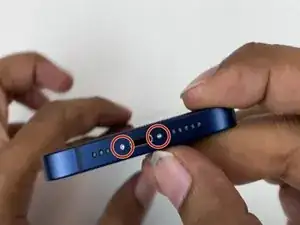
    • Spegnere il dispositivo

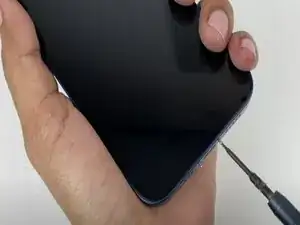
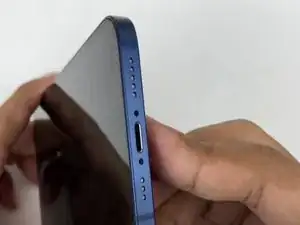
    • Svitare le due viti Pentalobe lunghe 6,9 mm.

  3. cym4OT6jJamOTSjg
    cym4OT6jJamOTSjg
    cXhDqVrlRKMApTHi
    HrvjvNoFgYlYx5CA
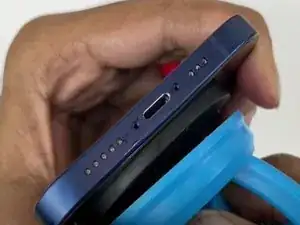
    • Applicare un iOpener riscaldato su tutto il bordo dello schermo per allentare l'adesivo sotto il display.

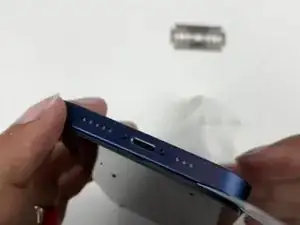
    • Alzare il display con una ventosa e inserire un oggetto fine per dividere lo schermo dal telaio.

    • Far scorrere l'oggetto fine lungo tutto il bordo per tagliare l'adesivo.

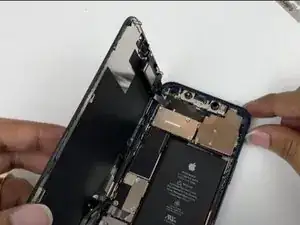
    • Alzare il display.

    Please explain what you mean by heated iopener on each edge. The link doesn’t work for me. Thank you

    William -

  4. mr4aFOZ3OnZTUuRh
    mr4aFOZ3OnZTUuRh
    pROJTEXPHLGcTnT6
    a4JuOxDfhGGUgdt4
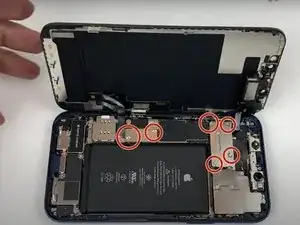
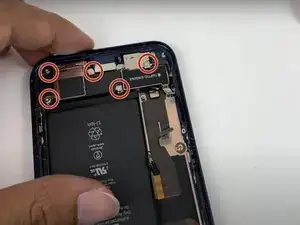
    • Rimuovere le 6 viti Phillips #00.

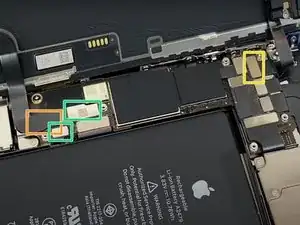
    • Con uno spudger o con le unghie delle dita alzare i due connettori.

    • Alzare il connettore che si trova sotto.

    • Disconnettere il connettore del display.

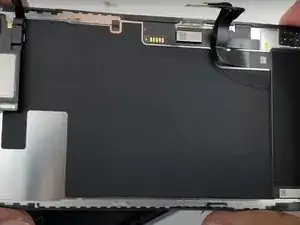
    • Alzare il display.

  5. tD6hikSHRWN2jX2i
    tD6hikSHRWN2jX2i
    2dGGgL5TH6vkumgr
    6iHAiTUVQbDMJSZp
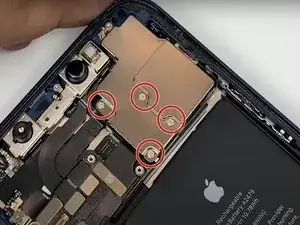
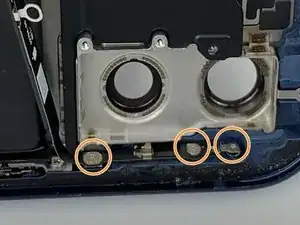
    • Svitare le 4 viti Phillips #00.

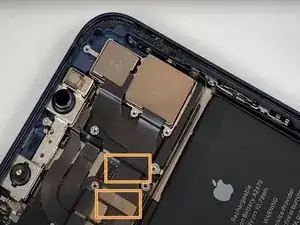
    • Con uno spudger o con le unghie delle dita scollegare i due connettori della fotocamera posteriore.

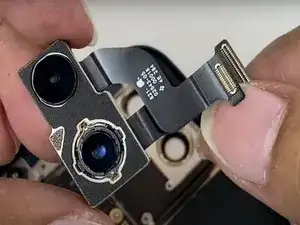
    • Rimuovere la fotocamera posteriore.

    These are not Philips head screws, they are tri-wing, and also there is an actual Philips head screw at the very top of the plate that also needs removal

    Dominic Goncalves -

    Thank you was just wondering why my iPhone 12 has triwing instead of the philips :D

    Teodor Georgiev -

  6. cW5FGYWVTsP5ptst
    cW5FGYWVTsP5ptst
    IpSRZkPpFSfJGL6Q
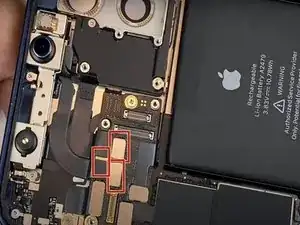
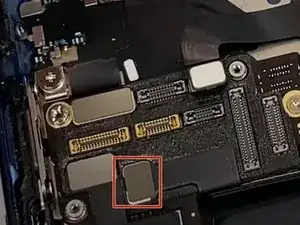
    • Con uno spudger o con le unghie della mano per disconnettere i tre connettori che connettono la fotocamera anteriore.

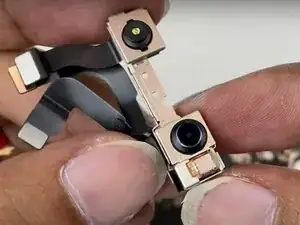
    • Rimuovere la fotocamera anteriore.

  7. Oy4wccURbFH1mAiu
    Oy4wccURbFH1mAiu
    UGhMmwUH13gVqpWF
    • Con uno spudger o con le unghie della mano scollegare il connettore del supporto della batteria.

    • Svitare le 3 viti Phillips #00.

    • Rimuovere il supporto della batteria.

  8. HcfpCK2VqsqCnBkB
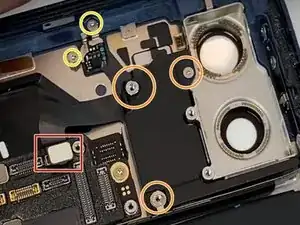
    • Con uno spudger o con le unghie della mano scollegare il connettore del flash della fotocamera posteriore.

    • Svitare le 3 viti Phillips #00.

    • Svitare le 2 viti Phillips #00.

    • Rimuovere il flash della fotocamera posteriore.

  9. iHDVRlY4YJYitKLW
    iHDVRlY4YJYitKLW
    SRNZFdFI5ELofmrY
    qDfefpLuaH3rdF6v
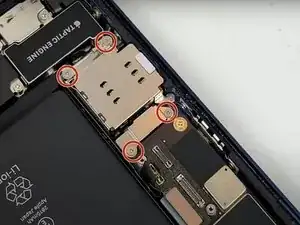
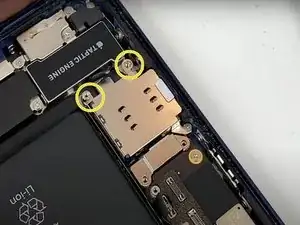
    • Svitare le 4 viti Phillips #00.

    • Svitare i 2 supporti per viti con il cacciavite adatto.

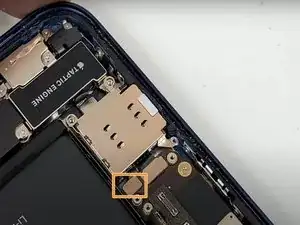
    • Con uno spudger o con le unghie della mano per scollegare il connettore del supporto della scheda SIM.

    • Rimuovere il supporto della scheda SIM.

  10. YHGEPSfEqdn31ggS
    YHGEPSfEqdn31ggS
    gSwYXm6gSEX6rCso
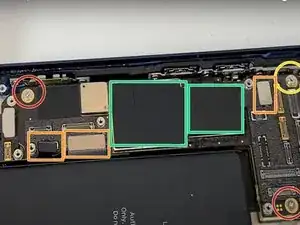
    • Rimuovere le 2 viti Phillips #00.

    • Con uno spudger o con le unghie della mano scollegare i 3 connettori della batteria.

    • Svitare il supporto della vite con un caccavite standoff per iphone.

    • Con uno spudger rimuovere la pellicola in film.

    • Attenzione quest'ultimo passo è necessario per rimuovere la scheda logica.

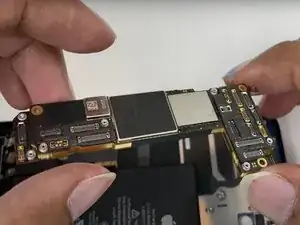
    • Rimuovere la scheda logica.

    There is an additional screw at the very top that needs removal

    Dominic Goncalves -

    I need to buy the board

    JJPPEC -

    for USA models with 5G UltraWideband, the battery needs to be removed to access the flex cable for the 5g UW antenna, this flex cable is soldered to the back of the logic board and can easily be torn if you follow this guide. GG thanks ifixit

    grantfoti12002 -

  11. lRZwREFKDW5ue32S
    lRZwREFKDW5ue32S
    d2EZf1Z3PWMNNoFc
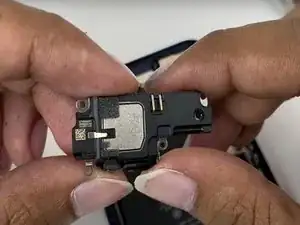
    • Svitare le 5 viti Phillips #00.

    • Rimuovere lo speaker.

  12. efPn1MATHATOAVPg
    efPn1MATHATOAVPg
    AiTVJKrvKJjcVKy1
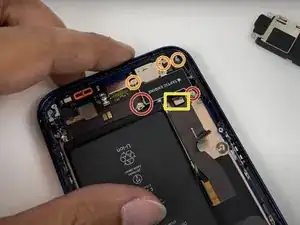
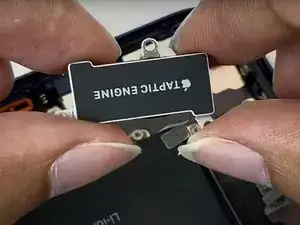
    • Rimuovere i 2 supporti delle viti con un caccaivite standoff per iphone

    • Svitare le 3 viti Phillips #00.

    • Con uno spudger o con le unghie delle dita rimuovere il connettore del taptic engine.

    • Rimuovere il taptic engine.

  13. RZOP33HFeU1efukZ
    RZOP33HFeU1efukZ
    DfXLNeGIA6aAE5GF
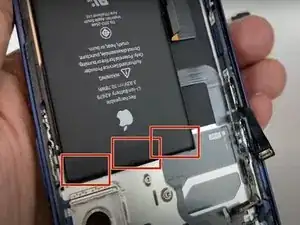
    • Togliere l'adesivo sotto la batteria.

    • Per togliere l'adesivo sotto la batteria levare gli adesivi contrassegnati in rosso nella prima foto.

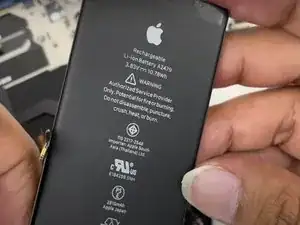
    • Rimuovere la batteria.

    Sometimes these battery stickers snap off, ( more often than not ) so just apply a small amount of rubbing alcohol around the battery and leave it for a couple of minutes then the battery will come out pretty easy.

    Chukkamental -

  14. CNa1eQsQ6NHM3ZMk
    CNa1eQsQ6NHM3ZMk
    qUrYeG5WPbEUGXip
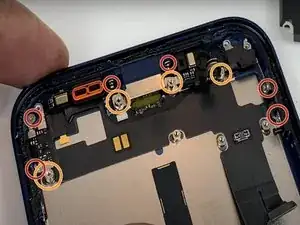
    • Svitare 6 viti Phillips #00.

    • Rimuovere i 4 supporti per viti con un cacciavite standoff per iphone.

    • Con uno spudger rimuovere la pellicola in film.

    • Attenzione, il passo precedente è fondamentale per rimuovere la scheda di ricarica.

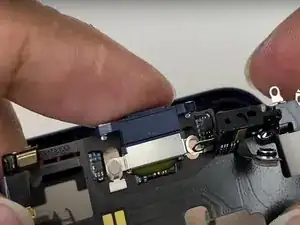
    • Rimuovere la scheda di ricarica.

    • Attenzione a non fare troppo forte, ciò potrebbe danneggiare qualche componente.

  15. PeTAEOUIvdWahDV2
    • Ed ecco qui tutti i componenti che compongono il nuovo iPhone 12.

    I need to buy a boad

    JJPPEC -

    Why some motherboard have a little flex cable that goes to the right side of the phone under the start button?

    cristiano -

Andrea Alfani

Membro desde: 20/04/22

8603 Reputação

8 comentários

I had problem with nfc. When it was changed. Have any solution?

Ak H -

I don't see any mentioning of the microphone, Is the Microphone an integral part of the charging port harnes?

Paal Halvorsen -

This guide is missing A LOT of steps

Jason Oestrike​ -

This is definitely not a US iPhone 12! e careful as the antenna can tear easily and potentially ruin a motherboard.

Kyle Morrell -

>disconnect battery connector
>disconnetct 3 battery connectors

wtf?)) why do you call any FPC "battery connector"? so NPC

Джокер Богданофф -

not very detailed, many steps are missing

tryndes -

Step 7: "Remove the battery holder"

That's not a "battery holder (?)" that's the Bluetooth antenna/cable. It's also glued to another cable that is soldered to the bottom of the main board, goes around the top of the battery and down the right side. That cable seems to be missing entirely here.

SS IT Support -

Maybe mark down what the type of screws are ? It’s reallllly helpful,plz

Chow Wyn -