Introdução
The Shark RV912 EZ Robot Vacuum is built for efficient, hands-free cleaning, but over time, its brushroll and side sweepers can become tangled with debris or worn down, reducing performance. Replacing these components helps restore the vacuum’s ability to collect dirt, hair, and dust effectively. This guide provides clear, step-by-step instructions for safely removing and installing new brushroll and sweeper parts, ensuring your Shark RV912 EZ continues to deliver powerful and consistent cleaning results.
Ferramentas

-
-
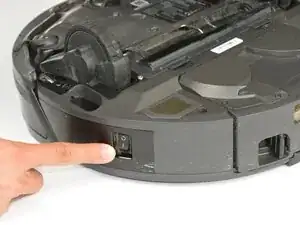
Power of the device using the power button located on the side of the device.
-
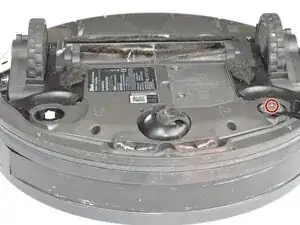
Flip the device over to acess the brushroll and sweepers.
-
-
-
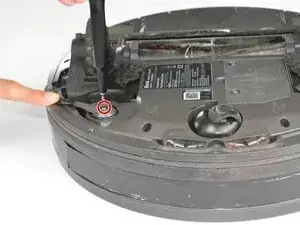
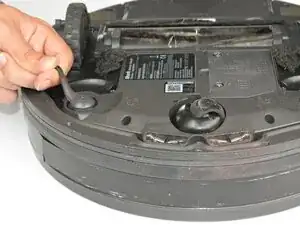
Use one finger to hold down each sweeper located near the sensor. Use the Torx Security TR9 screwdriver to remove the 7.5 mm screw from the center of each of the two sweepers.
-
Pull up firmly on the sweepers to remove them from the robot.
-
-
-
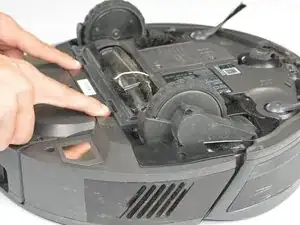
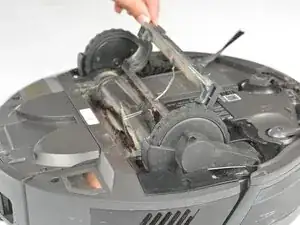
Push the tabs inward and lift the brushroll cover from the vacuum.
-
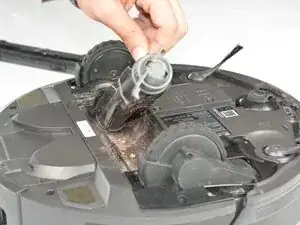
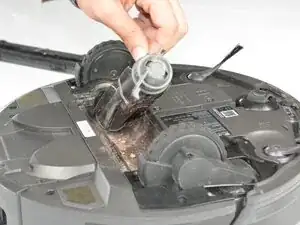
Lift the brushroll to remove it from the compartment.
-
To reassemble your device, follow these instructions in reverse order. Take your e-waste to an R2 or e-Stewards certified recycler.
