Introdução
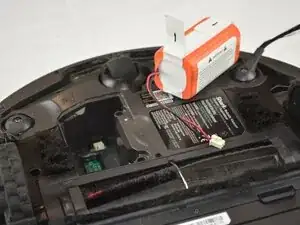
This guide will walk you through the process of safely removing the old battery and installing a new one, ensuring your Shark RV912 EZ operates efficiently and maintains consistent cleaning power.
Before you begin the repair, make sure the vacuum is off and disconnected from the charger.
Ferramentas

-
-
Power off the device using the power button located on the side of the device.
-
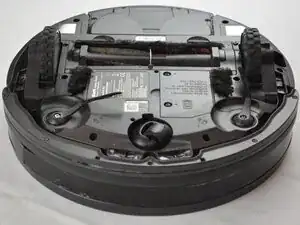
Flip the device over to expose the battery compartment.
-
-
-
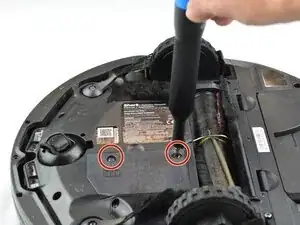
Use the Phillips #2 screwdriver to remove the pair of 15.4 mm screws securing the battery cover.
-
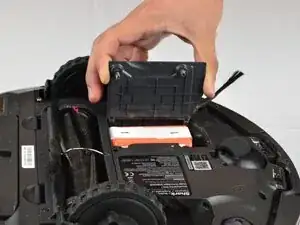
Lift the battery compartment cover to expose the battery.
-
-
-
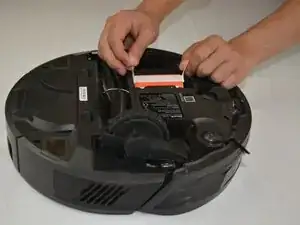
Use the tabs on the battery to lift it straight out to access the battery connector. Set the battery aside close to the battery compartment.
-
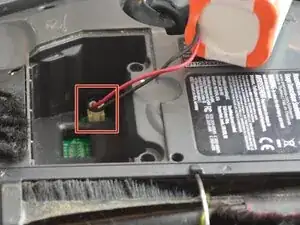
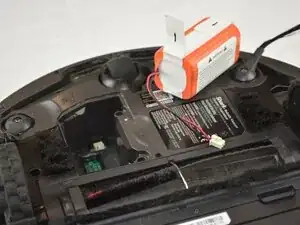
Use your fingers to squeeze the connector tab and remove it from the socket.
-
Remove the battery.
-
To reassemble your device, follow these instructions in reverse order. Take your e-waste to an R2 or e-Stewards certified recycler.
