Introdução

With this guide you will learn how to replace faulty battery spring contacts that may have been disconnected from motherboard or corroded by and exploding battery.

  1. UyPItYVvKFIkOVBX
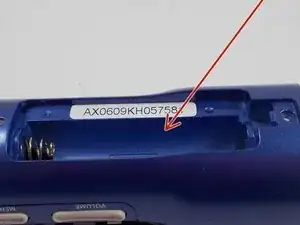
    • Remove the cover of the battery compartment.

    • Remove the battery from the inside compartment.

  2. Df3ndbrax2HcAxAC
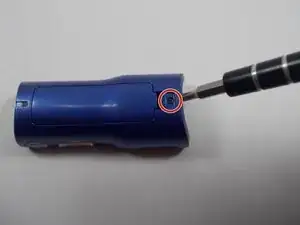
    • Locate and remove the screw near the battery compartment.

  3. UwaiNMLyglrfXhGb
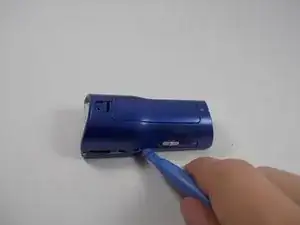
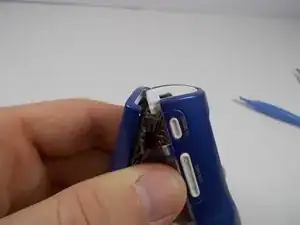
    • Locate the interlocking pegs along the seam of the device's casings.

    • Gently pry the pegs apart one at a time, working your way around the case.

    • Be careful when prying apart the pegs: they are made of plastic and may break.

  4. REQBZQVeV5uVddBO
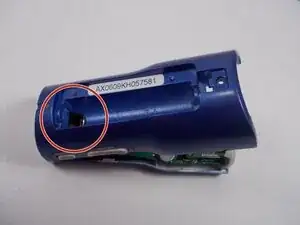
    • Push the battery contact springs down through the hole because the springs may prevent the case from separating.

  5. OLGMtTNU2pjUjTLH
    • The casing protecting the USB and headphone jacks must be removed.

    • Locate and gently pry apart the two interlocking clips holding it in place.

    • The outer casings may now be removed and the MP3 player should separate.

  6. Eiog1RsVGe3Fakc5
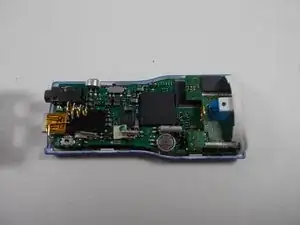
    • Now you can see and access all components found inside the device!

  7. cFIyOstUt2TStClF
    cFIyOstUt2TStClF
    WEFJhONGiIXZNa6p
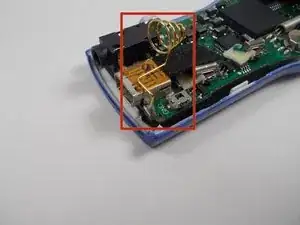
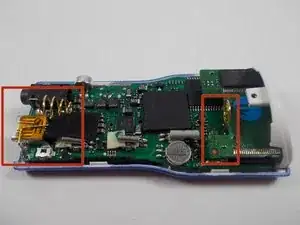
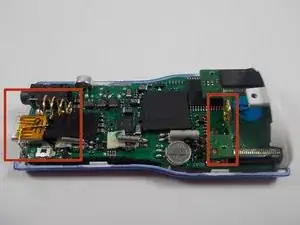
    • Locate both battery spring contacts, if necessary, on the motherboard.

  8. 4NaSBEAEnEaNqq3H
    4NaSBEAEnEaNqq3H
    mxIxpB4e4kfuEYFQ
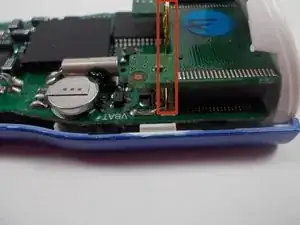
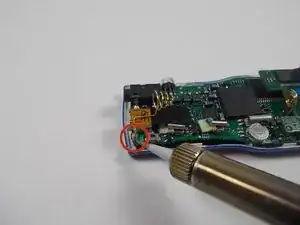
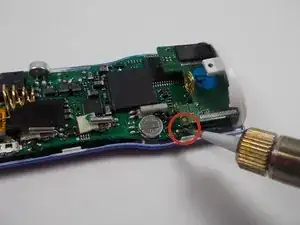
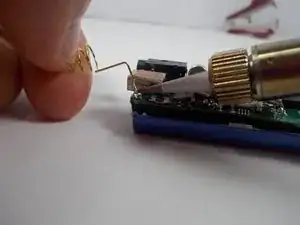
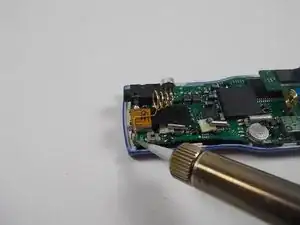
    • Apply heated soldering iron to points where the contacts are soldered to the motherboard.

  9. OWqDhEovDVlEfYNy
    • Soldering irons, when heated, are very hot and can potentially burn the user.

    • Be sure to always elevate the hot end of the soldering iron on a metal stand to prevent incidental burns.

  10. TNIBXjMuCyWchCIh
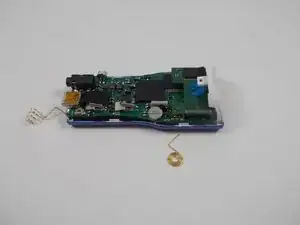
    • With solder melted, remove battery spring contacts from the motherboard.

  11. MPHBxFxEGoMZpnjL
    • Replace spring contacts with new ones.

  12. JaygupCNNUSNsIUE
    • There may be some solder in the way of the spring contacts' metal contacts. If this occurs simply melt the solder to create room for the contacts.

  13. L3qMZGRHN25qhDgB
    L3qMZGRHN25qhDgB
    4FTPXdaiesH3yuVW
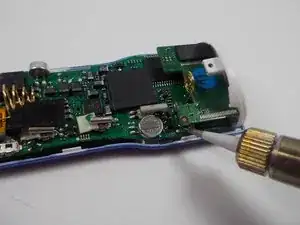
    • With the new battery spring contacts in place, use the soldering iron to apply new solder to the connection points.

    • Be sure to allow the new solder to cool and harden.

Conclusão

To reassemble your device, follow these instructions in reverse order.

James Thorne

Membro desde: 05/11/13

665 Reputação

0 comentários