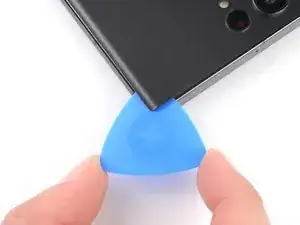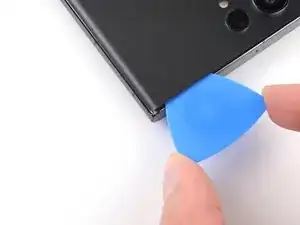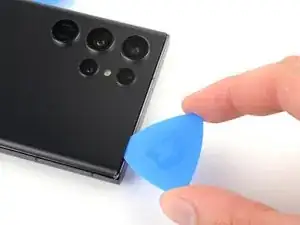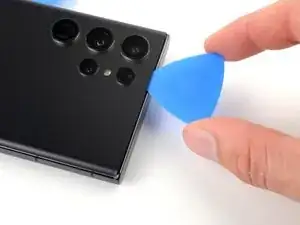
Introdução

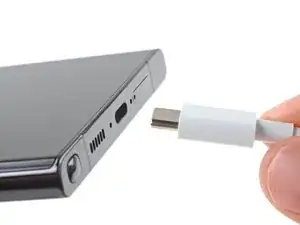
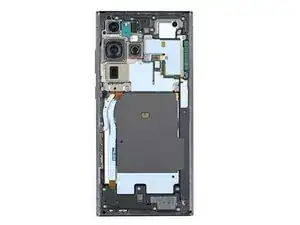
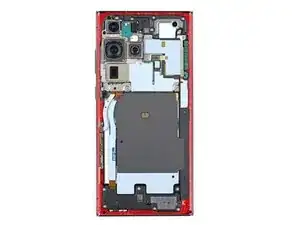
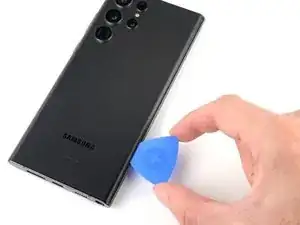
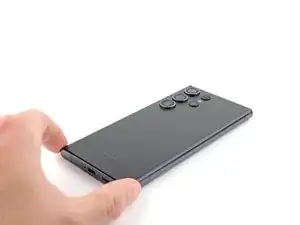
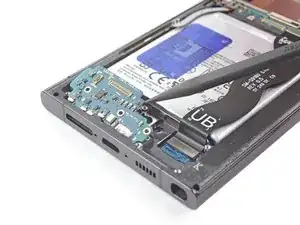
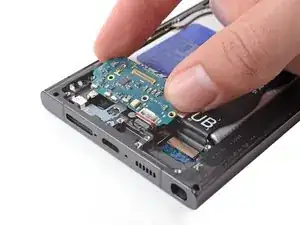
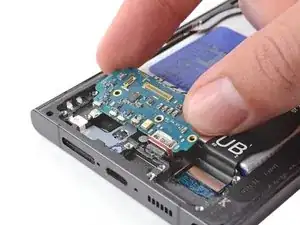
Follow this guide to replace the USB-C port and charging board on your Samsung Galaxy S23 Ultra.

Note: Retaining water resistance after the repair will depend on how well you reapply the adhesive, but your device will lose its IP (Ingress Protection) rating.

  1. 2JNZmrfOLdplj1FI
    • Let your phone's battery drain below 25% before starting this repair. A charged lithium‑ion battery may catch fire if damaged.

    • Unplug all cables from your phone and completely power it down.

  2. xoAIWsnKip5sRd2p
    xoAIWsnKip5sRd2p
    2yM6AVfA3UluOaEe
    1lfdAOasTmkf2RKN
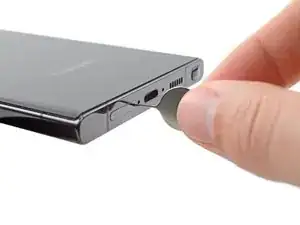
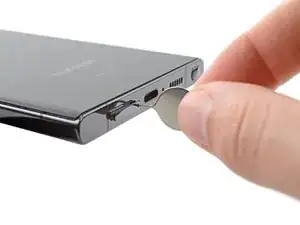
    • Insert a SIM eject tool, bit, or straightened paper clip into the SIM card tray hole on the bottom edge of the phone.

    • Press the SIM eject tool into the SIM card tray hole to eject the SIM card tray.

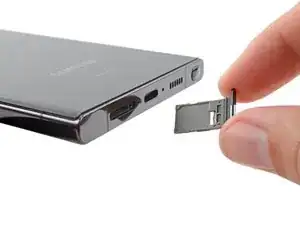
    • Remove the SIM card tray.

    • If you accidentally inserted the SIM eject tool into a microphone hole, don't worry! You most likely didn't damage the microphone.

  3. gNkOBiPPpophUDNr
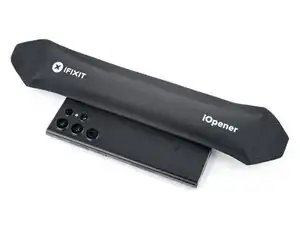
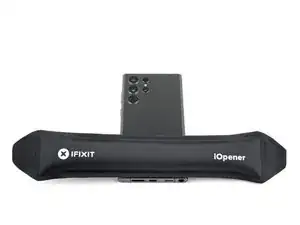
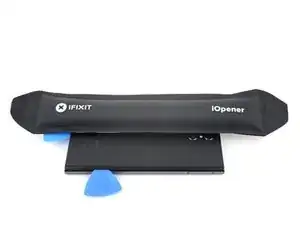
    • Heat an iOpener and apply it to the right edge of the back cover for two minutes.

    • A hair dryer, heat gun, or hot plate may also be used, but be careful not to overheat the phone—the display and internal battery are susceptible to heat damage.

  4. IuCMlKZJGZi1ZVaC
    IuCMlKZJGZi1ZVaC
    KNAxXgUOFSBnu5Tl
    • While you wait for the adhesive to soften, note the following:

    • There's adhesive securing the back cover around the perimeter of the frame.

    • The adhesive is strongest in the bottom right and top left corners.

  5. vMQmqEcgrXmLtjLt
    vMQmqEcgrXmLtjLt
    xv4POooYFbuFFQaL
    1ew2vBskdRhjA1oc
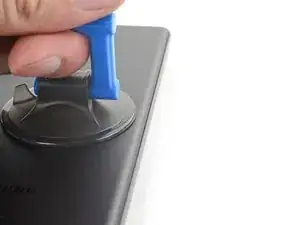
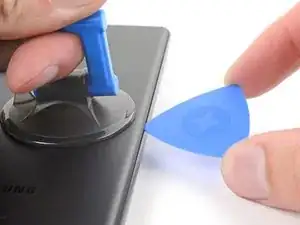
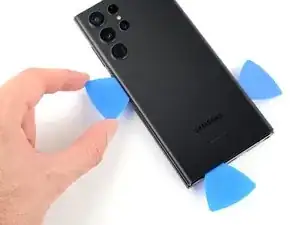
    • Apply a suction handle to the back cover, as close to the center of the right edge as possible.

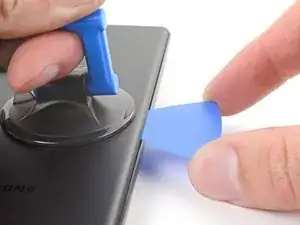
    • Pull up on the suction handle with strong, steady force to create a gap between the cover and the frame.

    • If you have trouble creating a gap, apply more heat to further soften the adhesive. Follow the iOpener instructions to avoid overheating.

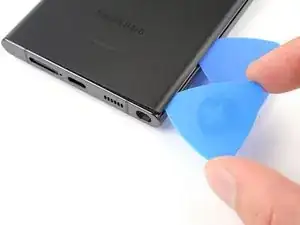
    • Insert an opening pick into the gap.

  6. epeLbFTQBXjV2jZW
    epeLbFTQBXjV2jZW
    m6ugW1SmIVnKgjbL
    JxOIJfnD5MqPsSIZ
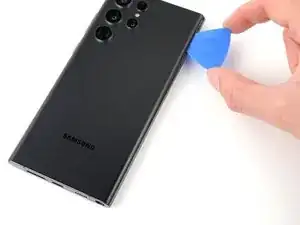
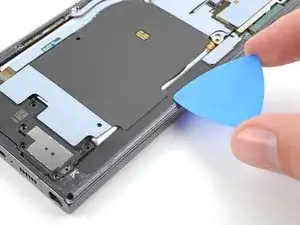
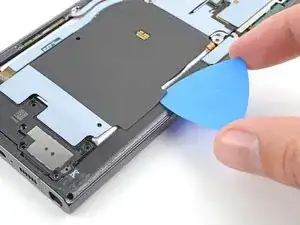
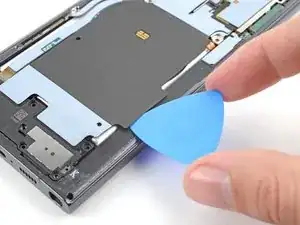
    • Slide the pick back and forth along the right edge to separate the adhesive.

    • Leave the pick inserted near the bottom right corner to prevent the adhesive from resealing.

  7. KFdNe44w3fG4TbWI
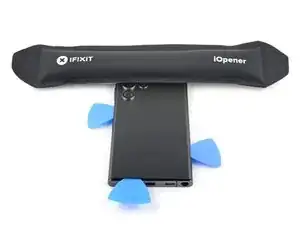
    • Apply a heated iOpener to the bottom edge of the back cover for two minutes.

  8. EL5XPENpDlhIiOyA
    EL5XPENpDlhIiOyA
    wRhFidJoSdjeGULV
    WUD33WamJEQHTyHI
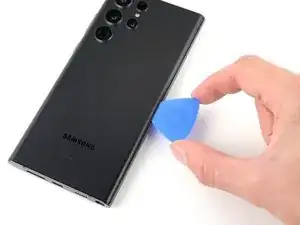
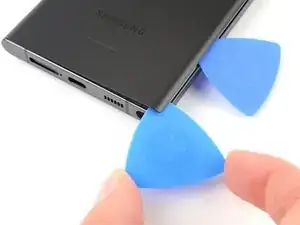
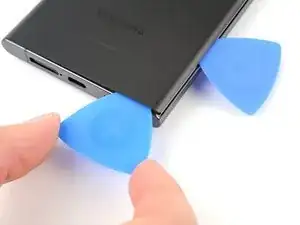
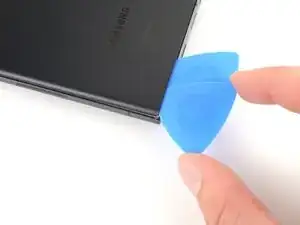
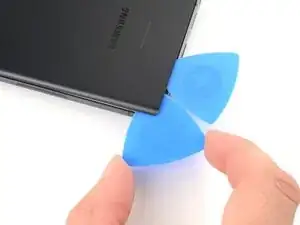
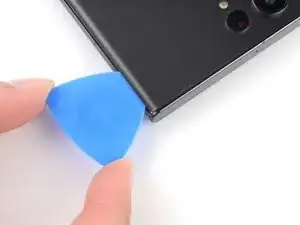
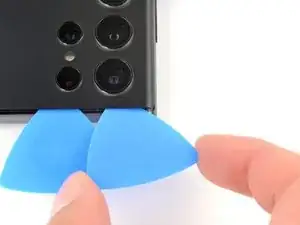
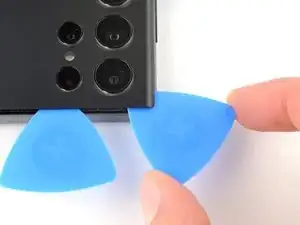
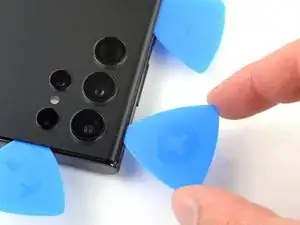
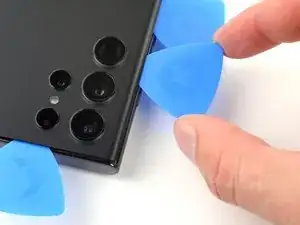
    • Insert a second opening pick at the bottom right corner.

    • Angle the pick upward to match the curved edge and rotate it around the bottom right corner.

    • Be careful while working around the corners, as the glass is very fragile here. Work slowly to avoid cracking the glass.

  9. cty2RNPr1Xsulgpr
    cty2RNPr1Xsulgpr
    nXBxWO6bjwLC6cnM
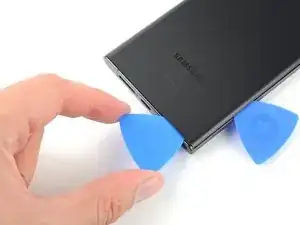
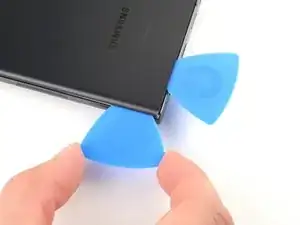
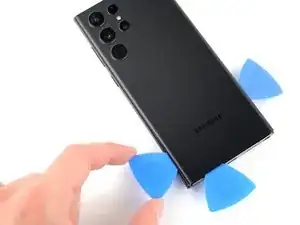
    • Slide your opening pick to the bottom left corner to separate the adhesive.

    • Leave the pick in the bottom left corner to prevent the adhesive from resealing.

  10. IEXDLNdqR3xFYkmP
    • Apply a heated iOpener to the left edge of the back cover for two minutes.

  11. mxXPBGcWiCJfJ3BS
    mxXPBGcWiCJfJ3BS
    olFGEuhIxCIMJcdh
    Arf4HwrTgVSrTFcF
    • Insert a third opening pick at the bottom left corner.

    • Angle the pick upward to match the curved edge and rotate it around the bottom left corner.

    • Be careful while working around the corners, as the glass is very fragile here. Work slowly to avoid cracking the glass.

  12. WQmptomBoBQeKuJX
    WQmptomBoBQeKuJX
    4xUwuDfsngL1cFlA
    lkBfZG4mnYPnx1Sb
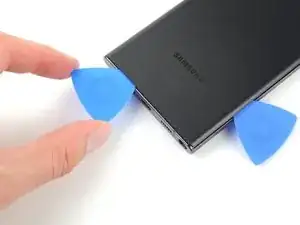
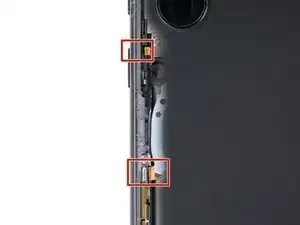
    • Slide your opening pick along the left edge to separate the adhesive, stopping when you reach the power button.

    • Only insert the pick up to 5 mm, as you may damage the antenna flex cable or the power button cable.

    • Leave the pick in the left edge to prevent the adhesive from resealing.

  13. YMTlXG5toWQfJoLs
    • Heat an iOpener and apply it to the top edge of the back cover for two minutes.

  14. XfPcTdZECHnXRILb
    XfPcTdZECHnXRILb
    MGUhrVwiAaWJfCKS
    tFFB6IAGHuBb5NvR
    • Insert an opening pick in the gap at the top right edge.

    • Angle the pick upward to match the curved edge and rotate it around the top right corner.

    • Be careful while working around the corners, as the glass is very fragile here. Work slowly to avoid cracking the glass.

  15. AuYJOFYpAYcxqteY
    AuYJOFYpAYcxqteY
    oxPnH3tCjYANEWsu
    • Slide the pick to the top left corner to separate the adhesive.

    • Only insert the pick up to 4 mm, as you may damage the cameras or sensors.

    • Leave the pick in to prevent the adhesive from resealing.

  16. ypnYS5EupERNUwVm
    ypnYS5EupERNUwVm
    GceGlFTsFRUWDKiq
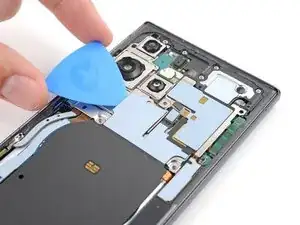
    • Insert an opening pick in the gap at the top left edge.

    • Only insert the pick up to 4 mm, as you may damage the cameras.

    • Angle the pick upward to match the curved edge and rotate it around the top left corner.

  17. NaNGOKtwpRwEUZYI
    NaNGOKtwpRwEUZYI
    RSCerWvIrEVKfxol
    • Slide the pick toward the bottom camera to separate through the remaining adhesive, stopping before you reach the power button.

    • Only insert the pick up to 4 mm, as you may damage the cameras.

  18. emFCoW1YANLRMfkZ
    emFCoW1YANLRMfkZ
    jSwV1tlpdJtaiXwY
    eKODttjYVLjUWKnA
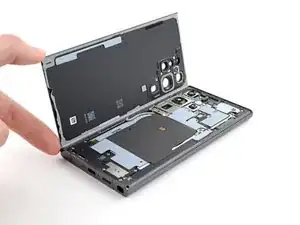
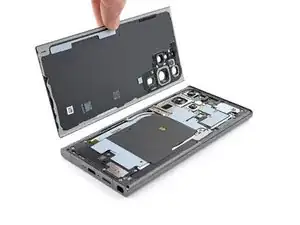
    • Grab and remove the back cover.

    • If your cover is still sticking to the frame, slide an opening pick around the perimeter until the cover completely separates.

    • During reassembly:

    • This is a good point to power on your phone and test all functions before sealing it up. Be sure to power your phone back down completely before you continue working.

    • Remove any adhesive chunks with a pair of tweezers or your fingers. Apply heat if you're having trouble separating the adhesive.

    • If you're using custom-cut adhesives, follow this guide.

    • If you're using double-sided tape, follow this guide.

    Fantastico! molto più semplice del previsto. Ho utilizzato una poche scaldante per i muscoli al posto dell'iOpener (che però trovo uno strumento interessantissimo !). Tenuto tiepido sopra al telefono per circa 2 minuti, e con ventosina e pletto, il biadesivo si è staccato senza forzare! con attenzione sono riuscito addirittura a lasciarlo integro sul telefono. Per la parte ALTA del telfono (sopra le telecamere) ho rieseguito la procedura, lasciano un paio di plettri sotto la scocca. Facile, pulito e indolore ! Grazie dei consigli

    Piero Calavera -
  19. Mpv2PsbCdI1iW6Wb
    Mpv2PsbCdI1iW6Wb
    oj5xEmMeYhOpTSBr
    qfgottJDieSAVxSq
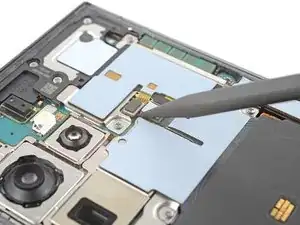
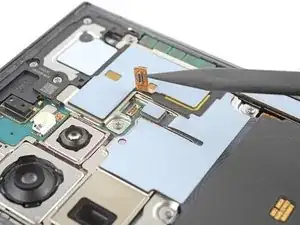
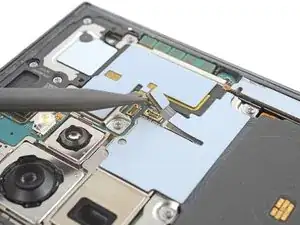
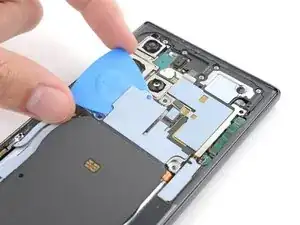
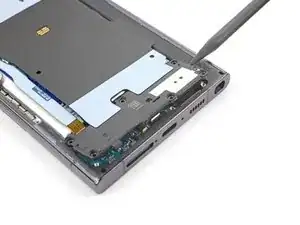
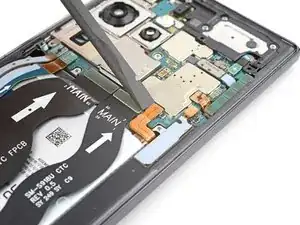
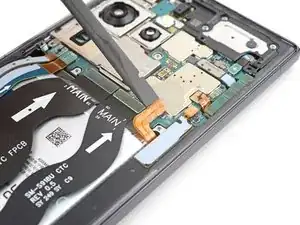
    • Use the pointed end of a spudger to pry up and disconnect the NFC antenna press connector from the motherboard.

    • Repeat for the wireless charging coil press connector.

    • To re-attach press connectors, carefully align and press down on one side until it clicks into place, then repeat on the other side. Don't press down on the middle. If the connector is misaligned, the pins can bend and cause permanent damage.

  20. h5cMIyxpAtqjbKU4
    h5cMIyxpAtqjbKU4
    V4QoZv3VfMBsKpaU
    e3Xe11ICRIVOP6VV
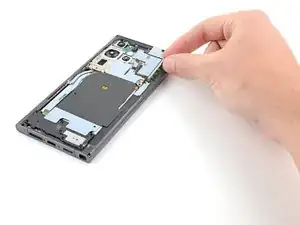
    • The wireless charging coil is lightly adhered to the battery.

    • Insert an opening pick between the right edge of the wireless charging coil and the battery.

    • Slide the pick along the right edge to separate the adhesive.

  21. YWBGWevJudPUNtxB
    YWBGWevJudPUNtxB
    aN12mHIkZCFnugfP
    • Insert an opening pick between the top edge of the wireless charging coil and the frame.

    • Slide the pick toward the right edge to separate the remaining adhesive.

  22. MqBoxonnnfOluifG
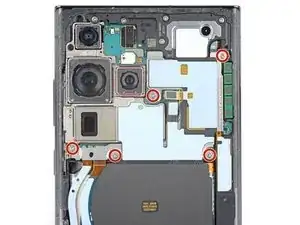
    • Use a Phillips screwdriver to remove the five 3.5 mm-long screws securing the NFC antenna and charging coil.

    This step should be above the step 19. Ripped the Wireless coil because it was still held by the screws.

    Yurii Ivanov -
  23. A5ENg165DhNqsGVf
    • Use a Phillips screwdriver to remove the six 3.5 mm screws securing the loudspeaker.

  24. AUNWPUyerrpSCGAn
    AUNWPUyerrpSCGAn
    O1a6hFfuIO3JDxai
    • Insert the pointed end of your spudger between the upper right corner of the loudspeaker and the frame.

    • Pry up to unclip the loudspeaker from the frame.

    • Don't pry against the battery. Use protrusions in the frame for leverage.

    • During reassembly, press around the perimeter of the loudspeaker to clip it to the frame.

  25. 1FHZvGkxEADnOK2w
    1FHZvGkxEADnOK2w
    kOOFuS1g3BJGNd6D
    jrAtNKEbQKxi4JXe
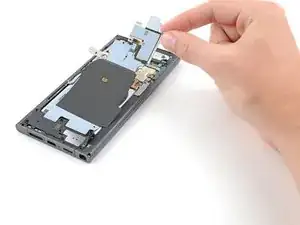
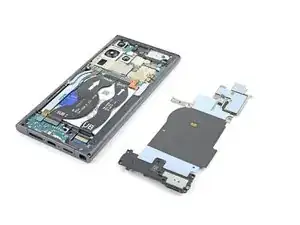
    • Grab and remove the NFC, wireless charging coil, and loudspeaker from the frame.

  26. WJL6tgiasytMwPG1
    WJL6tgiasytMwPG1
    SZ6JmRc4R2SVgBXV
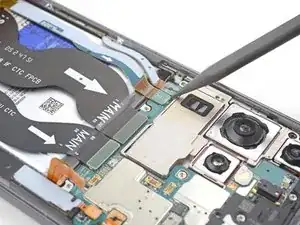
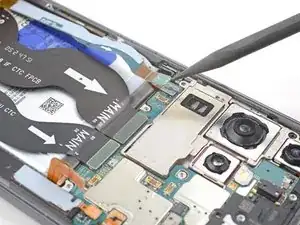
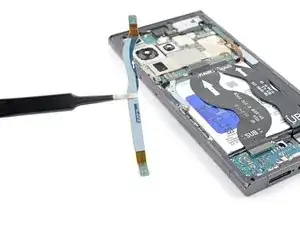
    • Use your spudger to pry up and disconnect the battery press connector.

  27. XQiBjavuIQwsdbGQ
    XQiBjavuIQwsdbGQ
    yBRBmm1RwXbsnvJp
    iL5GGGZkAg6uPM1t
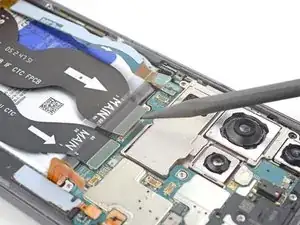
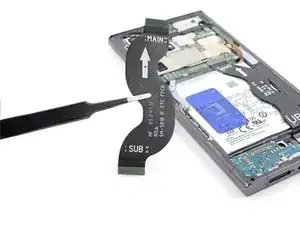
    • Use your spudger to pry up and disconnect the secondary interconnect cable press connector from the motherboard.

    • Repeat for the primary interconnect cable.

  28. sDYI4flX1KoiTYEb
    sDYI4flX1KoiTYEb
    NpWHNYcSugDSIFPk
    WHpPe2RSPDF1LHlP
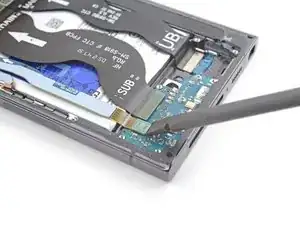
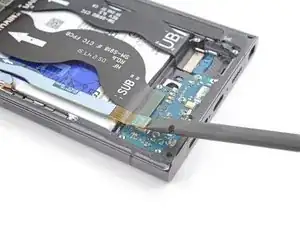
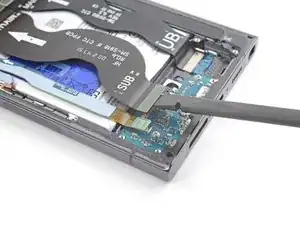
    • Use your spudger to pry up and disconnect the secondary interconnect cable press connector from the charging board.

    • Repeat for the primary interconnect cable.

  29. bbHodDhgIPvDNJFN
    bbHodDhgIPvDNJFN
    lLTakaJoqbpmld4v
    • Grab and remove the interconnect cables from the frame.

  30. 2BBA1lIAgFYCuVyS
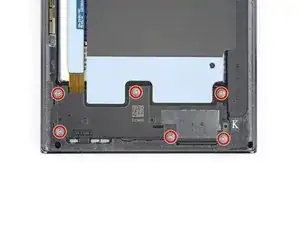
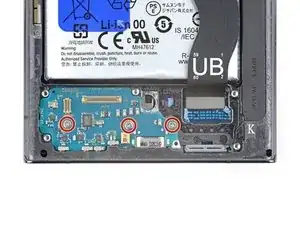
    • Use a Phillips screwdriver to remove the three 3.5 mm-long screws securing the charging board.

  31. ZcLVwMnNkaiZE55o
    ZcLVwMnNkaiZE55o
    iCLwToDSGOsfS6Gi
    4fioUMA3tkH53QJk
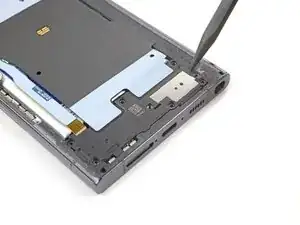
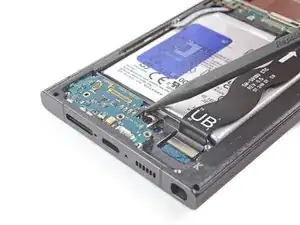
    • Insert the point of your spudger under the top right of the charging board.

    • Pry the charging board up from its recess until you can grab it with your fingers.

    • Pull the charging board toward the top of the device to remove it from its recess.

    • During reassembly, reinsert the charging board at a downward angle to guide the USB-C port into its recess.

    The charging board cannot be removed until the SIM card tray is removed. I did not see this mentioned anywhere. Trying to remove the charging board first risks damage to the board.

    David Amos -

    literally Step 2...

    Alexander -

Conclusão

To reassemble your device, follow the instructions in reverse order and perform the opposite actions, e.g., "reattach" instead of "removing." Skip steps that use heating and prying, and pay close attention to the 📌 bullets as you work through the steps.

After you've completed the repair, download the Samsung Members App from the Galaxy Store or the Play Store, and Samsung Self-Repair document (beginning page 10) to make sure your device is fully functional.

Take your e-waste to an R2 or e-Stewards certified recycler.

Repair didn’t go as planned? Check out our Answers community for troubleshooting help.

Alex Diaz-Kokaisl

Membro desde: 16/01/22

227430 Reputação

4 comentários

Muchas gracias por el conocimiento entregado, de muy buena calidad!!

Sergio Fernández -

I like this repair.i will attempt it when I go home.

walter76108us -

Very helpful guide. The hardest part is just getting it open, but once that was over it was pretty much smooth sailing. I got the iFixit kit and had trouble with the iOpener with getting the back cover off. I'm not sure if it wasn't hot enough, so I resorted to using a hair dryer instead. Otherwise, fantastic guide.

My local Verizon store said it would cost $70 for them to clean the charging port, and if that didn't fix the issue it could be several hundred dollars to repair it. Between the iFixit opening kit, the part on Amazon, and some adhesive, I spend less than $50 plus my time.

Bakazuraz -

How i fix my Samsung s23 ultra WhatsApp microphone while am recording voice note it's not working but when am using

On calling or video call microphone is working but the problem is when am sending voice note it's not come out with voice

Nico Sanga -