Introdução
Use this guide to remove or replace the SIM card in your Samsung Galaxy S21.
Ferramentas

-
-
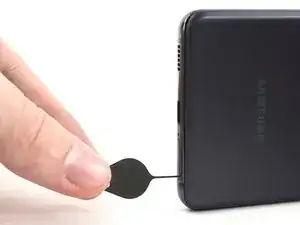
Insert a SIM eject tool, bit, or straightened paper clip into the SIM card tray hole on the bottom edge of the phone.
-
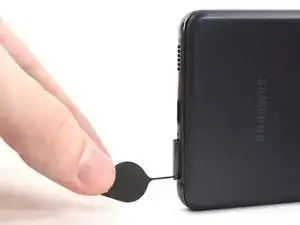
Press the SIM eject tool into the SIM card tray hole to eject the SIM card tray.
-
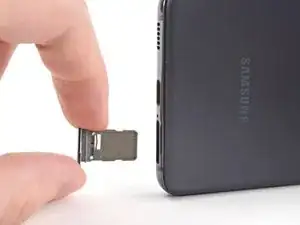
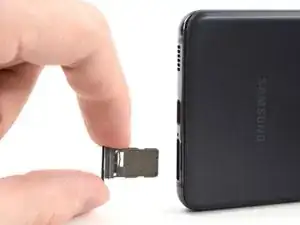
Remove the SIM card tray.
-
Conclusão
To reassemble your device, follow these instructions in reverse order.
After you've completed the repair, follow this guide to test your repair.

These instructions need to differentiate between a "battery only" refresh and a "screen only" refresh, or both. I am only replacing the battery on my S21 and do not want to add unneeded complexity into this project if not needed. I am left to assume (not a good bet) I do not need to remove the camera etc if I'm not replacing the screen. Can you please confirm or have you not added those instructions yet to ANY overall repair of a Samsung S21 as a whole?
Thank you
Chuck
Tarzan1812 -
My sim card slot is not working even though it fell many times but how can the sim card slot break
Nissan 3⃣5⃣0⃣ z -
I need support please the samsung s21 no detect the sim card
mathi castro -