Introdução

If the screen of your tablet is not working you may need to replace the display assembly. This guide explains how to replace the Samsung Galaxy Note Pro 12.2 display assembly.

  1. 2vGSlO1h5ToMsSyn
    2vGSlO1h5ToMsSyn
    EpHQcpsVKW35RTUf
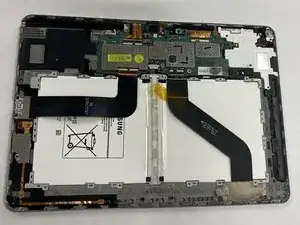
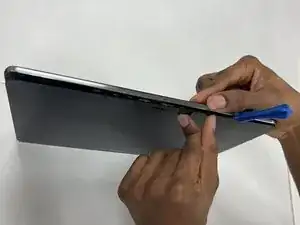
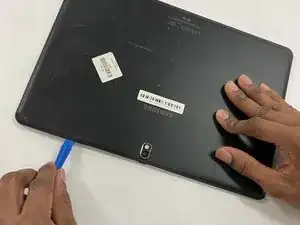
    • Remove the back of the tablet with a plastic opening tool.

  2. XR1F33GePDpRCumm
    XR1F33GePDpRCumm
    b3b1EXfnvFkwmGkd
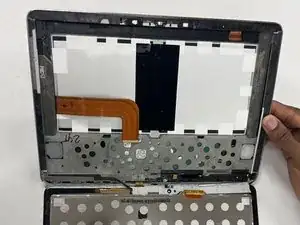
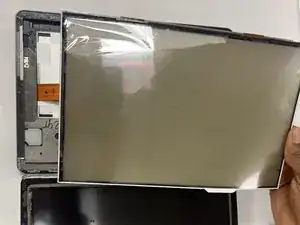
    • Using your hands, gently pull apart the glass screen from the frame of the tablet.

    • Be cautious of shattered glass, as removing this with bare hands can be dangerous.

  3. 5jnJoGxW3IZuX2cM
    5jnJoGxW3IZuX2cM
    wk1JVdUhQON2LdKI
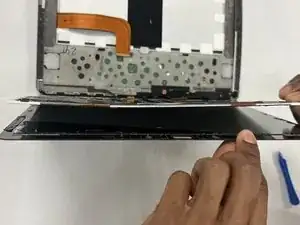
    • Using your hands, gently pull apart the display assembly from the glass tablet screen.

Conclusão

To reassemble your device, follow these instructions in reverse order.

Jason Moore

Membro desde: 28/03/23

112 Reputação

0 comentários