Introdução
Ferramentas

-
-
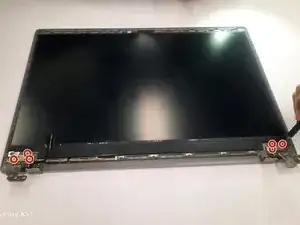
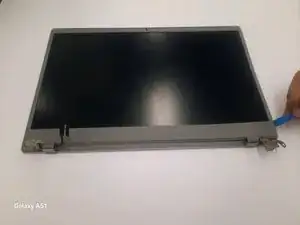
Face the hinge side towards you.
-
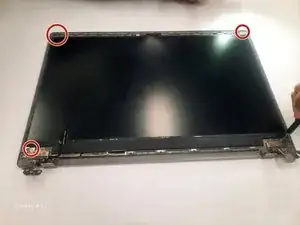
Remove three 4.6 mm Phillips #000 screws from the left and right hinges
-
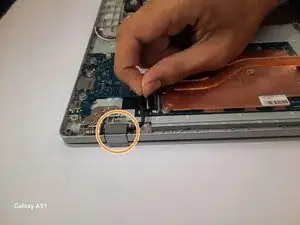
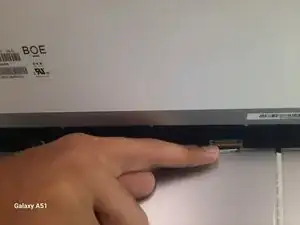
Pull out the black film connected to the motherboard in the white slot.
-
-
-
Open up the Chromebook.
-
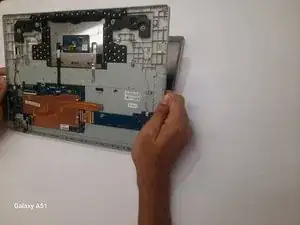
Separate the keyboard and screen and put the keyboard off to the side.
-
Use the iFixit opening tool to pop the outer edge of the screen up.
-
-
-
Remove the four 3mm Phillips #000 screws.
-
Lift the screen up slowly.
-
Find the black wire on the back and lift the metal clamp.
-
Pull the black film to remove the wire.
-
-
-
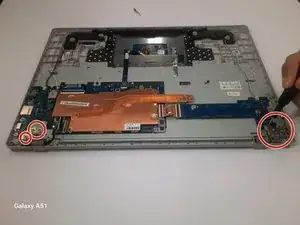
Remove the three 2.8 mm screws marked by arrows from both the left and right hinges
-
Lift the hinges
-
Conclusão
To reassemble your device, follow these instructions in reverse order.