Introdução

  1. JUboVEQHHwlLsLHo
    JUboVEQHHwlLsLHo
    O5GRFNw2E3RL2SaM
    HdASZA1UUWXLi2Xg
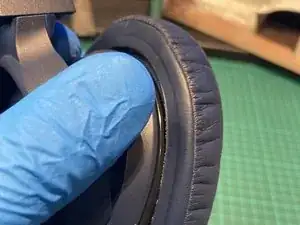
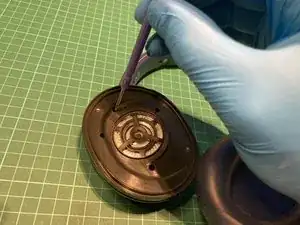
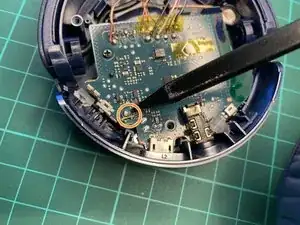
    • Remove the foam pad by pulling up on the foam until it clears the groove.

    • Working around the foam, carefully slip it off to reveal the screws.

  2. nSnHDM6WVmiyVF56
    nSnHDM6WVmiyVF56
    ZeJMY2oNe1wLnsEC
    4nfrcrtJFIfBnbO6
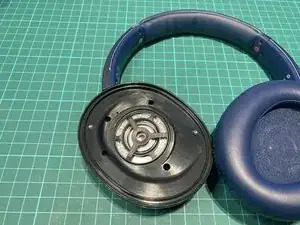
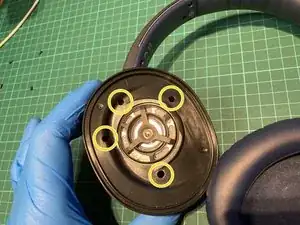
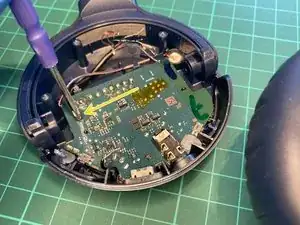
    • Remove the 4 screws holding the speaker enclosure to the main body.

    • Do not fully lift off as the speaker is still connected to the board.

  3. CThhGAjJv2HaIh6M
    CThhGAjJv2HaIh6M
    42ST4EMfAvVlgFFB
    rI6uiLRycYTLFuLN
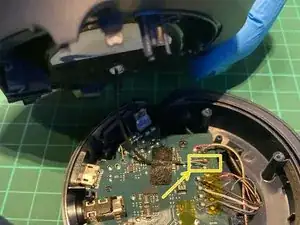
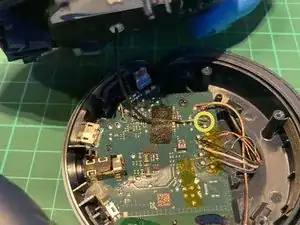
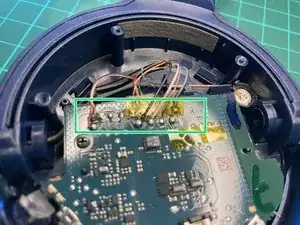
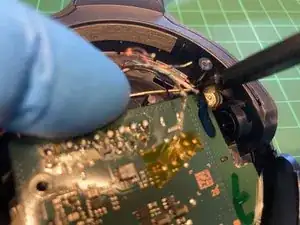
    • Desolder the speaker to fully remove it.

    • Desolder the mic and speaker conncetions

    • Desolder the battery connector.

  4. hIPxDZgVf4tkkJ2E
    hIPxDZgVf4tkkJ2E
    AHM1ScdCrkT1vlGw
    wRhFKZ2ThJUQJPca
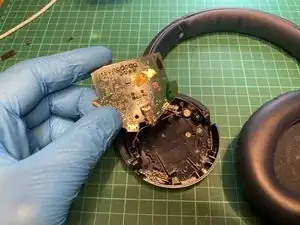
    • Remove one Phillips screw, holding down the board

    • The board is also held in by clips, so use a prying tool or just fingers to pull upp on the board to release it.

  5. vQIbjWLBZTjvpw1V
    vQIbjWLBZTjvpw1V
    Dq6eRDJwwlWTcv3Z
    XaNKJo3EemyBbAFl
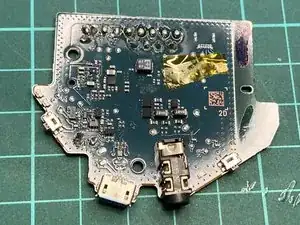
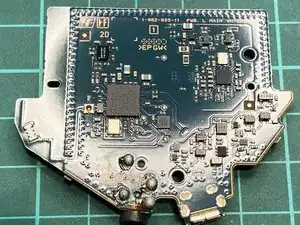
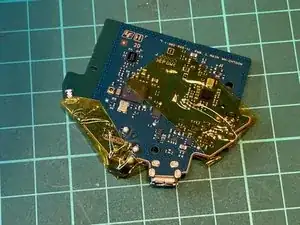
    • You successfully removed the main board.

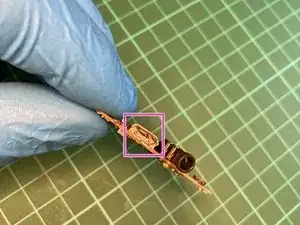
    • You can see the damaged USB connector

  6. DefBEIgBeCyBBq64
    DefBEIgBeCyBBq64
    pjiInLyF1bg2cdRn
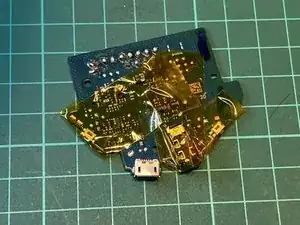
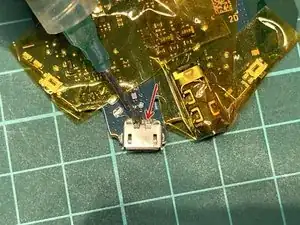
    • Apply Kapton tape to ensure protect the plastic components like, switches and the jack conncetor.

  7. QAqAtXe4esGU3IBT
    QAqAtXe4esGU3IBT
    fnVKEoKcTnTdFWPG
    • Apply flux to the top pins and the mounting pins (underside) to help solder flow.

  8. 4ka4rk53kC2MTj5c
    4ka4rk53kC2MTj5c
    AxLgtUbEcsDTEPPP
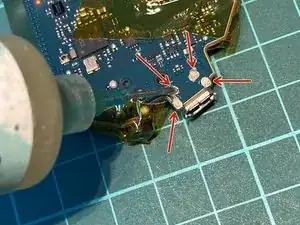
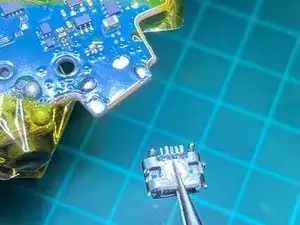
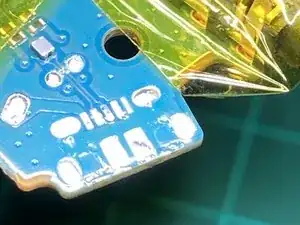
    • Grab the connector with tweezers and apply heat from the mounting pins' side (bottom).

    • Be careful with the hot air station and position the board in a way that you do not burn the jack connector while heating up the port.

    • 320 degrees (Celsius) with 20-30% airflow is more than enough to get the connector off.

    • Clean the pads with a solder wick.

Conclusão

To reassemble your device, follow these instructions in reverse order.

honakrisi

Membro desde: 28/01/20

4033 Reputação

8 comentários

Very good tutorial, I'm looking for the WH-CH700N board, but cannot find any retailer for buying it. Do anyone knows any online shop or service that is selling it? Thanks

Juan A -

Do you still need a board?

Krooms -

thank you for an excellent guide. I am a volunteer at our local repair cafe where we try to repair things, free of charge, for residents and so avoid the item ending up in landfill. I have had a pair of the Sony WH -CH700N headphones in and need to replace the charging port. Sony will not supply. where can I get the right one? do you have a prat number? any help appreciated. many thanks Roger H

roger hutton -

Hi @rogerhutton

I found these to be a suitable replacement and fairly inexpensive:

https://www.ebay.co.uk/itm/132334638219

https://www.ebay.co.uk/itm/142512274587

Hope it helps!

Kris

honakrisi -

Thank you very much Kris. Ordered and fitted and a very happy resident to have them fixed at a cost of £2.50! Thank you again on his behalf and from the volunteers at the Dorking Repair cafe. all the best Roger H

roger hutton -

Hi there!

Thanks fot a great guide!

When it is opened, is it possible to change Micro USB to USB-C? Would it work?

Have a nice day,

Josef

Josef Panek -

у меня вопрос если при заряжании наушников нужно было пошевелить и завиксировать кабель чтоб оно заряджало (танцы с бубном )а потом мне в сервисе говорят что это контролёр умер но явно ж проблема в микро юсб?верно?

I have a question if, when charging the headphones, it was necessary to move and wiggle the cable so that it charged (dancing with a tambourine) and then they tell me in the service that it was the controller who died, but clearly the problem is in the microusb?

Дмитро НеДмитро -

Hi @honakrisi

I found this pair of headphones at a flea market. I opened them and found this improvisation on the power jack. Can you tell me if it was done correctly? I also replaced the battery because it was no longer good and the headphones work but when I try to connect them to charge nothing happens.

<a href="https://jumpshare.com/s/tItV4gPMquCV44UG...><p style="margin-bottom: 0 !important;">WhatsApp Image 2025-11-04 at 09.20.25 - View Image</p><img style="max-width:400px;" src="https://previews.jumpshare.com/thumb/815...></a>

Thanks

Dani -