Introdução

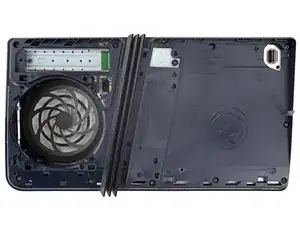
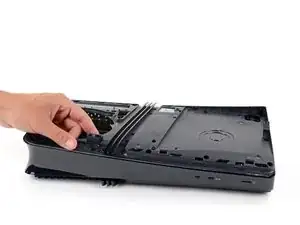
This guide shows how to remove the right‑side inner shell.

  1. wHVpAPalMtKCWbdb
    wHVpAPalMtKCWbdb
    MSKoyDTWRhTwUdVo
    PQeie6NiddUFrABX
    • Before starting your repair:

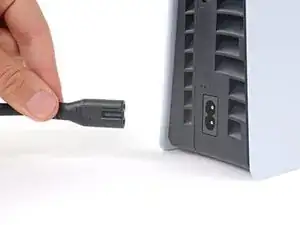
    • Shut down your PlayStation and unplug all cables and accessories.

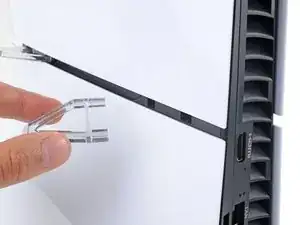
    • Remove any stands supporting your console and lay it down so the right side is facing up.

  2. CFW3QLi2CWBVvtGZ
    CFW3QLi2CWBVvtGZ
    pfX1qxAQi5bVEYeg
    gJNT2AlTWJWiPASh
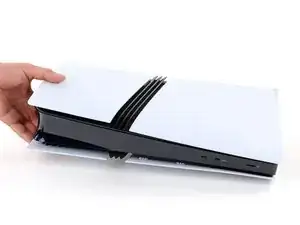
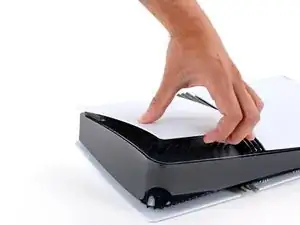
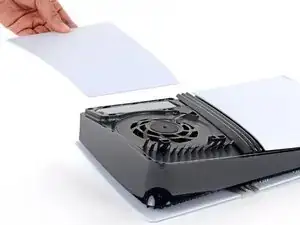
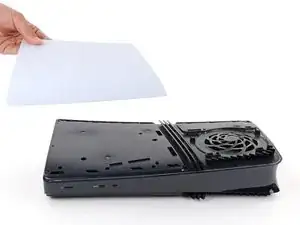
    • Each console cover is secured with hooks along the rear edge and clips along the front edge.

    • To remove a cover, firmly pull up the front edge to release the clips.

    • You'll hear distinct "pops" as the clips release.

    • Remove the cover.

  3. EHKNY4Os6Jqg3iFo
    EHKNY4Os6Jqg3iFo
    GogShOwXX6Tf6Fpl
    nDceYNDJrCVOhWLb
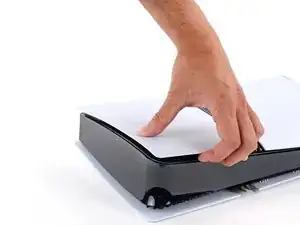
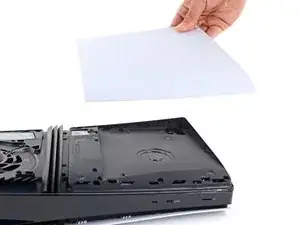
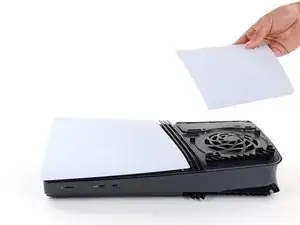
    • Use the same process to remove the three remaining covers.

    • To reinstall a cover, place the hooks into their cutouts along the rear edge and firmly press the front edge of the cover into place to re‑engage the clips.

  4. jSvmTWU4XgQLNXOh
    jSvmTWU4XgQLNXOh
    An2u23cXafS2TR4K
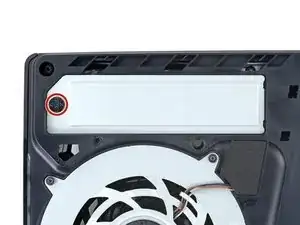
    • Throughout this repair, keep track of each screw and make sure it goes back exactly where it came from.

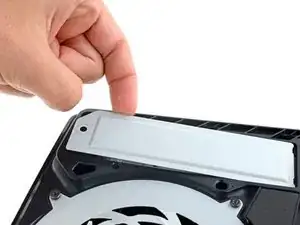
    • Use a Phillips screwdriver to remove the 17.1 mm‑long screw securing the expansion slot cover.

  5. 2kSqR3tLphnInaZW
    2kSqR3tLphnInaZW
    MejFxTYVGQPKZBZU
    k4ZeZTS6ra6bPZuT
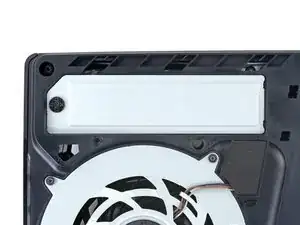
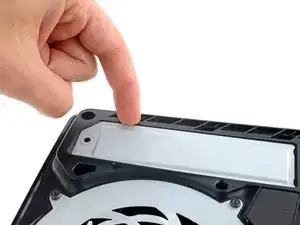
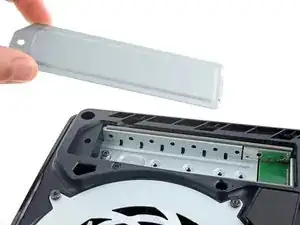
    • Use your fingers to lift the expansion slot cover near the notch by the screw hole and remove it.

  6. Haf4mDbsJlSLAnEJ
    Haf4mDbsJlSLAnEJ
    JxIpwPODeUS6vMCO
    H4X1RGawjrOXxgxV
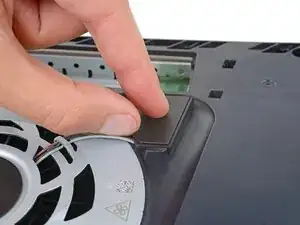
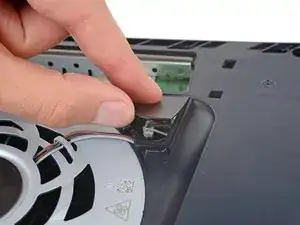
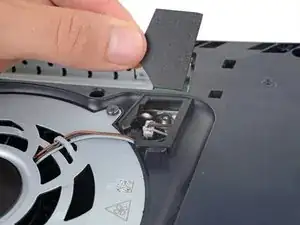
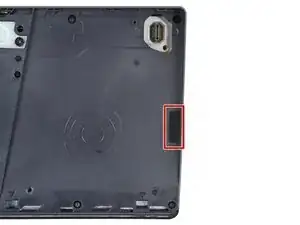
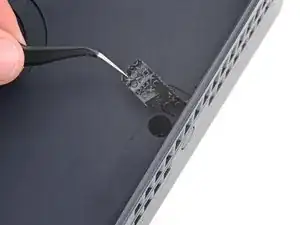
    • Use your fingers to remove the plastic cover hiding the fan cables connector.

    • The cover is secured with light adhesive.

    • During reassembly, press the piece of plastic back into place to secure it with the leftover adhesive. If it isn't sticking, use strips of double-sided tape to secure it.

  7. nq1rhobOjJPUN2fw
    nq1rhobOjJPUN2fw
    ZhcuKNQLRioMLLTX
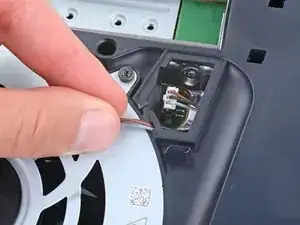
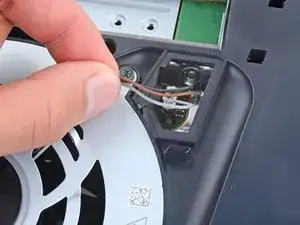
    • Gently pull the fan cables out from under their plastic clip on the frame.

  8. 4UtHMkosrW32eE2P
    4UtHMkosrW32eE2P
    ZTPMZoohZSjNRxR1
    uKcstxPpUvImCrDg
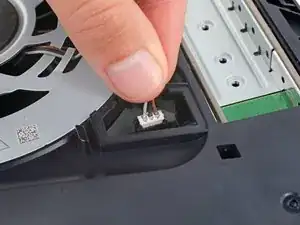
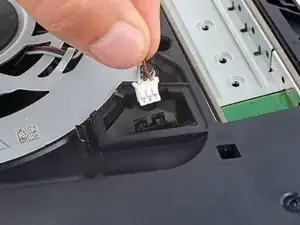
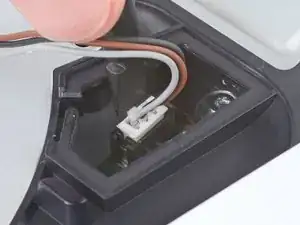
    • Firmly grip the fan cables' white connector head and pull it straight up and out of its socket.

    • If you're having trouble, grip the cables just above the connector head, and gently pull.

    • During reassembly, align the connector over its socket and push down on the edges with the flat end of a spudger until it slides fully into its socket.

  9. G6FDJPZDhpSTGHWW
    G6FDJPZDhpSTGHWW
    SMTt6aJ2WGKsWGlC
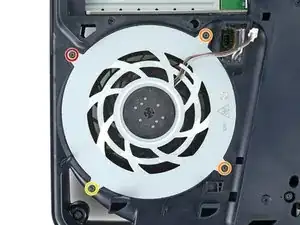
    • Use a T8 Torx Security screwdriver to remove the four screws securing the fan:

    • One 31.7 mm‑long screw

    • Two 21.5 mm‑long screws

    • One 11.5 mm‑long screw

    The screw sizes are confusing and I don't know which one I'm screwing in

    My PlayStation won't turn on I think the screws are in the wrong place

    Bluey -

    You can mark them with a paint marker or colored tape—that way you can tell them apart when you put them back

    Bai Just Walk (白行而已) -

    My suggestion only works if there aren’t many screws—if there are too many, it’ll get a hassle. You can grab a divided box and put screws of the same length and type together. Then you can just use them straight away when putting things back, ‘cause as long as the screws are the same length and type, they’ll work even if they weren’t taken out of this exact hole. Hope this helps! I’m not a pro at repairs or anything—I just like messing with this stuff a little. Hope it helps you out!

    Bai Just Walk (白行而已) -

  10. b5obnDWhkEuIQ26R
    b5obnDWhkEuIQ26R
    5yDx2x1QL3GSS6gi
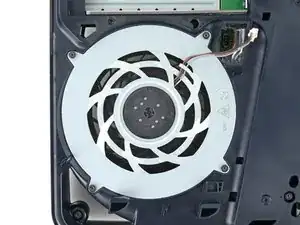
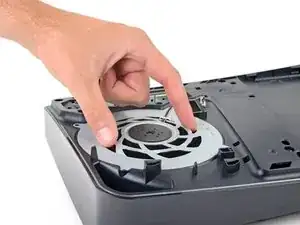
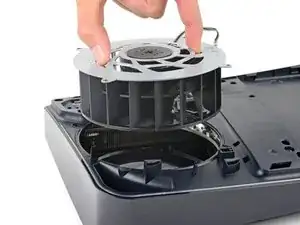
    • Use your fingers to grab the fan by its vents and lift it straight up to remove it.

    • During reassembly:

    • This is a good point to clean the fan. Use a clean cloth and some compressed air to remove any dust or dirt.

    • Insert the fan so its cables are near their connector.

  11. NsFGlea23PqWHMBr
    NsFGlea23PqWHMBr
    n2oA1ydvBGYabPjg
  12. UhcyANUjMWWFkLhK
    UhcyANUjMWWFkLhK
    LBCgJWfVKlLgusEE
    2IErB2WDBHDPUGRt
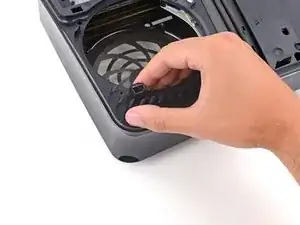
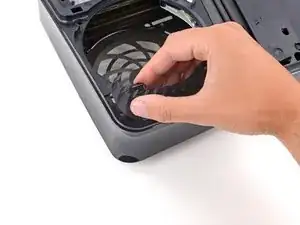
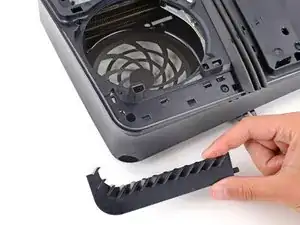
    • Use your fingers to unclip and remove the plastic grille near the fan recess.

  13. BrBmdSSyWaZMOguE
    BrBmdSSyWaZMOguE
    OTaiNvGFfPEOEnsL
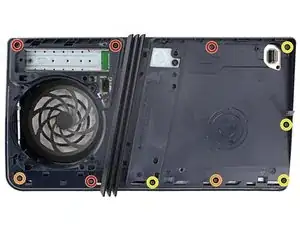
    • Use a T8 Torx Security screwdriver to remove the 10 screws securing the right‑side inner shell:

    • Four 18.8 mm‑long screws

    • Two 18.6 mm‑long screws

    • Four 31.7 mm‑long screws

  14. tkEYTLiolgQ5OCKu
    tkEYTLiolgQ5OCKu
    WSi2WL3QUyIUTrch
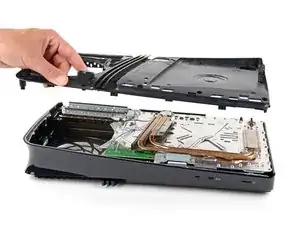
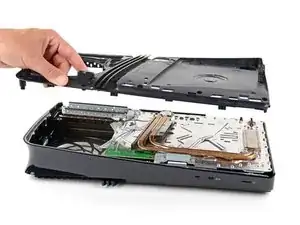
    • Lift the right‑side inner shell straight up and remove it.

Spencer Day

Membro desde: 14/09/22

165254 Reputação

0 comentários