Introdução

  1. JNclG5hZYIqvCNHf
    JNclG5hZYIqvCNHf
    bSUPMsTHSndeApJh
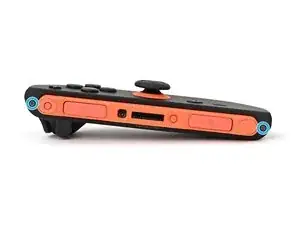
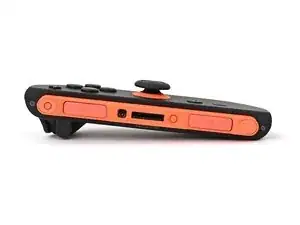
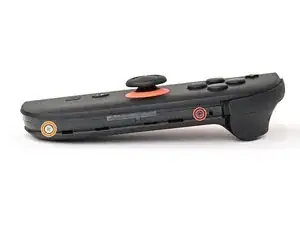
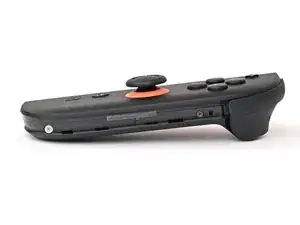
    • Use a tri-point Y00 driver to remove the two 3.1 mm‑long black screws on the left edge of the controller.

  2. uhmxWuJAdFtSYlej
    uhmxWuJAdFtSYlej
    1Tf5q1kULOKvIAKG
    vjHApcUKZgWSuuKE
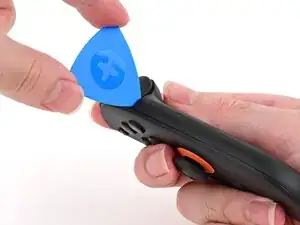
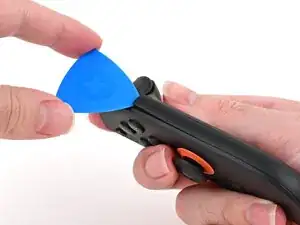
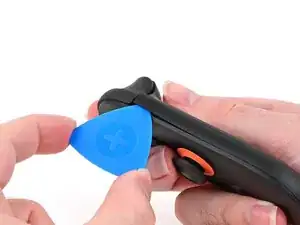
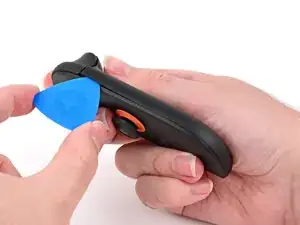
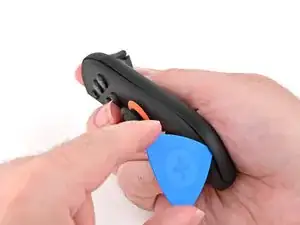
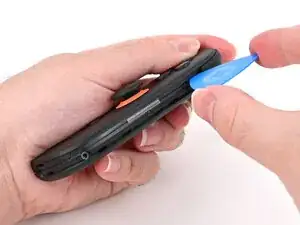
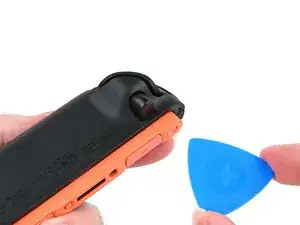
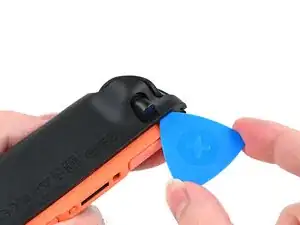
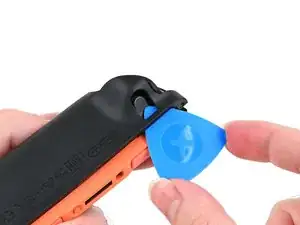
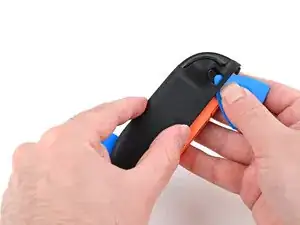
    • Insert an opening pick into the gap underneath the bumper button on the right side of the controller, with a point of the pick pointing downwards.

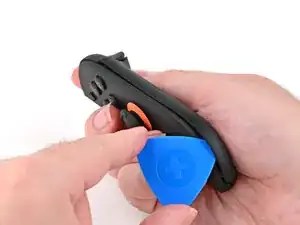
    • Pry up to slightly lift the plastic strip running across the right edge of the controller.

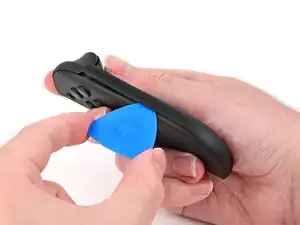
    • Slide the opening pick around to the front of the controller.

  3. A5E41KFkOAXdZ4Rq
    A5E41KFkOAXdZ4Rq
    WmvhDTXH2pJ24ppP
    Yihvrr4ROedKGFsT
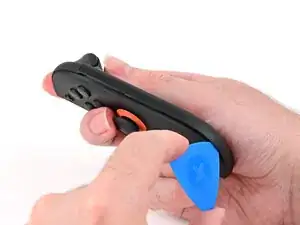
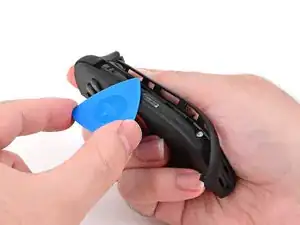
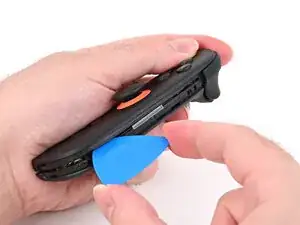
    • Slide the opening pick down the plastic strip to separate the clips and adhesive securing it to the controller's body.

  4. YWVRYUxnJQum3avr
    YWVRYUxnJQum3avr
    w4EED5IqTYdLNjhK
    PNNNcEvew23Q4ooN
    • Pry up on the bottom edge of the plastic strip with slow, steady force.

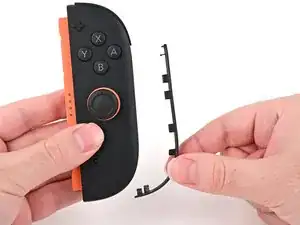
    • Repeat this prying action along the length of the strip until it's fully detached.

  5. eP4RLSnUpcRPZljy
    • Remove the plastic strip.

  6. VDMj2M5dLYB1AbRi
    VDMj2M5dLYB1AbRi
    uDVANgtavvhGwQuw
    • Remove the two screws on the right edge of the controller:

    • One 3.1 mm‑long tri-point Y00 black screw

    • One 3.0 mm‑long JIS 00 silver screw

    • You can use a Phillips screwdriver in a pinch, but you risk damaging or stripping the screw. Push down firmly on the screwdriver and twist slowly. Often, switching drivers may help, even if they're the same size.

  7. YFQZOUihYjmQl4et
    YFQZOUihYjmQl4et
    4tYNLcUea1IOIoGB
    • Don't try to remove the back cover yet.

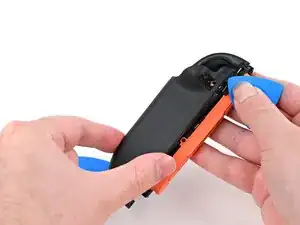
    • Insert an opening pick into the gap between the front and back halves of the controller on its right side.

    • Slide the pick down the controller to disengage the clips.

    • Leave the opening pick at the bottom of the controller's right edge, just before its curve.

    • The opening pick will fall out once the back cover is removed. If it falls out before then, put it back to keep the two halves separated.

  8. uxPaKoorCWokZaJN
    uxPaKoorCWokZaJN
    EgkPFCT3bYSEjax1
    xlB63FqxHDJlR6rM
    • Hold the controller upside-down.

    • Insert a point of another opening pick next to the release button towards the top of the controller.

    • Use the opening pick to press the release button through the gap.

  9. okmYG3TOdM2iDAKX
    okmYG3TOdM2iDAKX
    LolVaQhS12JnJpSl
    fComoEvjTUjALttG
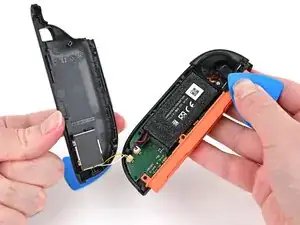
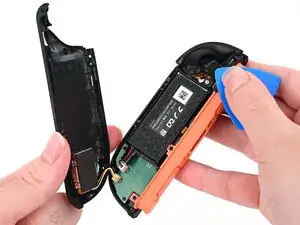
    • The back cover is connected to the controller by a cable at the bottom. Don't try to remove it completely yet.

    • While holding the release button with the opening pick, use your other hand to slide the back cover down to release the clips securing it to the controller's body.

    • Open the back cover.

  10. MhgCJZAL2YaLNsT5
    MhgCJZAL2YaLNsT5
    HSQUUOisfxtiNyN3
    qotFOW4n12jtWZiu
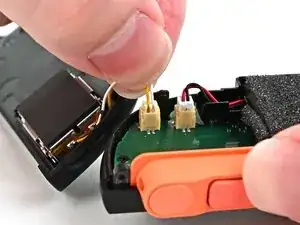
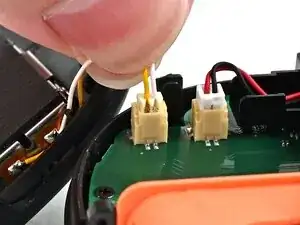
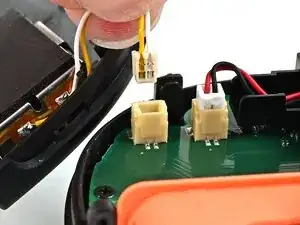
    • Firmly grasp the two wires (yellow and white) above the rumble motor connector, located at the bottom of the controller's board, and pull the beige connector out of its socket.

    • Pulling the cable won't damage it, but don't dig your nails into the plastic sheathing.

    • Remove the back cover.

Conclusão

To reassemble your device, follow these instructions in reverse order.

Nick Schultz

Membro desde: 24/03/24

45909 Reputação

0 comentários