Introdução
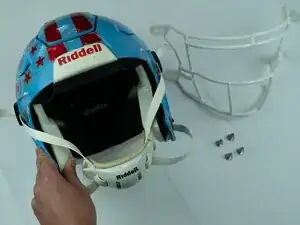
The Riddell SpeedFlex's facemask plays a crucial role in ensuring its users' safety out on the football field. If you're experiencing any complications with Riddell Speedflex's facemask, such as it feeling loose, constant jittering, or substantial damage causing other issues, replacing the facemask can be the solution to your device's malfunctioning.
This guide will provide you with a thorough explanation of the replacement process, with helpful photos along the way to make sure you are successful.
Before you begin, make sure to check the troubleshooting page to guarantee that the facemask needs replacement.
Ferramentas

-
-
Place your Riddell Speedflex on a flat, sturdy surface.
-
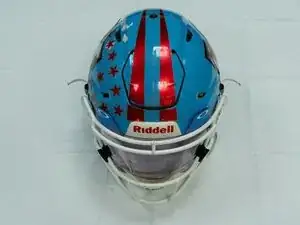
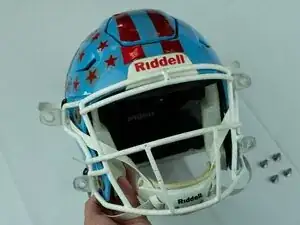
Ensure that the helmet is placed directly facing you, allowing you to see the entirety of the helmet.
-
-
-
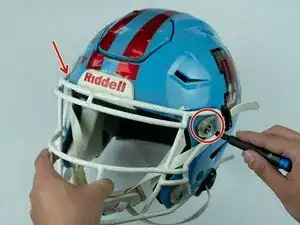
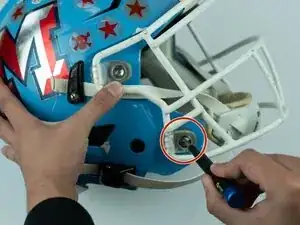
Use the T4 Torx screwdriver to press down on the small circular button at the center of the quick-release pin until you hear a click.
-
Remove the two top clips and screws.
-
-
-
Use the T4 Torx screwdriver to press down on the small circular button at the center of the quick-release pin on the bottom corners of the helmet, just to the left and right of the chinstrap.
-
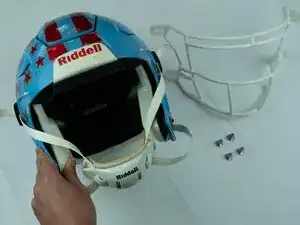
Remove the bottom two clips and screws.
-
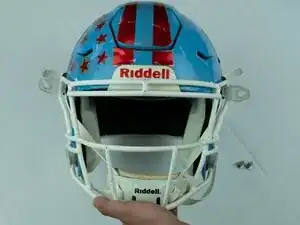
To reassemble your device, follow these instructions in reverse order.
To ensure the quality of the replacement, try the helmet on and run your facemask through some testing.
