Introdução

I created this guide because I found nothing in the internet about changing this battery.

  1. YxODCnPx4QEFdaEB
    YxODCnPx4QEFdaEB
    M1PgkyUIDe5PAEvu
    VPANm6PeAOxRgTB1
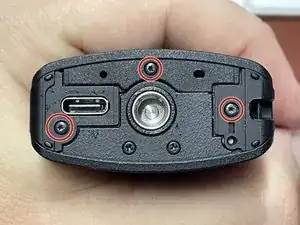
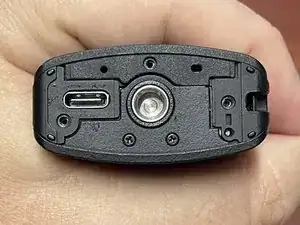
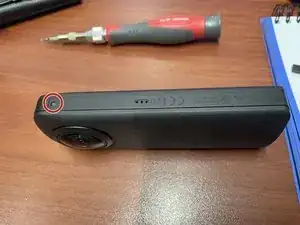
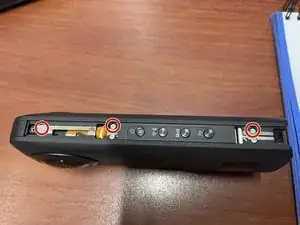
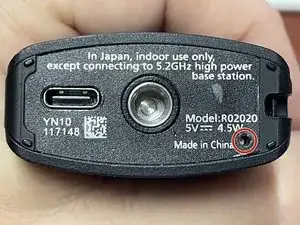
    • Use a Spudger to remove the sticker, starting from the reset hole.

    • The using 00-Torx remove the 3 screws at the bottom.

  2. pPVOoRgPoXN3RvOl
    pPVOoRgPoXN3RvOl
    fPLF1Rq3ArAIKWRe
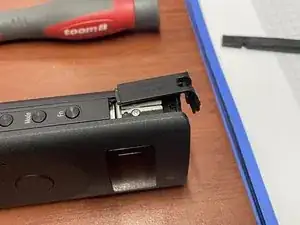
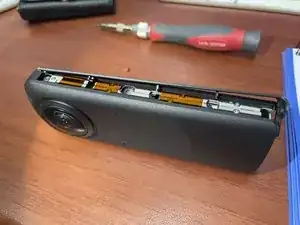
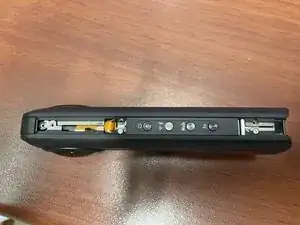
    • Now remove the screw at the side with the 00-Torx screwdriver.

    • Gently remove the side pieces.

  3. 1JVWflQuBmglstJu
    1JVWflQuBmglstJu
    bx1udRpiPBMKgnXo
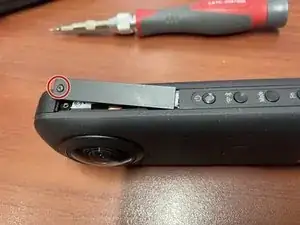
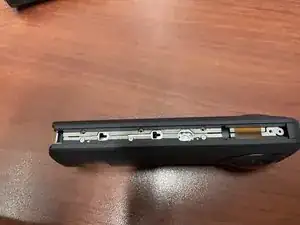
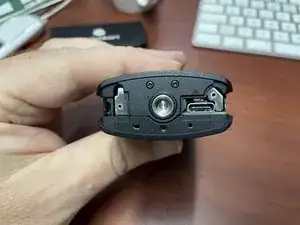
    • Remove the 00-Torx screw and gently slide the side piece off.

  4. j1l5u2MfeYmTUeig
    j1l5u2MfeYmTUeig
    yOXQEhYlls1CCZWW
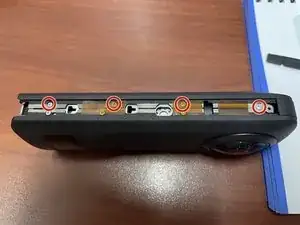
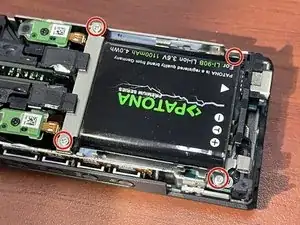
    • Remove the 4 00-Phillips screws from the long side

  5. GiCBhexesvPsAJlA
    GiCBhexesvPsAJlA
    cZEvpHMUZrG4FG2e
    • Remove the 3 00-Phillips screws from the button side

  6. oE1mdjHUITwPejye
    oE1mdjHUITwPejye
    LpUQqMipsfttPRWH
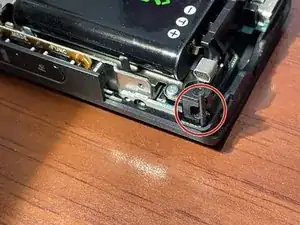
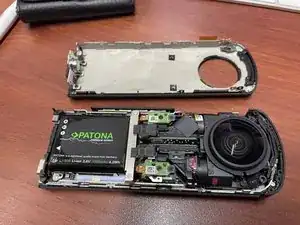
    • Now one part of the case can be pulled away, carefully observing the pin for the strap holder.

  7. qbHGqR3gkkb1OdxF
    qbHGqR3gkkb1OdxF
    TXOMCvyHGjaxG52W
    OtXuLNiCXKkYOQ4p
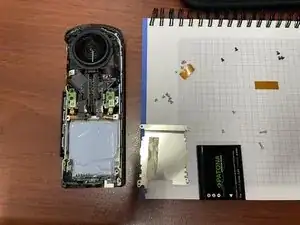
    • The battery is glued with tape to a holder, that has to be unscrewed.

    You are a hero for putting this pout there! I'm impressed that Ricoh has only one store in the world they use for any repair, and parts info for DIY is hard to find. This is a gem!

    Question: I have a Ricoh Theta Z1 that is missing the top portion of the button-side plastic cover. Looks like two 00 screws are missing that held it in place (one screw may have been holding an internal part). When I was looking at the device, one of the missing screws fell out of the camera cover, a 00-phillips.

    -Do you know where I could source the plastic cover piece?

    -Finding the screw online shouldn't be too hard. But I'm concerned there may be another missing part other than the plastic cover. Do you happen t know if anything is typically screwed down underneath the screwed on cover piece? If not, no biggie, just checking with ya cause you've been very helpful just by putting these guides out for us newbs.

    Thank you!

    Cory Hendrick -

Conclusão

To reassemble your device, follow these instructions in reverse order.

JJAY

Membro desde: 19/02/23

230 Reputação

6 comentários

Great guide, thanks. May i know the battery detail that you use for the replacement.

Hanifah Mazlan -

Hi Hanifah!
The battery is called "DB-110" by Ricoh, but there are similar models with other names. If you click on the link "LI‑92B" in the parts list you get all the details.

JJAY -

👍 This was so helpful and easy to do ! Thank you 😀 * Bought DB 110 (same as for Ricoh Theta X) on Amazon for 49 €

Maximilian Paech -

Thank you for your post. I just called Ricoh for assistance and was referred to www.precisioncamera.com/ricoh, where I was quoted $833 to replace the battery.

I have just ordered a replacement battery on Amazon and will be doing it myself. Ricoh and PrecisionCamera can go FYT!

Mtherofdragons -

Where can I find the specific 00 torx screwdriver?

512SRH -

You need a Phillips #00 Screwdriver and a T4 Torx Screwdriver. You should easily get them in a set.
I bought this one in Germany: https://toom.de/p/feinmechaniker-satz-sl...

JJAY -