Introdução

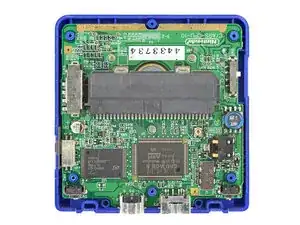
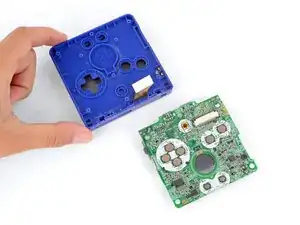
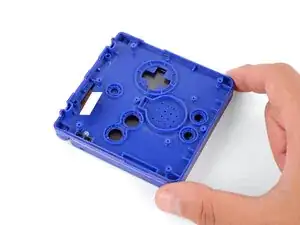
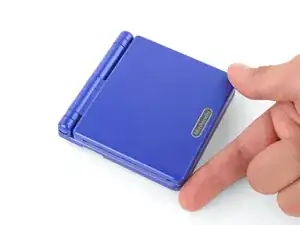
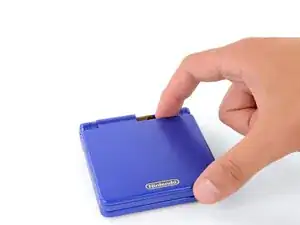
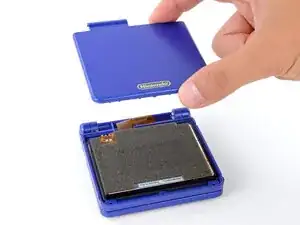
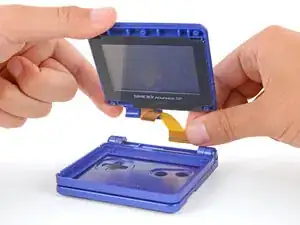
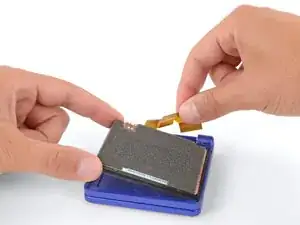
This guide shows how to remove everything from the Game Boy Advance SP for reshelling, without reassembly bullets.

  1. SWAQRwHLaGvcKJLA
    SWAQRwHLaGvcKJLA
    XdLyiadbtMVKfyxy
    DLeO1OLyhhngJdyQ
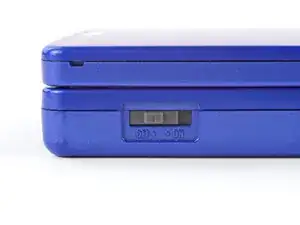
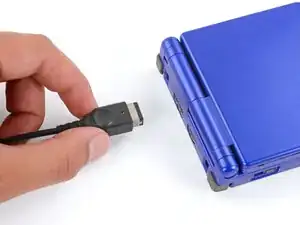
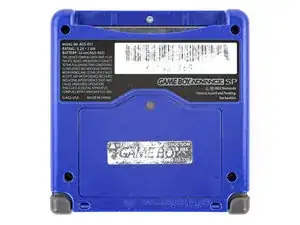
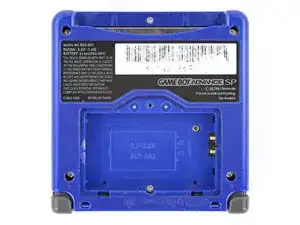
    • Slide the power switch to the OFF position and unplug any cables.

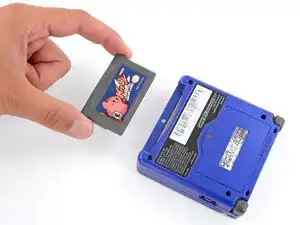
    • If you have a game cartridge in, remove it.

  2. 46UbwABdJNGmsSYy
    46UbwABdJNGmsSYy
    rUXbwksPAibTQFKW
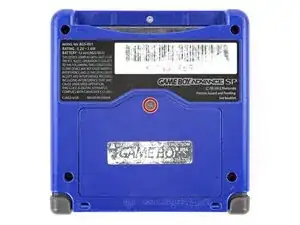
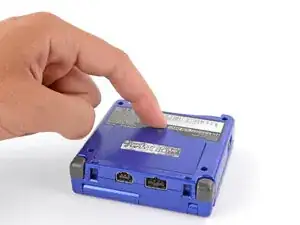
    • Use a JIS 00 screwdriver to loosen the captive screw securing the battery cover.

    • You can try to use a non-iFixit Phillips driver in a pinch, but you risk damaging or stripping the screw. Push down firmly on the driver and twist slowly.

  3. 1NVaKERyYEp12IZv
    1NVaKERyYEp12IZv
    DovWjXS1Vx5DhDEh
    ZmbMJgSwPtupCyJR
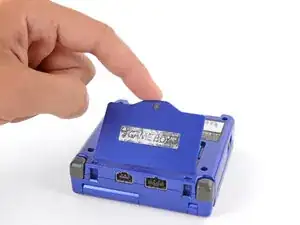
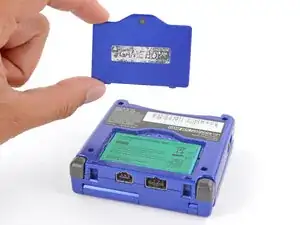
    • Lift the edge of the cover near the screw and remove the cover.

  4. O4BAKgKiyddagqkj
    O4BAKgKiyddagqkj
    nigLIO3F6WhSveRo
    xWeDsP2gXCd2JE2K
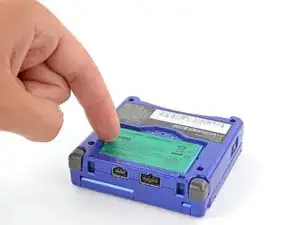
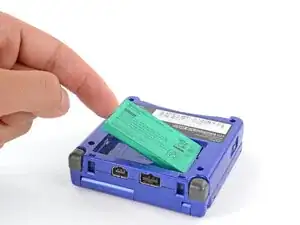
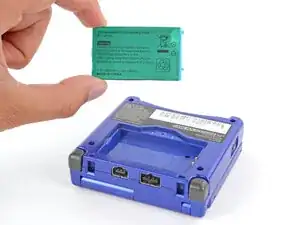
    • Use your finger to lift the battery by the tab on its left edge, then remove it.

  5. juIN5Gk1fFAGHbBF
    juIN5Gk1fFAGHbBF
    yhUaAZlBZeoRQ42d
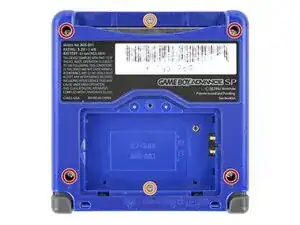
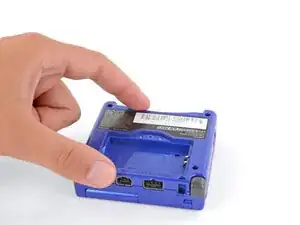
    • Use a tri‑point Y0 screwdriver to remove the six screws securing the bottom shell:

    • Four 6.3 mm‑long recessed screws

    • Two 4.6 mm‑long screws

  6. rHArxRROnSCWJbqe
    rHArxRROnSCWJbqe
    WH1aiHxrJGyLQuFD
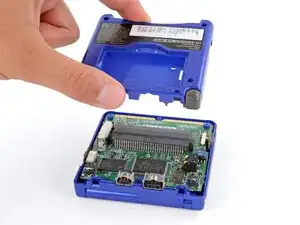
    • Lift the bottom shell straight up and remove it.

  7. dUkqYCp6OHyXWbxe
    dUkqYCp6OHyXWbxe
    WgsEGvbpGdn6C3qW
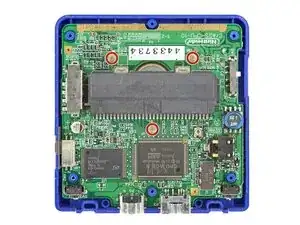
    • Use a JIS 00 screwdriver to remove the three 4.1 mm‑long screws securing the motherboard.

  8. 1Y1MZsFBLYX51rCr
    1Y1MZsFBLYX51rCr
    nsgAn5QIQehZB6KT
    • Use your fingers to lift and remove the power switch cover.

  9. LFW26341Yp3JfWXW
    LFW26341Yp3JfWXW
    BiZgjnK1stHKBOEm
    1HEPBT4aVa2iQFxx
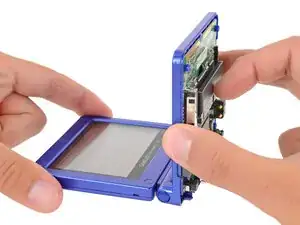
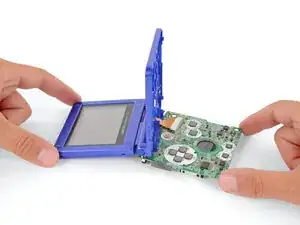
    • Place a sturdy object such as a stack of books or tool case along the edge of your Game Boy with the hinges.

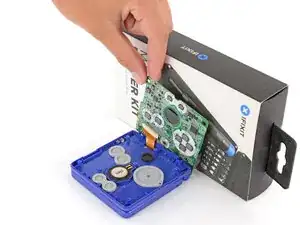
    • Use your fingers to gently flip the motherboard over the hinges and prop it up.

  10. Sm4TcLSR3hPg2RGe
    Sm4TcLSR3hPg2RGe
    CGJlWesMmhwaMfuu
    ka1yFfndgs1equ5T
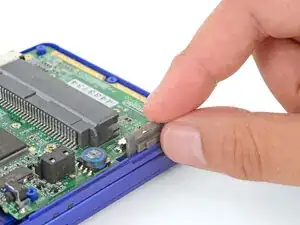
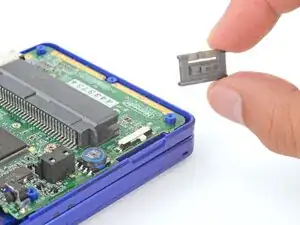
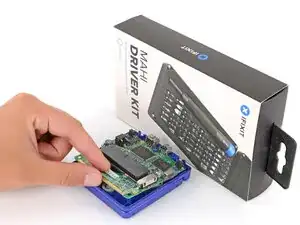
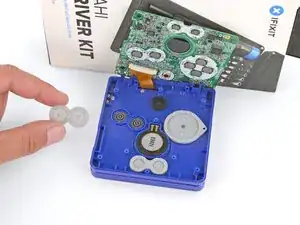
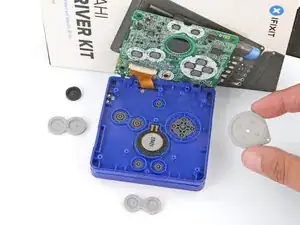
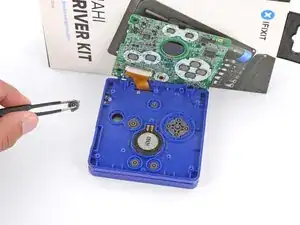
    • Use tweezers or your fingers to remove the four silicone pads covering the buttons (A and B, D‑pad, brightness, and Start/Select).

    • If any of the pads are missing, they may be stuck to their corresponding spot on the motherboard.

  11. qkNTUZTSHSJKmZCe
    qkNTUZTSHSJKmZCe
    xUw6C5vr6HgpmCGH
    N3Bcy56VlDmHwhF5
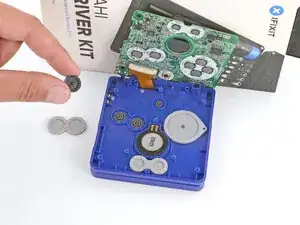
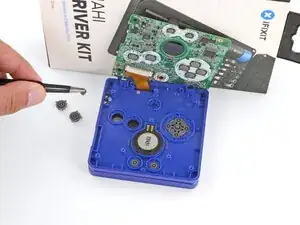
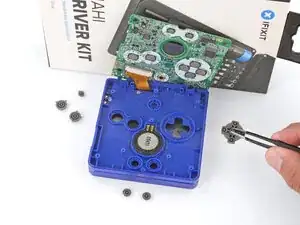
    • Use tweezers or your fingers to remove the buttons (A and B, D‑pad, brightness, and Start/Select).

  12. pKAOGpUImDBnU4Sa
    pKAOGpUImDBnU4Sa
    iZxnFlUKDclEgbka
    tTogSXxHNIqFE1FQ
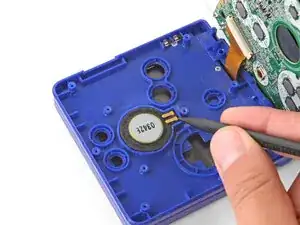
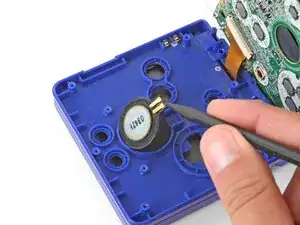
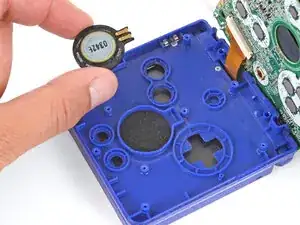
    • Use the point of a spudger or a clean fingernail to lift the speaker until you can grip it with your fingers.

    • Remove the speaker.

  13. cQbqTagYiFb4gFuC
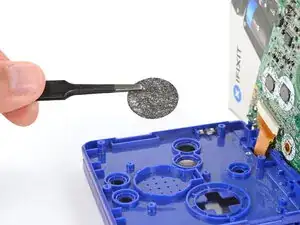
    • Remove the circular mesh from the speaker recess and set it aside—the piece can easily fall out and get lost when working.

  14. 5IahVjJJXPg2JP4V
    5IahVjJJXPg2JP4V
    11GNCBBYJXGMhDMW
    5AD2DIQoBaqUL5Pi
    • Be careful not to strain the screen cable during the next few steps—it has very little slack.

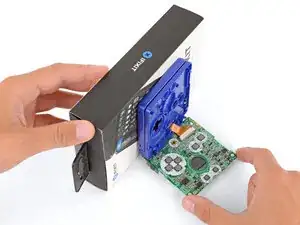
    • You need to prop up the main body of your Game Boy in order to disconnect the screen cable without straining it. Here are two ways to do so:

    • Option 1: Open the main body of your Game Boy to a 90‑degree angle and gently lay the motherboard down. Make sure the main body is resting on top of the motherboard to give the cable slack.

    • Option 2: Keep the main body closed and prop it up on the edge of the logic board, using a sturdy object to hold it up.

  15. iOX6LnURTochoSWx
    iOX6LnURTochoSWx
    thYNvZWqvZ3GNDsb
    yEJZe4gSTC4mpwE2
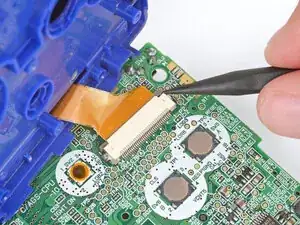
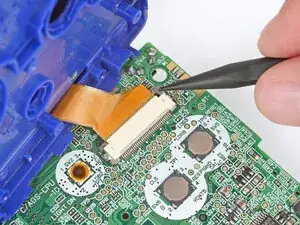
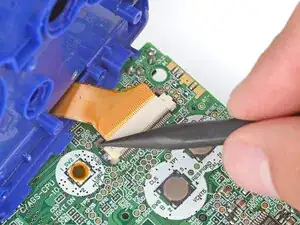
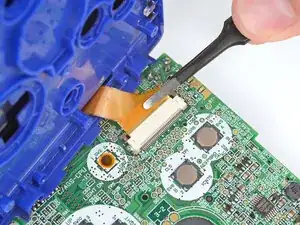
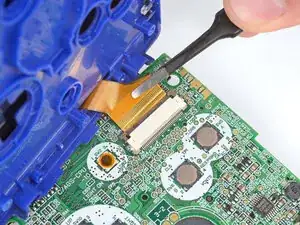
    • Use the point of a spudger to push the two tabs on either side of the screen cable connector into the unlocked position.

    • Only push the tabs until they stop. If you push them too far, you may slide the locking tab off the connector.

  16. ZVdpSSAGoEvlHuJl
    ZVdpSSAGoEvlHuJl
    IXaajsuSBOCxFoFP
    • Use a pair of tweezers to gently slide the screen cable out of its socket.

  17. btSEVJoHF2Yw2T2Q
    • Remove the main body from the motherboard.

  18. PaGbgSuAfIpFxoxe
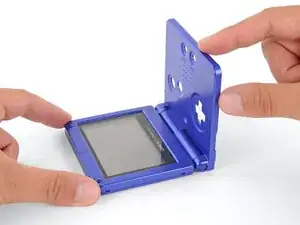
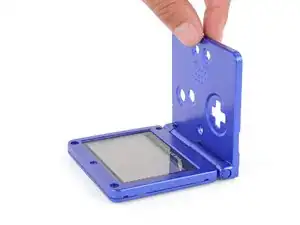
    • Open your Game Boy to a 90‑degree angle and set it down so the screen is facing up.

  19. hGoMGFNNxLVjtqR3
    hGoMGFNNxLVjtqR3
    nAtWTAxPmSevZJos
    pRNPPX5IcsKEBN2i
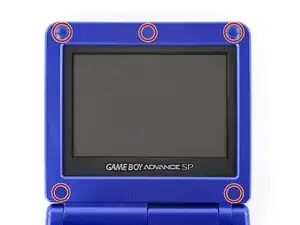
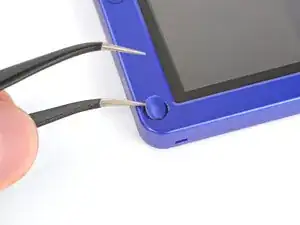
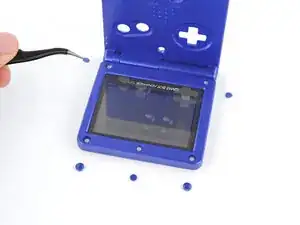
    • Use a pair of angled tweezers to pry up and remove all five rubber screw covers.

    • Removing old, brittle covers without damaging them can be tricky. Make sure to pry gently between the cover’s edge and the frame—don’t dig into the cover itself.

  20. I2NP1BJYeZOPGfRq
    I2NP1BJYeZOPGfRq
    eeQQ5TQTDOcPPZ1k
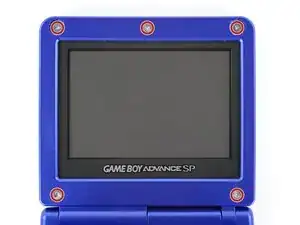
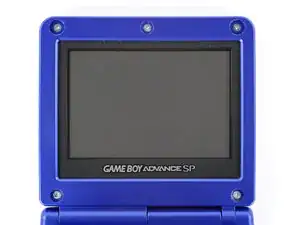
    • Use a tri‑point Y0 screwdriver to remove the five 4.7 mm‑long screws securing screen shells together.

  21. RT5XOkUjmoyMowdw
    RT5XOkUjmoyMowdw
    SJw3AxJXaYSOTARd
    • Fully close your Game Boy (the button cutouts should be on top).

  22. ASCHvbiPDLRUxBp5
    ASCHvbiPDLRUxBp5
    5hhG1pqXt2FHGDiO
    5CSwVhTwlauZvBgr
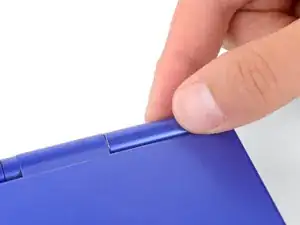
    • Use a JIS 00 screwdriver to remove the 6.3 mm‑long screw securing the hinge cover.

    • You may need to use your free hand to hold the screen cable out of the way.

  23. WJYIa6QGlEqlR1tG
    WJYIa6QGlEqlR1tG
    XwxFJCREEgWeM5kx
    • Flip your Game Boy over.

  24. PZuatGFkoHYScUt3
    PZuatGFkoHYScUt3
    kpImIumVpuipHr14
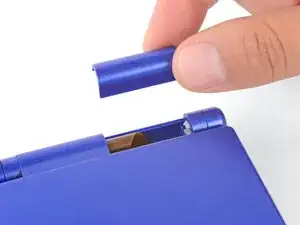
    • Use your fingers to lift and remove the hinge cover.

  25. 1ZBZJaAiYKamNWwX
    1ZBZJaAiYKamNWwX
    aQHCEM1jSwHpwlae
    FuWH2YW6nJYUClAx
    • Depending on the age of your device, the screen may stay attached to its outer shell. If it does, make sure to thread the cable through its cutout while removing the shell.

    • Use your fingers to lift and remove the outer screen shell.

  26. eUqX2VFvybMjon3F
    eUqX2VFvybMjon3F
    MGAxDrRoGsy6d1Jo
    2K5veeJkQmZkj5mn
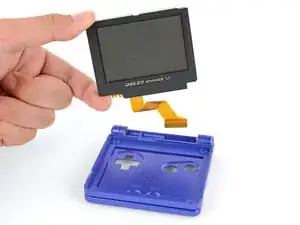
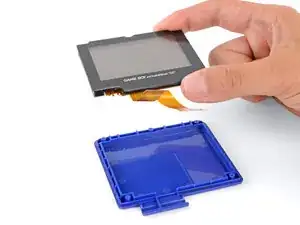
    • Use your fingers to lift and remove the screen, threading the cable through its cutout.

    • If your screen stayed attached to the shell, you may need to gently pry it up with a spudger before removing it.

  27. QsfJZZ5qTD1JHVIf
    QsfJZZ5qTD1JHVIf
    XDIaFDPkNVsOxMx3
    TVAECGjJ46hGnxQr
    • Don't try to force the hinges out of their sockets—you may damage the hinges, crack the shell, or injure yourself.

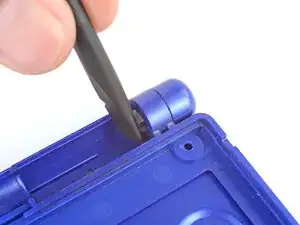
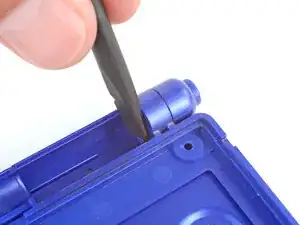
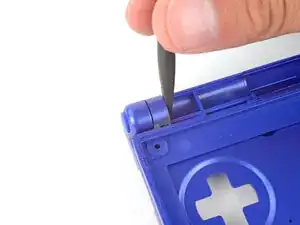
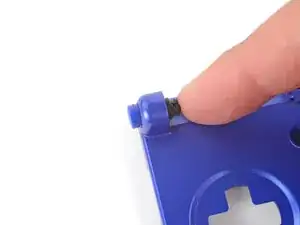
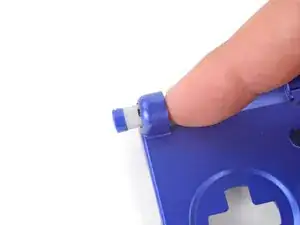
    • Use the flat end of a spudger to push both hinges partially out of their sockets.

    • You only need to push the hinges out until you feel them click into place.

  28. t5tyJx4GClYXWH42
    t5tyJx4GClYXWH42
    nc3OnBYTKXFTjFGt
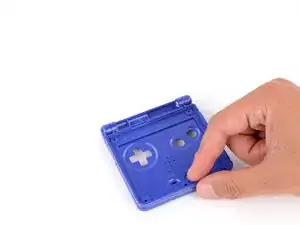
    • Full open the shell of your Game Boy.

  29. mFjntTFSCCNCwNXc
    mFjntTFSCCNCwNXc
    hwGvApDnNDAjpZeB
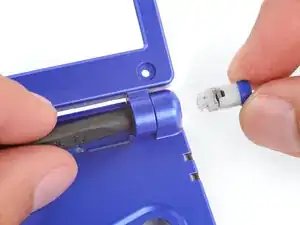
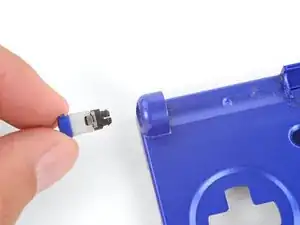
    • Use the point of a spudger to push the right hinge fully out of its socket and remove it.

  30. g3dIoBVtUhWPcXiX
    g3dIoBVtUhWPcXiX
    DfTLyDlI1IobQUQT
    hcp5XSwRETo2KRKY
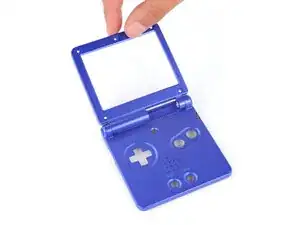
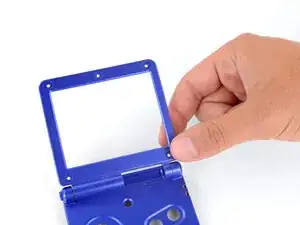
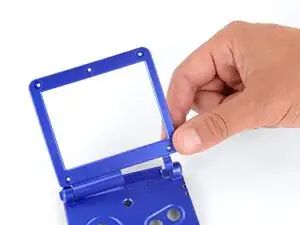
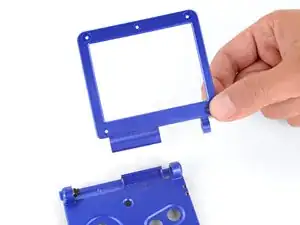
    • Use your fingers to gently lift the right side of the screen bezel.

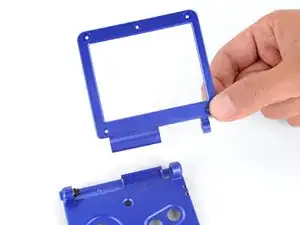
    • Pull the screen bezel to the right—so it slides out of the left hinge—and remove it.

  31. lMH6QcHDNejOflVt
    lMH6QcHDNejOflVt
    sFCYC2uEIWyNCJNF
    FyFMOQDbQIAVKBeR
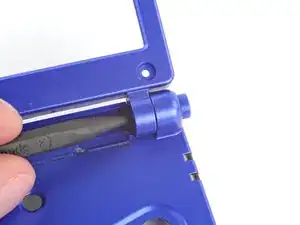
    • Use your finger to push the left hinge out of its socket and remove it.

Spencer Day

Membro desde: 14/09/22

165254 Reputação

0 comentários