Introdução
The kickstand of your Razer Huntsman Mini can become worn out over time. Replacing this part is a simple and effective way to restore the device's stability and prolong the life of your device.
This guide will walk you through the process of removing a damaged kickstand and installing a new one safely. No prior repair experience is necessary.
Ferramentas


Peças
-
-
Turn off and unplug the device.
-
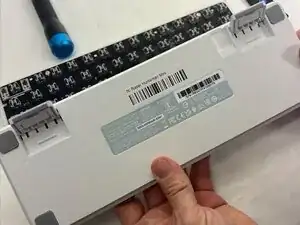
Flip the device to the back panel.
-
Locate the screws or clips that attach the device's legs.
-
-
-
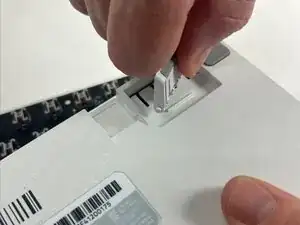
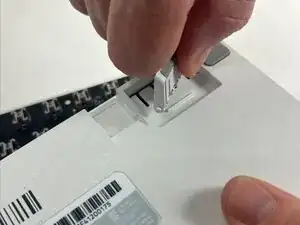
Locate the clips on both sides of the kickstand that keep it in place.
-
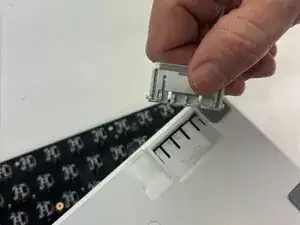
Carefully lift and slide out the kickstand.
-
If the kickstand is stuck, use a plastic pry tool to loosen it.
-
-
-
Once the old kickstand has been removed, clean the space using a soft cloth or cotton swab.
-
Take the new kickstand and align it with the mounting hole found on the sides. Snap the kickstand firmly into place.
-
Check that the new kickstand is level and secure.
-
To reassemble your device, follow these instructions in reverse order.