Introdução

If your Razer Deathadder V3 Pro won’t charge or only works when plugged in, the battery may have disconnected or may need replacement. Use this guide to reconnect or replace the battery pack. The guide applies to both the white and black versions of the mouse.

This guide requires caution when opening the mouse. It contains a fragile ribbon cable and the battery may be swollen. If you discover a swollen battery in steps 5 or 6, refer to the swollen-battery guide.

Before you start, make sure to power off and unplug the mouse.

  1. LuTcZLhXIMqEnMXG
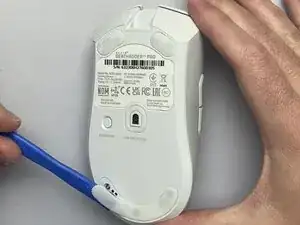
    • Use an opening tool to remove the bottom skate from the mouse.

    • If you plan on reusing this skate, avoid touching the adhesive.

  2. 6DIUINDii6VpsoIQ
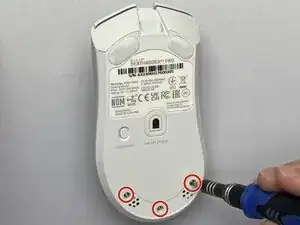
    • Use a T6 Torx screwdriver to remove three 6.2mm screws along the bottom of the mouse.

  3. qCjilJRQY6SkrCJB
    qCjilJRQY6SkrCJB
    C5t21dstcmKaZEKj
    X3LAsc2L54ePOQAR
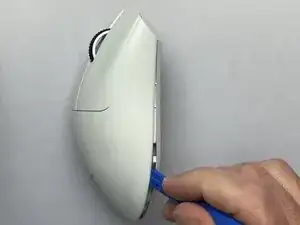
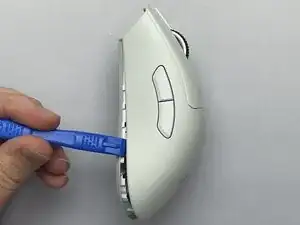
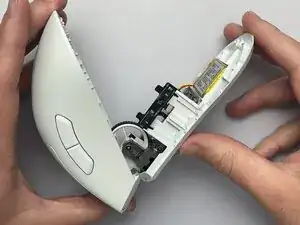
    • Use the opening tool to release the clips on the left and right sides of the mouse.

    • A fragile ribbon cable at the front of the mouse connects the top and bottom of the case.

    • Lift the back side of the top case, keeping the front edge of the case close to the base like an imaginary hinge.

  4. YNM3NtH2aDwFT4H2
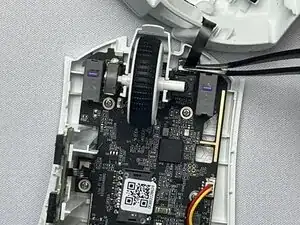
    • Lay the top case above the base and angled to the right, keeping the ribbon cable as loose as possible.

    • Carefully remove the ribbon cable from its connection. You may want to use tweezers for this step.

    • To avoid ribbon cable damage, only make contact with the stiff part of the cable closest to the connection.

  5. OTOdTRRtHlcqFRC6
    OTOdTRRtHlcqFRC6
    DmpEA2e4DnPjFqQX
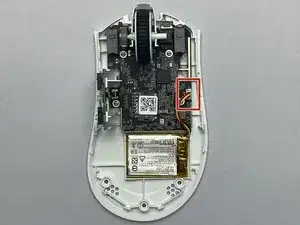
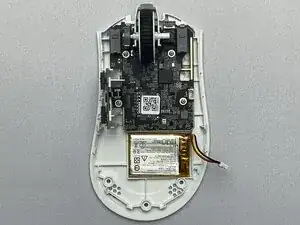
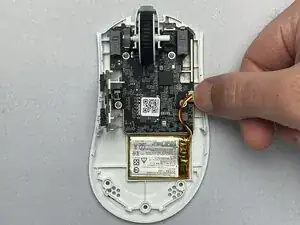
    • Inspect the battery connector before disconnecting. If the battery connection is loose but the battery itself is not swollen and appears to be in like-new condition, it is likely still functional and can usually be reconnected to restore normal operation.

    • Unplug the battery connector.

    • To avoid battery cable damage, pull from the white plastic connection, and do not pull from the wires.

  6. oHDXQApEyykRULFV
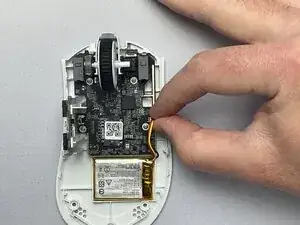
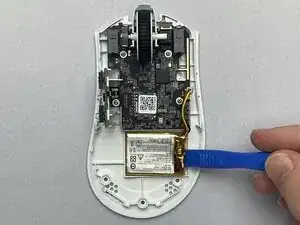
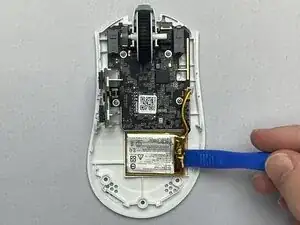
    • Use the opening tool to gently pry the battery from the base.

    • The battery is attached using adhesive/double-sided tape. Avoid touching the adhesive with your hands.

    • Caution: Puncturing a lithium polymer battery can lead to severe safety hazards. If your battery is swollen, refer to the Swollen Battery Guide.

  7. bWvKnffa3GFKZEFZ
    bWvKnffa3GFKZEFZ
    Icag3uJgsMcWol4S
    • Install your new battery in the compartment. If the existing tape does not stick, remove the tape and use double sided tape to secure the battery in place.

    • Caution: Puncturing a lithium polymer battery can lead to severe safety hazards.

Conclusão

To reassemble your device, follow these instructions in reverse order. Take your e-waste to an R2 or e-Stewards certified recycler.

Nelson L

Membro desde: 27/10/25

145 Reputação

0 comentários