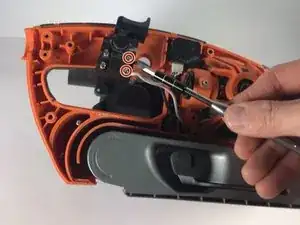
Introdução
If your RIDGID R2740 Belt Sander won't turn on, the on/off switch may be defective and need to be replaced. This guide will walk you through how to replace the on/off switch on your RIDGID R2740 Belt Sander.


-
-
Orient the belt sander so that the RIDGID logo is facing you.
-
Remove the six 19 mm and three 51 mm T20 screws that hold the cover into place.
-
Remove the cover from the belt sander.
-
-
-
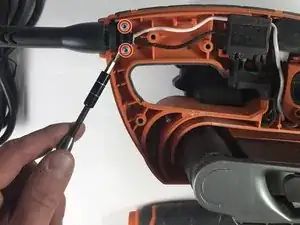
Remove the two 16 mm T10 screws.
-
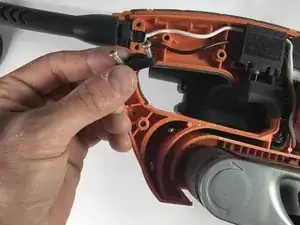
Remove the support bracket that holds the power cord into place.
-
-
-
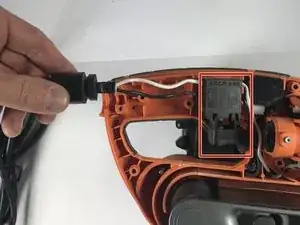
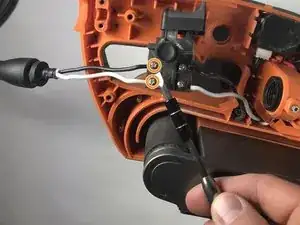
Lift the power cord from the resting grooves.
-
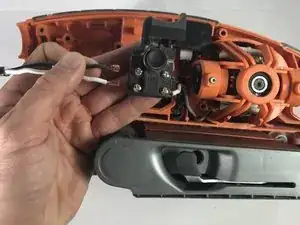
Rotate the switch so that the lock-on button is facing you.
-
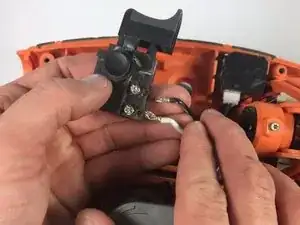
Loosen the two 8 mm Phillips #3 screws.
-
Pull the two wires away from the switch.
-


To reassemble your device, follow these instructions in reverse order.

Um comentário
Add “on/off switch for RIDGID R2740 belt sander” to the what you need list. Also kind of odd not showing the new one get put back in. Why not show that too?