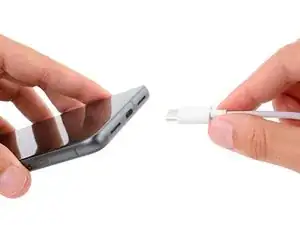
Introdução
This guide demonstrates safety precautions to take before doing repairs on your Google Pixel 8 Pro
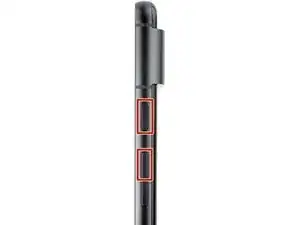
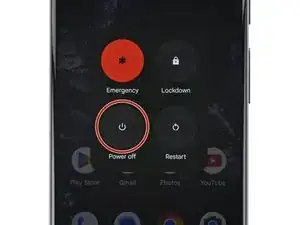

This guide demonstrates safety precautions to take before doing repairs on your Google Pixel 8 Pro
Mein Bildschirm ist schwarz - das Smartphone reagiert jedoch. Wie kann ich es ausschalten wenn ich kein Bild nicht sehe?
Ulises -
Press the power and volume up button, and imagine where the power off button will be on the screen. Touch area and wait a couple of minutes. Then call or text your phone to see it any notifications or ringing would indicate eithers it's on or off. You can also try to use find my device from the web to see if you can ping or find the phone if it's on you will find it, if off it will not ring.
Dave Hom -
My phone is cracked to the point where no image is shown, nor is touch registered. How can I safely power off the phone before replacing the screen?
Jayden Hua -
Let it run out of battery, then change your screen. Plug the phone back onto the charger at the point where you need to confirm your repair before sealing it with adhesive.
Dave Hom -
I kept turning on the phone as I slowly destroyed the screen removing it. Holding the power, volume up and volume down all at the same time for 30 secs turns the phone off without needing to do anything else.
THOMAS P -
This works! Thank you very much
Drfox -