Introdução

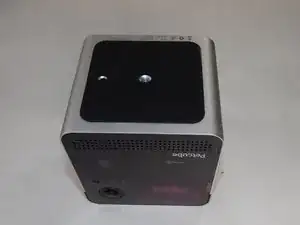
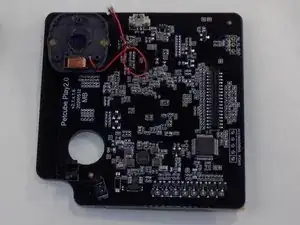
If the motherboard of your Petcube Play 2 (identified by the model number PP2OUS) is damaged or is faulty, use this guide to replace it.

A motherboard is a core component of electronic systems. They hold many of the important electronic parts of a system and allow them to communicate with each other. A faulty or damaged motherboard in a Petcube Play 2 will lead to Wi-Fi connection issues, the device turning off unexpectedly, or the device refusing to turn on.

Before beginning, ensure that these issues are not caused by other circumstances detailed in the Troubleshooting Page. Also ensure that the device is turned off and unplugged.

  1. sMTQVfJPAu3Wfpyj
    sMTQVfJPAu3Wfpyj
    YZm32gY1JjIKOLf6
    bwQVW56e3kBMmAw4
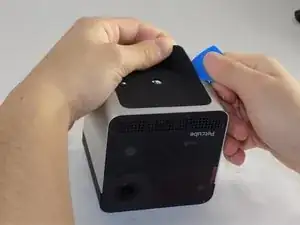
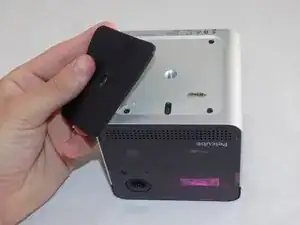
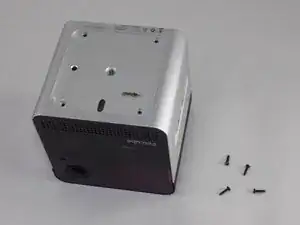
    • Flip over the Petcube so the rubber bottom faces you.

    • Pull up the rubber layer with an iFixit opening pick to expose the screws underneath.

  2. ordYilaDRog5ySti
    ordYilaDRog5ySti
    CeoJKE5tZ5XEKOD4
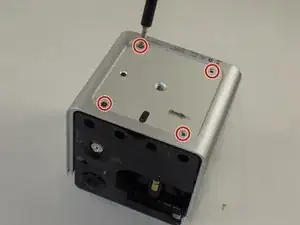
    • Remove the four 3.5mm screws from under the rubber cover using a Phillips #1 screwdriver.

    • The glue may cause slight resistance, but the screws should come out with minimal effort.

  3. 3T1Of5ETAMuDG5Bt
    3T1Of5ETAMuDG5Bt
    UNhQffaoWFbOVdFq
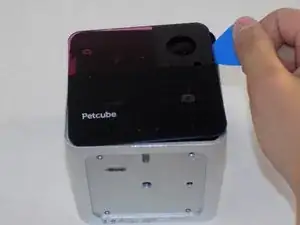
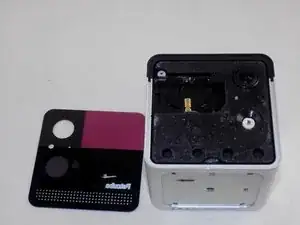
    • Carefully pry off the glass front panel using an opening pick or a spudger.

    • Do not force the front panel off, as it may crack and break.

  4. KhnQSTOOHbAXc1Kn
    KhnQSTOOHbAXc1Kn
    cH1C2tsymTaHAQhB
    PvTfFxEwOdm3OeSm
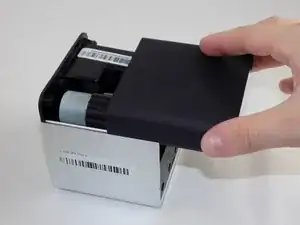
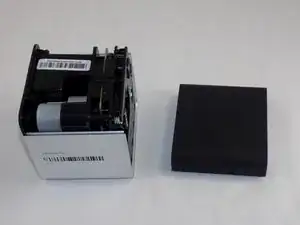
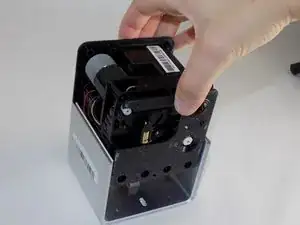
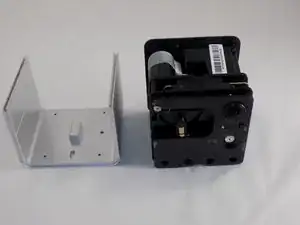
    • Slide off the two covers, starting with the top plastic cover.

    • Slide out the internal assembly from the aluminum casing.

  5. t43BjCtj21qu1LGG
    t43BjCtj21qu1LGG
    ZmncrHe4FjOVpIyr
    DDTPWhoPwwO1Jjyn
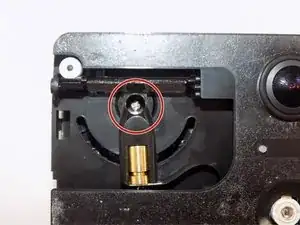
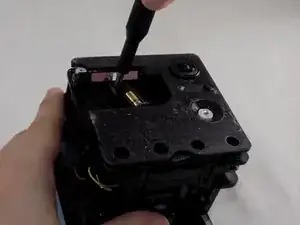
    • Once the internal assembly is removed, a brass cylinder in one corner of the cube's front face will be visible. A screw will be attached to it.

    • Remove the screw with a Phillips #1 screwdriver.

  6. EFAuaOmoTElvYJ4S
    EFAuaOmoTElvYJ4S
    TOkgOFc3Ftm55CYQ
    Of5aDTItTeTWlRdX
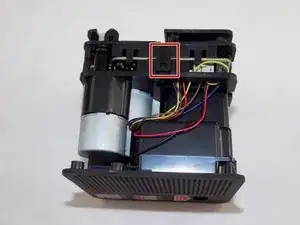
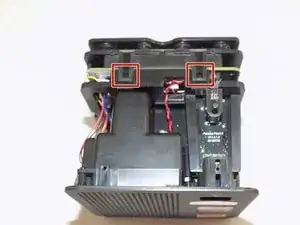
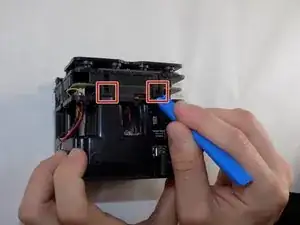
    • Flip the cube onto its side to locate the pull tabs.

    • Using an opening tool, lift each of the five tabs to separate the two halves of the Petcube 2.

  7. SdjIpAqYoIoVk3Wo
    SdjIpAqYoIoVk3Wo
    w4Kb2hGZqJb2g6Xo
    fPyAeEwOZyHZtH3N
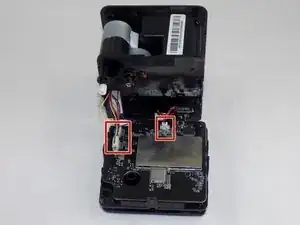
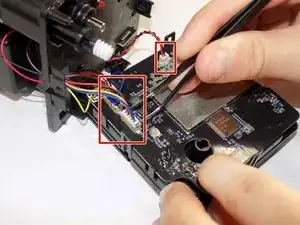
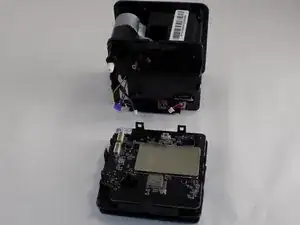
    • Gently disconnect the cable connectors to separate the two halves of the device.

    • Avoid pulling on the wires to prevent damage to the connectors.

  8. HZFsBEULtmgBFuUF
    HZFsBEULtmgBFuUF
    55ummO6BqnqFkZ2D
    3TQGAZLmkJtsvLbp
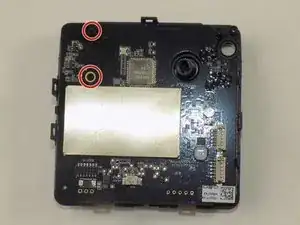
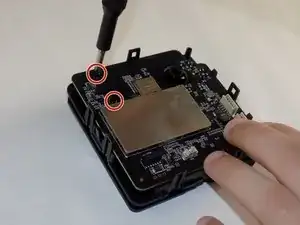
    • Use a Phillips #1 screwdriver to remove the two 1mm screws.

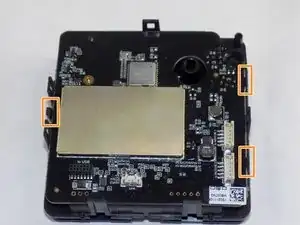
    • Carefully release each of the tabs on the sides of the cube and remove the motherboard.

    • Be gentle with the tabs. They will break under too much pressure.

Conclusão

To reassemble your device, follow these instructions in reverse order. Take your e-waste to an R2 or e-Stewards certified recycler.
Jacob Branco

Membro desde: 18/03/24

291 Reputação

0 comentários