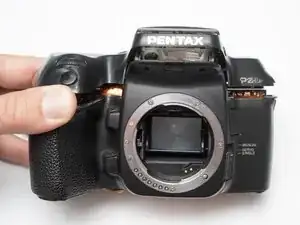
Introdução
Top cover removal can give the user access to most of the electrical connections in the camera, aiding in basic troubleshooting.
Ferramentas

-
-
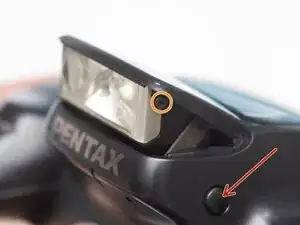
Push button to pop up the flash.
-
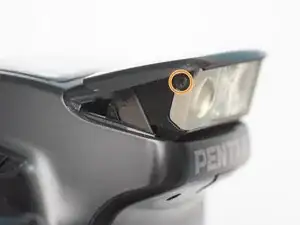
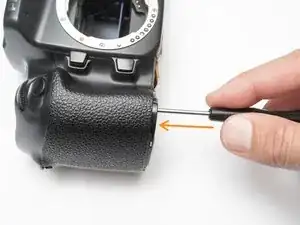
Remove two 1.7 x 2.5 mm screws.
-
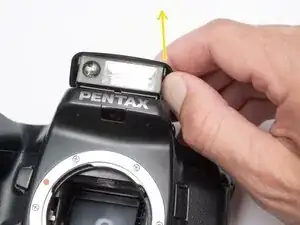
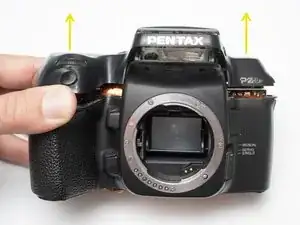
Detach snaps by lifting the side of the flash cover, bending it up and away from the housing.
-
Push flash back down to the stored position.
-
-
-
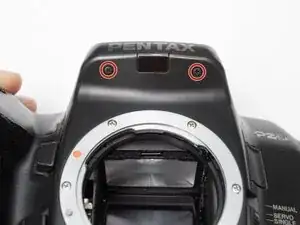
Remove two 1.7 x 2.5 mm screws underneath the pop-up flash.
-
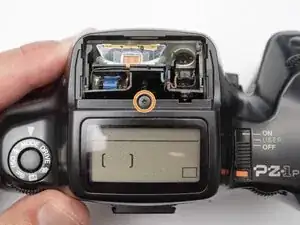
Remove one 1.7 x 2.5 mm panhead screw above the pop-up flash.
-
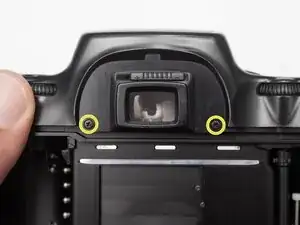
Remove two 1.7 x 2.5 mm shoulder screws near the eye piece.
-
-
-
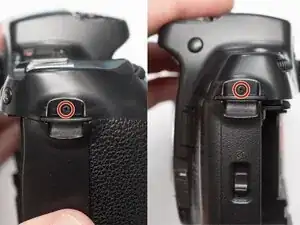
Remove two 1.7 x 2.5 mm shoulder screws by the strap lugs.
-
Remove one 1.7 x 6.0 mm screw inside the battery compartment.
-
Lift off the top cover.
-
-
-
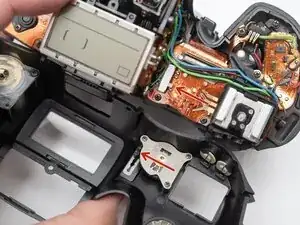
Check that the physical power switch and the electrical power switch are both in the same position before installation.
-
To reassemble your device, follow these instructions in reverse order.
