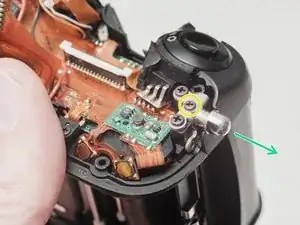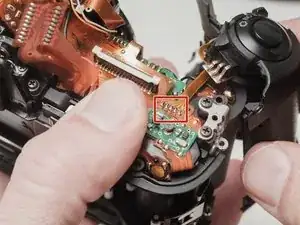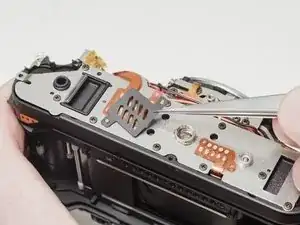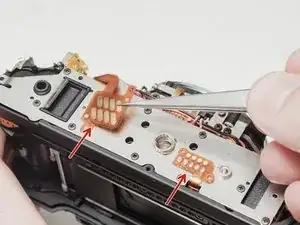
Introdução

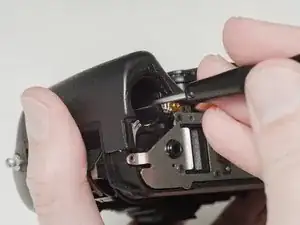
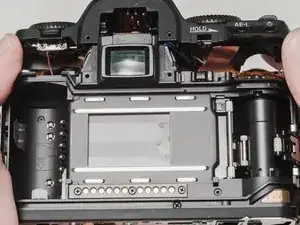
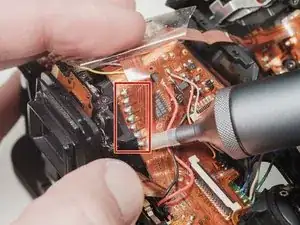
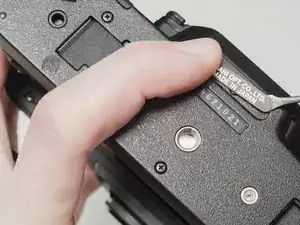
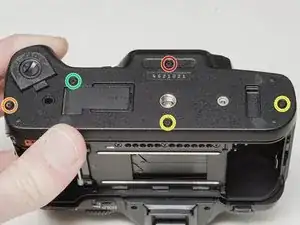
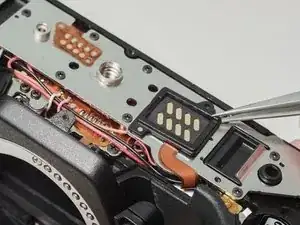
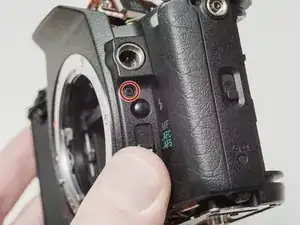
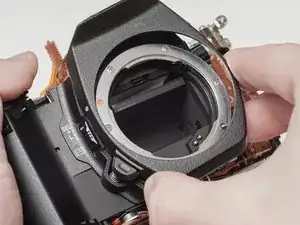
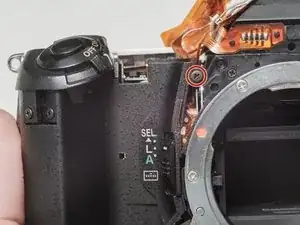
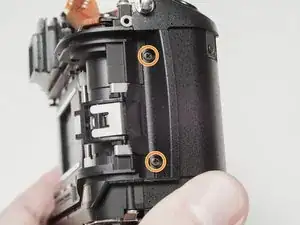
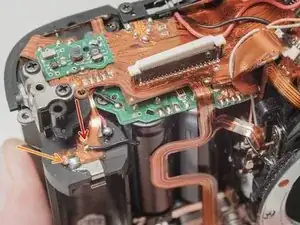
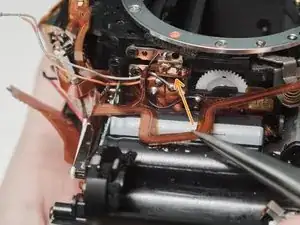
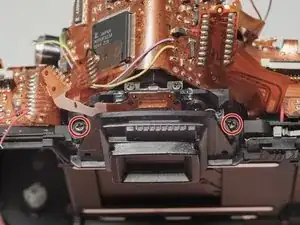
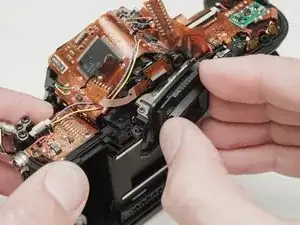
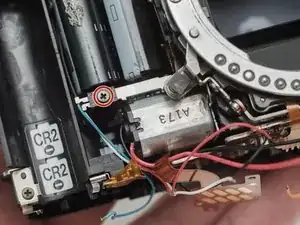
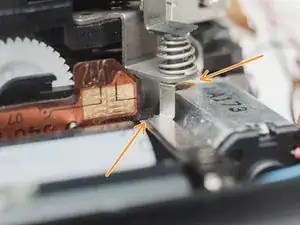
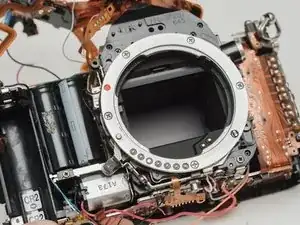
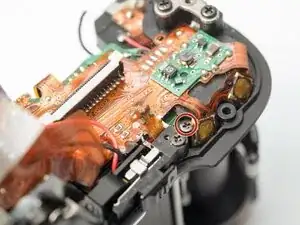
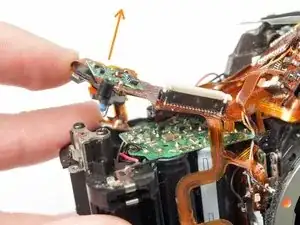
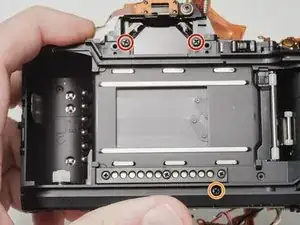
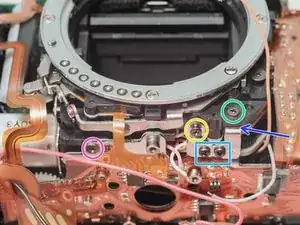
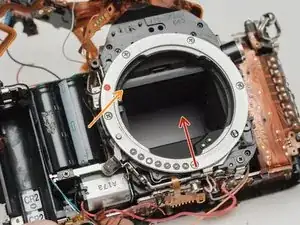
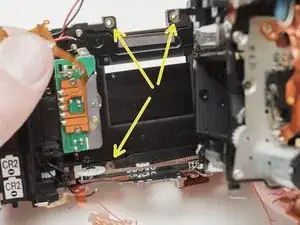
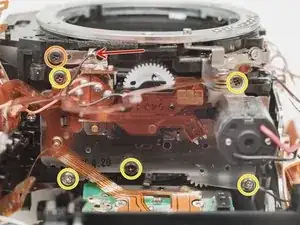
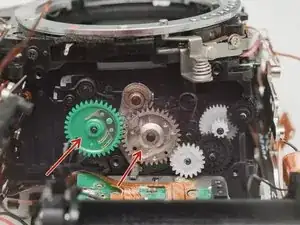
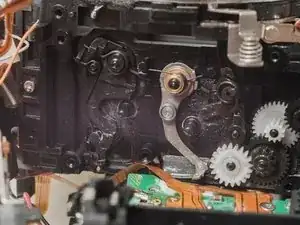
A common failure of the Pentax MZ-S is the Mirror Drive Lever. This is a plastic lever on the side of the mirror box that moves the mirror up and down during an exposure. The plastic tip that follows the rotating cam can break off leaving the mirror stuck in the up position. The shutter should still fire normally but the mirror won't travel its full stroke. Additionally, with the mirror stuck, the viewfinder will appear black and the camera will not be able to autofocus.

This guide explains how to disassemble the camera to access the Mirror Drive Lever as well as how to install the new part to ensure proper functionality. A general understanding of how cameras work is recommended. Some technical soldering is also required.

  1. nrFIAZKufxVD3cQS
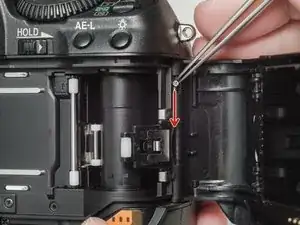
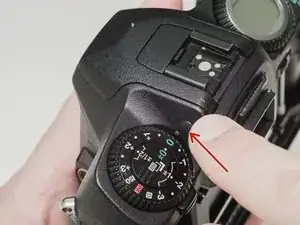
    • Push down the latch to release the film door.

  2. WmaqIpCbXyXjfaFK
    WmaqIpCbXyXjfaFK
    3MNFDKVuEm6fkKQJ
    FSUvVvV2KMcpaLoq
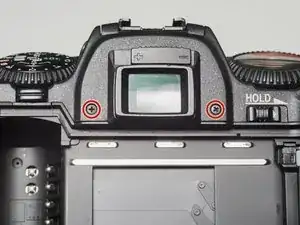
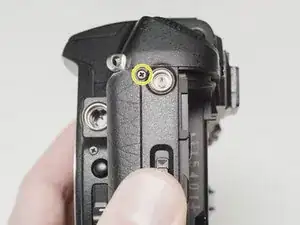
    • Remove two 7.5 mm #00 screws.

    • Remove one 9.0 mm #00 screw.

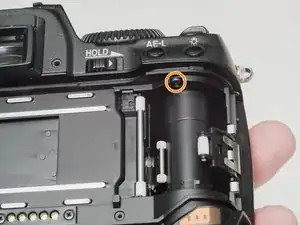
    • Remove one 13.5 mm #00 screw from inside the battery compartment.

  3. ARErbhLaDZLsHNur
    ARErbhLaDZLsHNur
    KRYoT2GRAmLhMIyX
    Si1BeE1GrR5KKWJm
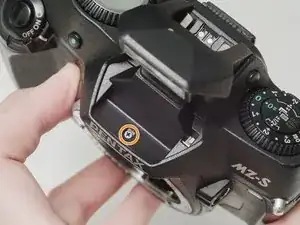
    • Push the button to pop up the flash.

    • Remove one 3.5 mm #00 screw.

    • Remove one 5.5 mm #00 screw.

  4. CTrkEcCILGrCXkJ2
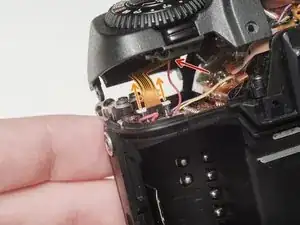
    • Carefully lift the top cover away from the body to access wired connections.

    • The top cover is still connected in several locations.

  5. 1nkNeTyCiA24OyKN
    1nkNeTyCiA24OyKN
    NxBPcIppF4mVjLpj
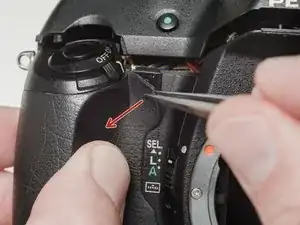
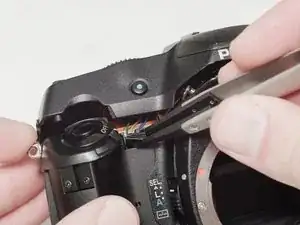
    • Peel back the corner of the rubber grip.

    • Remove the small plastic cover.

    • Be careful not to short the wires before the flash capacitors have been properly discharged.

  6. tbrArotaUPgo2Ekq
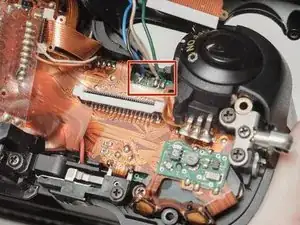
    • Use a 1kΩ-10kΩ high power resistor to discharge the capacitor. Place the resistor between the blue wire, exposed in the previous step, and ground.

    • The flash capacitors store energy at a very high voltage. Failing to discharge the capacitors properly could result in personal injury and/or damage to the camera.

  7. YdycH1sEqaJCoOjL
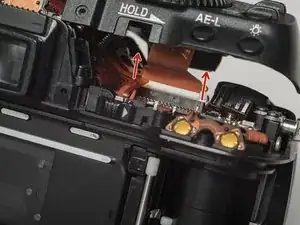
    • Carefully lift the sides of the white latch.

    • Hold the flex PCB on the camera body in place as you lift to prevent damaging the flex.

  8. 3uAZsfEVbYVPPBmZ
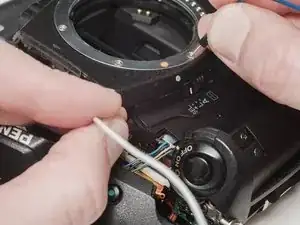
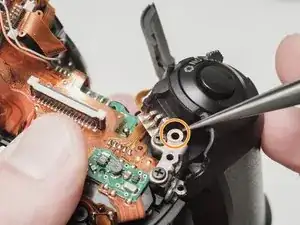
    • Desolder the red wire.

    • Carefully lift the sides of the white latch.

    • Hold the flex PCB on the camera body in place as you lift to prevent damaging the flex.

  9. WyHHmqDh1UjeRCvX
    WyHHmqDh1UjeRCvX
    OCEScxHQboYDoSSH
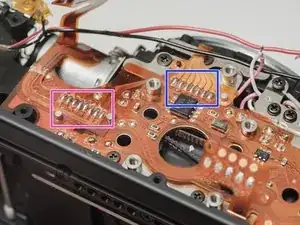
    • Desolder blue, black, brown and green wires.

    • Remove the loose shim washer if present.

  10. bvJQ2WLlb5c4daYO
    bvJQ2WLlb5c4daYO
    EyLukSUjlvUJc6D3
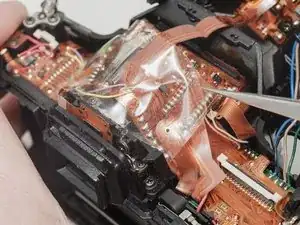
    • Remove the piece of cellophane tape covering the flex connections.

    • Desolder flex connetions.

  11. 6DywwTiY5RGgCAcv
    6DywwTiY5RGgCAcv
    XF4HViMGbDS6ypPA
    5bAmXUI3nlZsZAgC
    • Use isopropyl alcohol to soften the adhesive under the country plate and remove.

    • Remove one 5mm #00 screw.

    • Remove one 7.5mm #00 screw.

    • Remove two 4.5mm #00 screws.

    • Remove one 5.5mm #00 screw.

    • Remove the plastic frame around the accessory grip contacts.

    • Reassembly Note: The camera can be checked for functionality at this point. Install the rear door, insert a fresh pair of batteries and try to fire the shutter.

  12. SMGROWKqTlyhgSYN
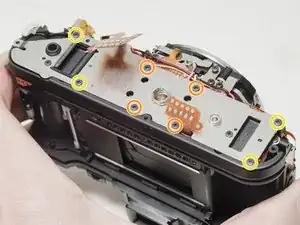
    • Remove one 4.0 mm #00 screw.

    • Remove left cover.

  13. BTmOqixChXpiyMrm
    • Remove front cover.

  14. X3XoFTBttscUu6LV
    X3XoFTBttscUu6LV
    D4MgEcLddN6ITJZb
    llasHxoHqCyTt1Pl
    • Remove one 6.0 mm #00 screw.

    • Remove two 3.5 mm #00 screws.

    • Remove one 5.0 mm #00 screw.

    • Remove the strap lug.

  15. OecWKhbmNlFlQukr
    • Carefully pull the right panel away from the body. It is still attached.

    • Desolder the flex connections.

  16. T5LY6nnryRtDmkFq
    T5LY6nnryRtDmkFq
    RcxoEYOOwyNQCPOA
    VkFx1VMcRYdo4YIb
    • Remove the protective mask around the accessory grip contacts.

    • Lift the flex contacts free of their retaining posts. Use isopropyl alcohol to soften any glue or tape that is present.

    • Remove four 4.0 mm #00 screws (standard metric threads).

    • Remove four 4.0 mm #00 screws (plastic threads).

  17. uBM5qAUFWVjTeNK2
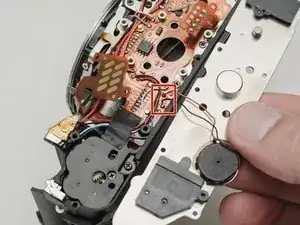
    • Desolder the black and red wires for the speaker.

  18. IeNhVhJsOwZ61dIY
    IeNhVhJsOwZ61dIY
    cUMQKPyFFDOKWBoi
    BnsZuCB3xMD1hcUY
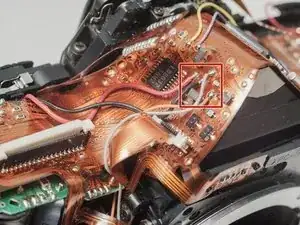
    • Desolder the white and pink wires.

    • Desolder the red, black and gray wires.

    • Desolder the red, black and orange wires.

    • Desolder the white and blue wires.

    • Carefully peal the tape away and detach the red, black, white and blue wires from the glue. Use isopropyl alcohol to soften the glue if necessary.

    • Desolder the flex connection.

    • Desolder the flex connection.

  19. 5COGXAGVsRBseSEW
    5COGXAGVsRBseSEW
    Y4InYEIOQd1oy1KL
    mmYVsuhfTUdxffIq
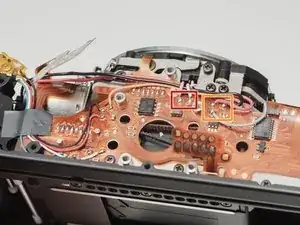
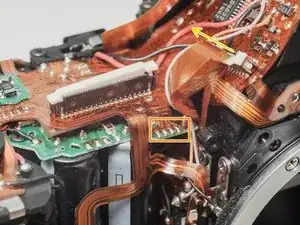
    • Desolder red, black, gray and orange wires.

    • Desolder flex contacts.

    • Disconnect flex connector.

    • Desolder yellow and purple wires.

  20. U2Xn6wmADmZKNqwq
    U2Xn6wmADmZKNqwq
    JoBWqYhKABNTdJlP
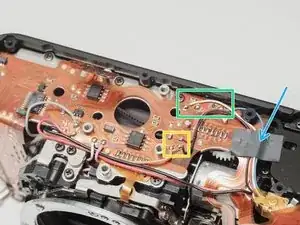
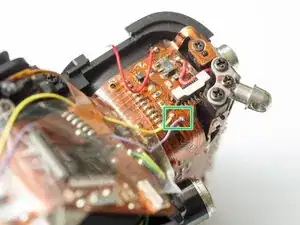
    • Desolder black wire.

    • Desolder battery contact tab.

    • Desolder flex contacts.

  21. IBirnIySmo6eaHIe
    IBirnIySmo6eaHIe
    pWTLxcIEGwYOV4PN
    • Desolder flex connection and remove from retention posts. Use isopropyl alcohol to soften the glue if necessary.

    • Carefully peal the flex cable from the surface of the flash capacitor. Use isopropyl alcohol to soften the glue if necessary.

  22. EACnlsoNYPmqrHMD
    EACnlsoNYPmqrHMD
    iBwQxjjPkpODqGPP
    • Remove two 5.0 mm #00 screws.

    • Remove the eye piece.

    • The outer cover of the eye piece is only attached with double sided tape and may come away on its own. Make sure the entire eye piece unit is removed before proceeding.

  23. vSFMCDtwUHuPPiWS
    vSFMCDtwUHuPPiWS
    vSQMxytA4CqLT4gO
    • Remove one #00 screw.

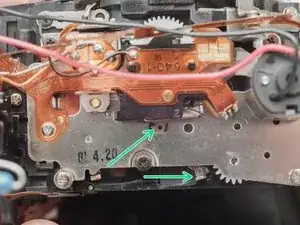
    • Reassembly Note: Ensure that the lower contact catches on the plastic nub and that the contact is open when the lens release button is not pressed.

  24. bVFItouYdfxJ5PEi
    bVFItouYdfxJ5PEi
    XkhWvXpjaiK1KAhq
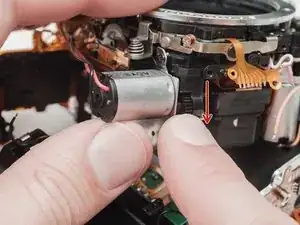
    • Rotate the black gear downward until the mirror flips up into the taking position. It may take several turns.

    • Some failures will result in the mirror appearing to be in the upper position but the internal mechanism is still "down". The mechanism needs to be moved to release the mirror box.

  25. Cjm5WA2MCuKPFgtV
    Cjm5WA2MCuKPFgtV
    QTOBndDTkYhG2I2M
    • Remove one 4.0 mm screw.

    • Gently lift the flex circuit away from the housing.

  26. KyuwSVPJcNVrWnxT
    KyuwSVPJcNVrWnxT
    TMfmQvXPMVcUYYqH
    • Remove two 6.5 mm #0 screws.

    • Remove one 8.0 mm #0 screw.

    • Remove one 4.0 mm #00 screw.

    • Remove one 4.5 mm #00 screw.

    • Remove two 2.5 mm #00 screws.

    • There may be a shim washer here. Remove if loose.

    • Remove one 4.0 mm #00 shoulder screw.

  27. EpAWIuTWLipU4cBp
    EpAWIuTWLipU4cBp
    IWxHYRhXQUg4YfjM
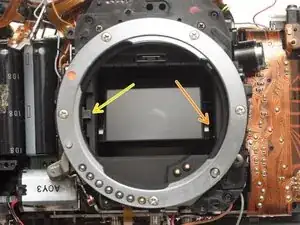
    • Push the mirror box up to free it from the bottom plate.

    • Lift the left side of the mirror box and rotate it up and out of the camera body.

    • Be gentle. Keep an eye out for any snagged flex cables or wires. The right side of the mirror box is still connected to the camera body and it cannot be completely removed.

    • Check for shim washers at the mount locations. Note location and remove if loose.

  28. BKvgP2SSIOSXdnrb
    • Desolder the black wire.

    • Remove one 3.0 mm #00 screw securing the mount LED.

    • Remove five 3.5 mm #00 screws.

  29. 2NsaCIFPGIgdFEHQ
    2NsaCIFPGIgdFEHQ
    AVSgOULnir6fmc6i
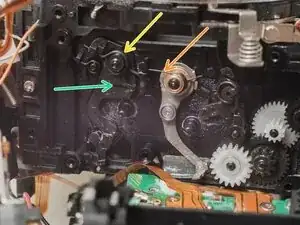
    • Remove two drive gears from the mirror box.

    • Remove shutter charge lever spring.

    • Remove mirror drive lever spring.

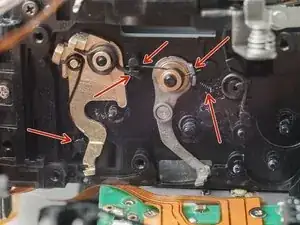
    • Remove mirror drive lever.

  30. XdgRkRCKdfqACS6A
    • Transfer the two springs from the old drive lever to the new drive lever.

    • Install the new drive lever.

    • Check that all the bias springs are correctly tensioned against the indicated posts.

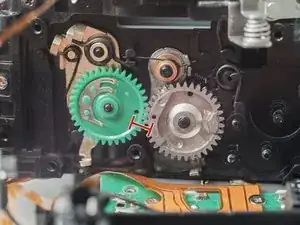
  31. sKW5L4vchcLZNbjj
    • Ensure that the indicated holes are aligned when installing the drive gears.

  32. OhUmnu5IPa1SajAd
    OhUmnu5IPa1SajAd
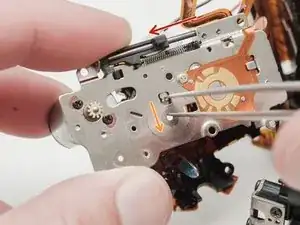
    arDKeSwMMicqX4wS
    • Slide the aperture actuator to the left.

    • Pinch the small lever downward and let it snap back into place.

    • The aperture actuator should be held in place on the left end of its travel if done correctly.

  33. YKkxWPPJgnTASeIX
    YKkxWPPJgnTASeIX
    jTbjeKEJeXcrRwwm
    RVeYpXIkmXE6hpRP
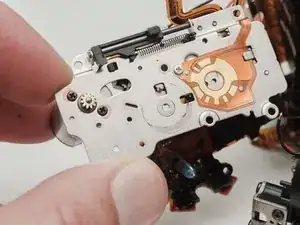
    • Install mirror motor plate.

    • Turn the black gear downward to move the mirror through a full cycle.

    • Check that the mirror comes all the way down onto the mirror rest when in the taking position.

    • Check that the aperture control mechanism is moving in its slot.

    • Continue turning the black gear until this hole appears in the opening and the shutter charge lever moves to the right.

    Does the shutter need to be charged like in the ZX-5N repair procedure?

    MrFixxiFrM -
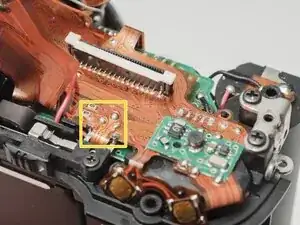
    Nope, it works a little different.

    Sam Gustafson -
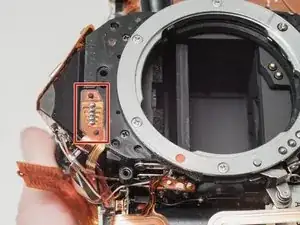
    • Make sure all wires and flex cables are in their proper place before beginning the install. Monitor carefully to avoid pinching things in the wrong place.

    • Apply a low DC voltage (3-6 V) to the mirror motor to check the operation of the mirror box. Normal movement in the shutter blades, aperture control and mirror should be observable.

Conclusão

To reassemble your device, follow these instructions in reverse order. Be careful to route wires and flex cables in the way that they were originally assembled.

Sam Gustafson

Membro desde: 02/09/22

10623 Reputação

11 comentários

wow, this is not for the faint of heart!

Jonas Bohatsch -

Wow! Respect!!!

akonvisher -

Wow!! respect!!!

akonvisher -

I need this part. Anyone know where I can find one?

salazam -

There is an STL file available on the main camera page, which you can send to an online 3D printing service. I would recommend using a lost wax brass casting process. Companies like Shapeways can do this for relatively cheap.

Sam Gustafson -

Hi would you be able to expand on how to discharge the flash? Where do I purchase a 1kΩ-10kΩ high power resistor? Thanks!

nateav -

Sure. When you are speccing out a resistor, it will have a power rating. The basic resistors that come with starter electronics kits are typically 1/4 Watt resistors. The little brown ones with the color coded stripes. These will burn up after a few uses because the capacitors can push a lot of current while they are discharging. So you want to look for a resistor with a higher power rating. I found some 20W resistors for cheap that work quite well. They are physically larger and have a white ceramic body to help dissipate the heat/power. I imagine even a 5W or 10W resistor would be sufficient. I also soldered some insulated wire to the leads so I could handle them. You do not want to be touching bare metal when you discharge the capacitors. You can find these resistors on eBay or amazon for under $10 a pack.

Sam Gustafson -

Hi! Sorry one more question. I think I’m in a little over my head and a bit nervous to do this myself. Any chance I can send it off to you to do? I have the new brass part and will of course pay for it. Let me know, thanks!

nateav -

email me at samscamerabench@gmail.com

Sam Gustafson -

Would it be possible to 3D print the drive lever with a normal 3D printer? Out of PETG or PC maybe?

MrFixxiFrM -

I don't have much experience 3D printing my own parts, so I'm not sure. But my first thought would be that if the injection molded part broke, the 3D printed part probably will too. If a temporary fix is all you need, it might be enough.

Sam Gustafson -