Introdução
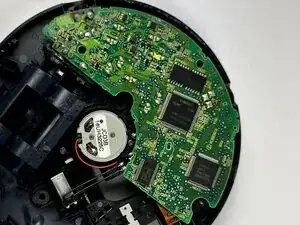
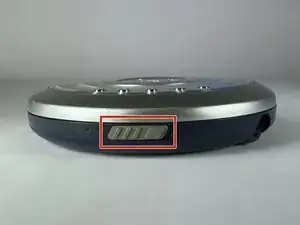
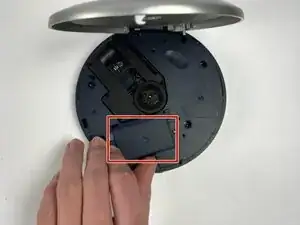
If your Panasonic SL-MP73J motherboard is damaged from water, corrosion, or other factors, use this guide to replace it. The motherboard is vital to the overall operation of the device. Take care when replacing this component, as it is connected to the motor housing with a delicate ribbon cable. Before replacing this component, make sure the batteries are removed from the device.
Ferramentas


-
-
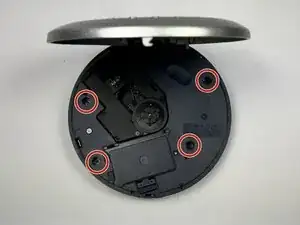
Use your Phillips #00 screwdriver to remove the four 7 mm-long screws from the corners of the bottom interior plate.
-
-
-
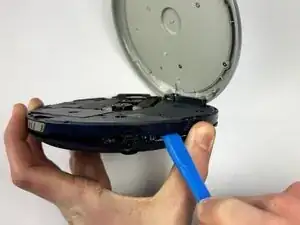
Find an opening between the interior bottom plate and the bottom of the player where you can fit your plastic prying tool, and gently lift along the edge using the tool.
-
-
-
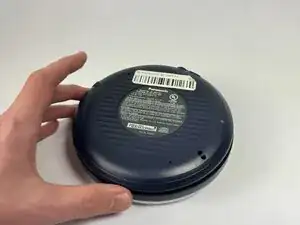
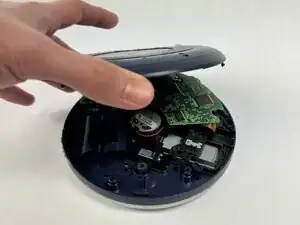
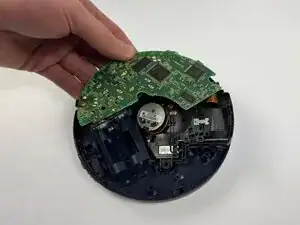
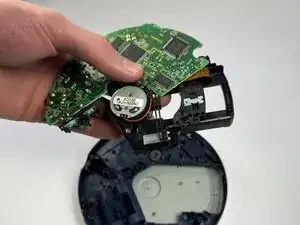
Once you have detached all the connectors with the prying tool, lift the base plate off the interior bottom plate.
-
-
-
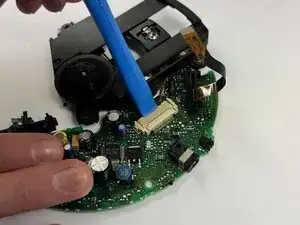
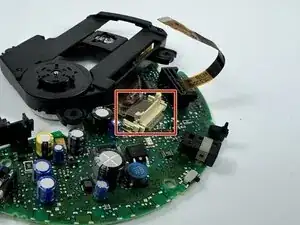
Using your plastic prying tool, pry up the connecting bracket to remove the ribbon cable. This should disconnect the motor from the motherboard.
-
To reassemble your device, follow the above steps in reverse order.
Take your e-waste to an R2 or e-Stewards certified recycler.
Repair didn’t go as planned? Try some basic troubleshooting or ask our Answers community for help.