Introdução
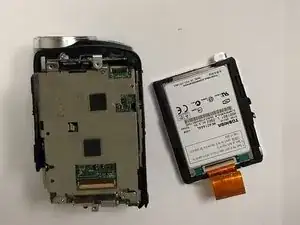
The hard drive in the Panasonic SDR-H40P stores all your recorded videos and photos, functioning as the camcorder's data storage unit. However, over time, the hard drive in your Panasonic SDR-H40P camcorder may fail due to age, physical damage, or wear and tear. These issues can lead to recording errors, freezing during playback, and camera failure. Replacing the hard drive can restore your camcorder and extend its lifespan without data interruptions. This task requires some patience and gentle care; however, this guide will walk you through the entire procedure.
Ferramentas

-
-
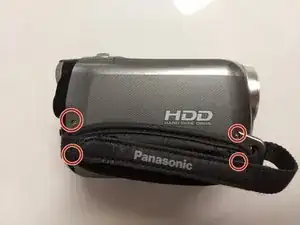
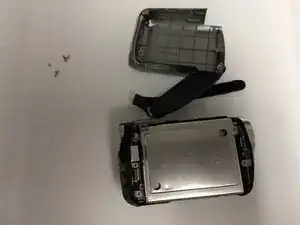
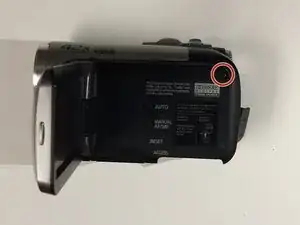
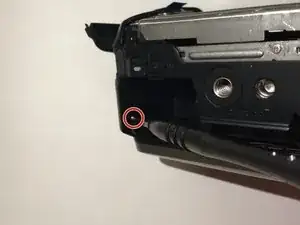
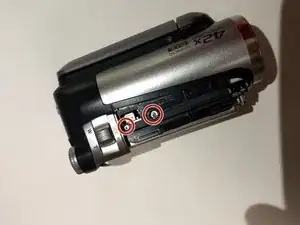
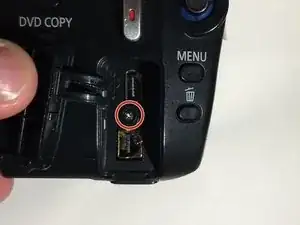
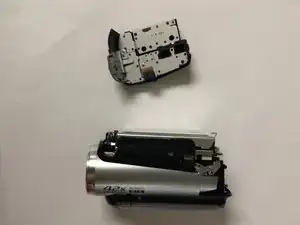
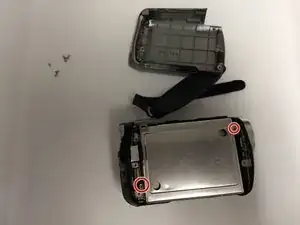
Remove right side shell. There are two screws that are right behind the strap that also need to be removed.
-
-
-
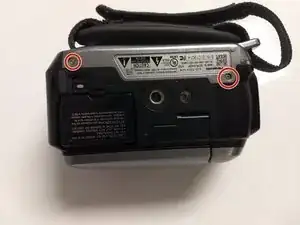
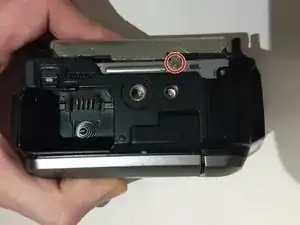
Remove the three screws highlighted in the pictures shown.
-
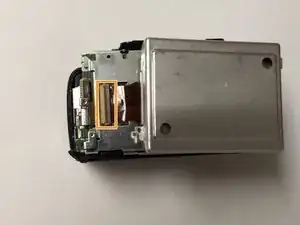
To avoid damaging the device, slowly pick up the hard drive to reveal an orange ribbon cable attached to the motherboard pull back on the dark brown tab and carefully pull out the ribbon cable . Then you may proceed with removing the hard drive.
-
To reassemble your device, follow these instructions in reverse order.
