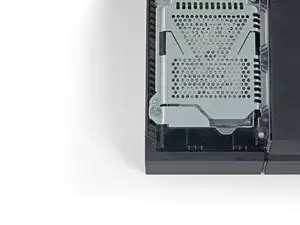
Introdução

This is a prerequisite-only guide! This guide is part of another procedure and is not meant to be used alone.

  1. XODFiLajUW1pXiQT
    XODFiLajUW1pXiQT
    Z15kif4HQcDYPxVU
    ujUlbGSNrlqRlycV
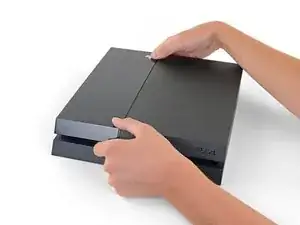
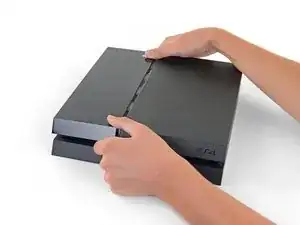
    • Grip the PS4 with both hands along the gap in the top cover.

    • Push the glossy side of the top cover with your thumbs until it pops to the side.

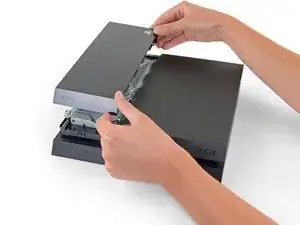
    • Lift the glossy top cover up and back to remove it from the PS4.

    I have a CUH-1102A version of this PS4.

    Would this teardown work for it?

    Cary B -

    The model I'm working on, CUH-1216A, does not have a "glossy" side. It would be better to call it the narrower side or something like that. Apart from that, the instructions worked.

    SirIzalot -

  2. 4jG4MsFWDV6TOc4K
    4jG4MsFWDV6TOc4K
    RTxxNkPWMlPqEFCE
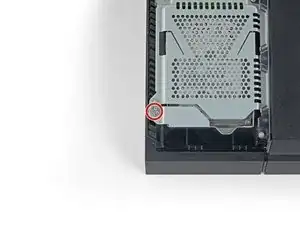
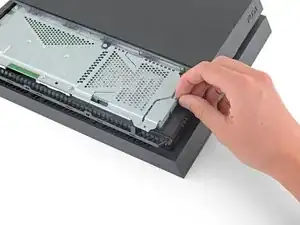
    • Use a Phillips screwdriver to remove the 6.5 mm screw securing the hard drive bracket to the enclosure.

    This was a Torx on my PS4.

    Ella -

  3. cVNDJIs1PHwFiv1K
    cVNDJIs1PHwFiv1K
    bZq6BRMigBrWhATA
    p3SAR2gJw22qmID5
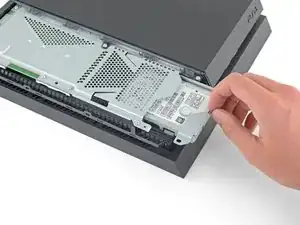
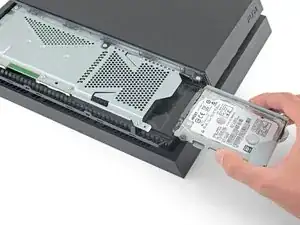
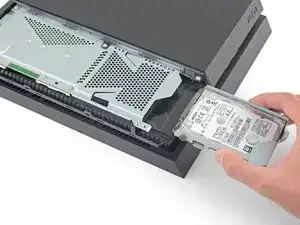
    • Pull the hard drive bracket out of the enclosure.

    • Be careful not to drop the hard drive. The internal components are fragile and are susceptible to damage by sudden shock.

    Can these take an SSD?

    Cary B -

    Yes they can

    Jonathan Gibson -

    Yes it can used SSD hd it more speed and have quick response in open consel & games

    SAAD M.H. -

    CUH-1216A: A single Philips screw needs to be removed before the HDD can be taken out. It should be fairly obvious which one; it's all the way at the front of the console.

    SirIzalot -

Conclusão

To reassemble your device, follow these instructions in reverse order.

Sam Omiotek

Membro desde: 25/02/19

95927 Reputação

0 comentários