Introdução
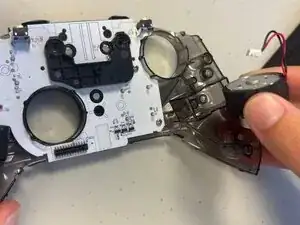
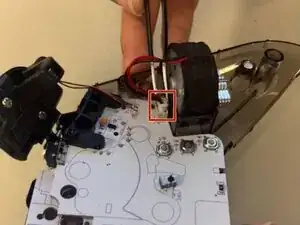
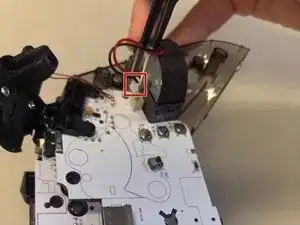
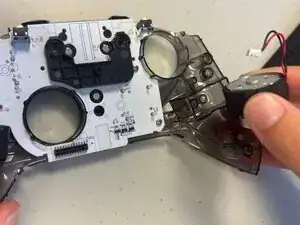
Replacing the rumble motors help enhance the players gaming experience by giving a physical sensation of in-game actions. It can create vibration feedback by spinning an off-center weight. It can simulate in-game events like explosions, gun recoil, or road surfaces. Over time, these motors can wear out, weaken, or stop functioning entirely. In the steps provided, we will show how to effectively remove and replace the rumble motors.
Ferramentas


-
-
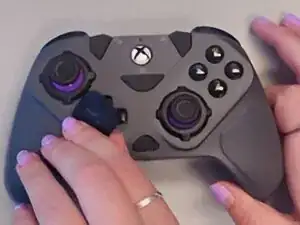
Remove the d-pad.
-
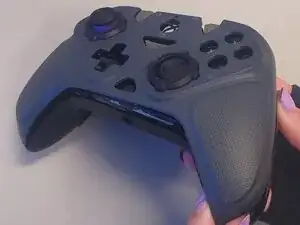
Use a prying tool or hand between the gap of rear and front case.
-
Pry around the perimeter with finger until the front case releases.
-
Remove the front case.
-
-
-
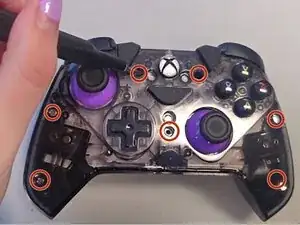
Use a Phillips #000 screwdriver to remove the seven 9 mm-long screws securing the midframe.
-
Remove the midframe.
-
To reassemble your device, follow the above steps in reverse order.
Take your e-waste to an R2 or e-Stewards certified recycler.
Repair didn’t go as planned? Try some basic troubleshooting or ask our Answers community for help.
