Introdução

  1. uUT1yrXZoQZJv1EZ
    uUT1yrXZoQZJv1EZ
    BkHYX4n1Vd2nTOfe
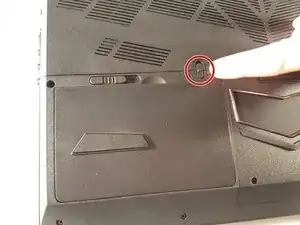
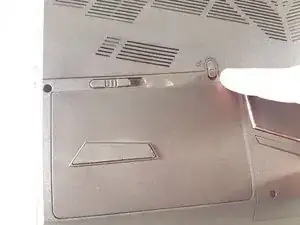
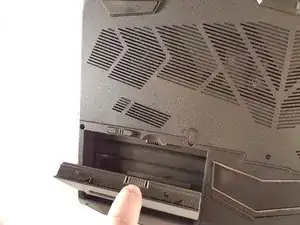
    • Déverrouillez le verrou entouré en rouge.

  2. AhPGi1bk3uaMELTH
    AhPGi1bk3uaMELTH
    kDlNMpGW5ACJxCFS
    dFWEIYlhWhDEO3Da
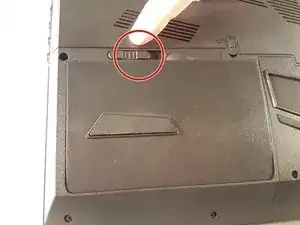
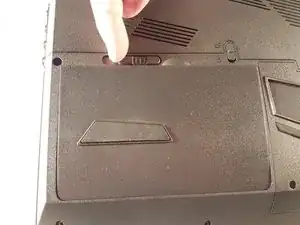
    • Soulevez la batterie tout en déverrouillant le verrou entouré en rouge.

  3. BOFxD5edmLJYWJRm
    BOFxD5edmLJYWJRm
    xNXFSwk1XZllwrbQ
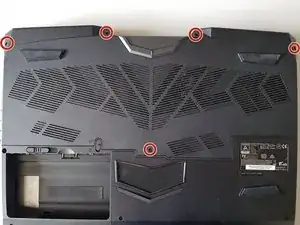
    • Dévissez les cinq vis entourées en rouge.

  4. AHNXoZMHRKR2GRJ5
    AHNXoZMHRKR2GRJ5
    SVGcTpH6rII5gFJk
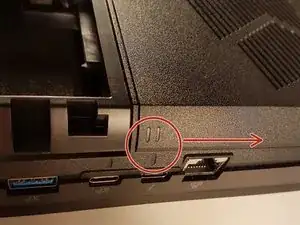
    • Faites coulissez la plaque dans le sens de la flèche rouge.

  5. ngaqRI1LtuVDBYKW
    ngaqRI1LtuVDBYKW
    rjZ45mrTVEgFQVaP
    • Soulevez la plaque.

  6. X5TUorGU4FHuheJJ
    X5TUorGU4FHuheJJ
    RBALDZfcrue6XbLt
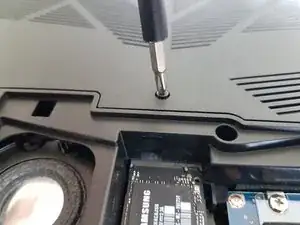
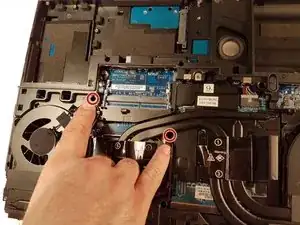
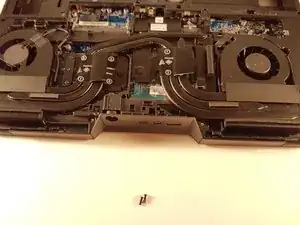
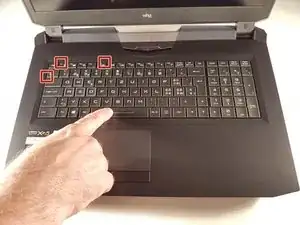
    • Dévissez les deux vis entourées en rouge

  7. B3oTxMethOOj3o2B
    B3oTxMethOOj3o2B
    634e53hheo1AmZnM
    qKWp6Icx2pKWMHNI
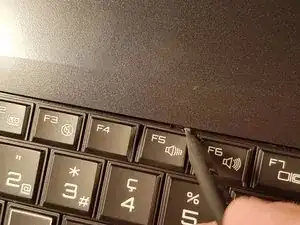
    • Enfoncez un trombone dans les trois endroits indiqués en rouge

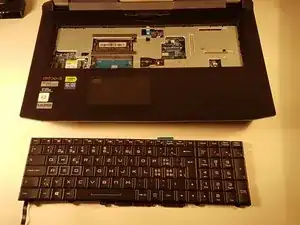
    • Soulevez le clavier et n'hésitez pas à mettre un peu de force

  8. GBONIttjk2xVtWbi
    GBONIttjk2xVtWbi
    dyxOi16pPXiVhLGH
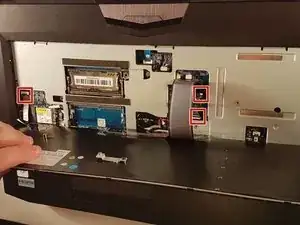
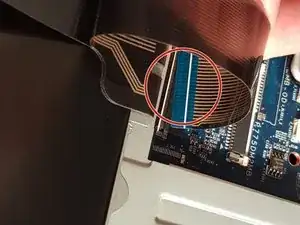
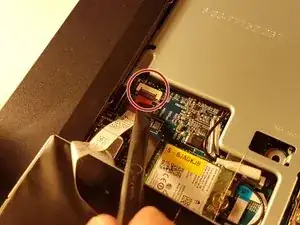
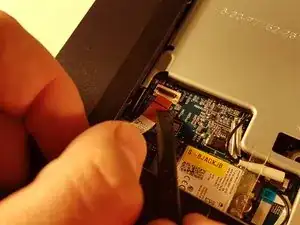
    • Déconnectez les trois connecteurs encadrés en rouge

  9. SfWEgLFBNotPkOEL
    SfWEgLFBNotPkOEL
    2NhtIZaVvgqaYCyZ
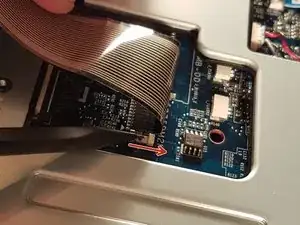
    • Tirez le tiroir blanc dans la direction de la flèche pour déverrouiller le connecteur

    • Déconnectez le connecteur entouré en rouge

  10. KXecpVQ3G3iJ2PoJ
    KXecpVQ3G3iJ2PoJ
    l4Wffxlxmc3SNyZw
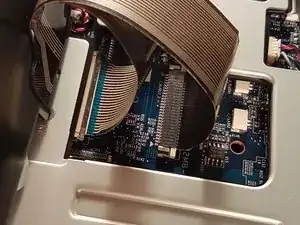
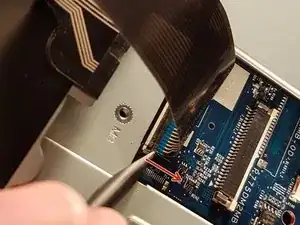
    • Tirez le tiroir noir dans la direction de la flèche pour déverrouiller le connecteur

    • Déconnectez le connecteur entouré en rouge

  11. 5IXVZYyjBhNSvoti
    5IXVZYyjBhNSvoti
    TfMyvIw5LB4RLImA
    N6uQ2pZKjumuKxKY
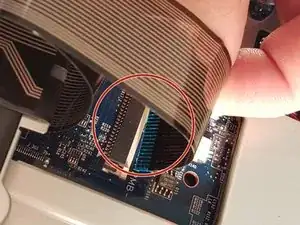
    • Soulevez le clapet qui retient le connecteur entouré en rouge

    • Déconnectez le connecteur entouré en rouge

    • Enlevez le clavier

  12. rcGqTn5OmUXdbQDi
    rcGqTn5OmUXdbQDi
    VuIHFu6jUxIUAvAb
    yEGbnXQJS46GBqqP
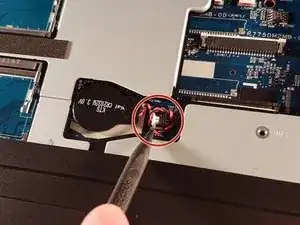
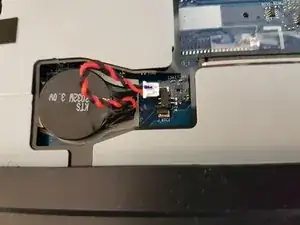
    • Déconnectez le connecteur entouré en rouge

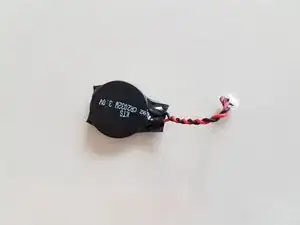
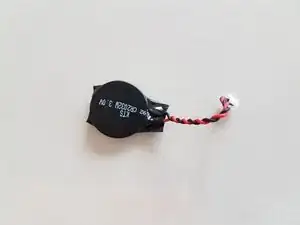
    • Retirez la pile

    When sourcing a replacement battery note which connector pin has the red wire. This is shown most clearly in the middle photo for step 12. Be careful, as similar batteries have the reverse polarity.

    I bought a ten-pack of batteries for less than some suppliers were selling a single battery. EEMB CR2032-Molex51021-RP (CR2032-MX51021-RP). The connecting wires were longer than the original, but were easy to fit into the battery space.

    Very many thanks for this great guide - it saved me a lot of unnecessary work.

    Terry Payman -

Conclusão

Pour réassembler votre appareil, suivez les instructions dans l'ordre inverse.

Felice Suglia

Membro desde: 15/06/13

33562 Reputação

Um comentário

When sourcing a replacement battery note which connector pin has the red wire. This is shown most clearly in the middle photo for step 12. Be careful, as similar batteries have the reverse polarity.

I bought a ten-pack of batteries for less than some suppliers were selling a single battery. EEMB CR2032-Molex51021-RP (CR2032-MX51021-RP). The connecting wires were longer than the original, but were easy to fit into the battery space.

Very many thanks for this great guide - it saved me a lot of unnecessary work.

Terry Payman -