Introdução
Ferramentas


-
-
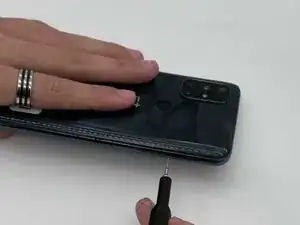
Insert a SIM card eject tool into the hole on the side of the phone, just below the SIM tray.
-
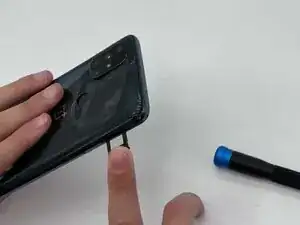
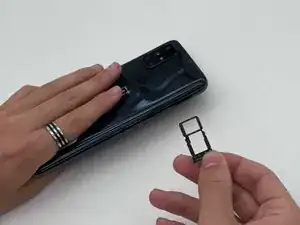
Press firmly to release the tray, then pull it out the rest of the way.
-
-
-
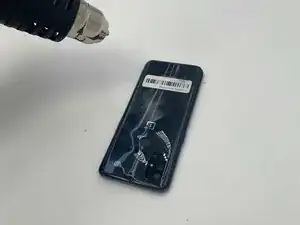
Place your phone on a clean, heat resistant surface or mat.
-
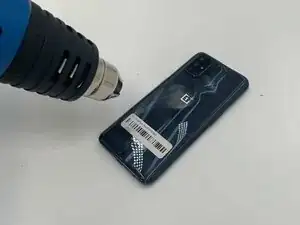
Position the tip of the heat gun 2–3 inches above the device.
-
Move the heat gun along the edge of the back cover of the phone. Always keep the heat gun in motion, and never leave it over one spot for too long—doing so could damage the device.
-
Heat the glue around the fingerprint button, moving it in small circles.
-
-
-
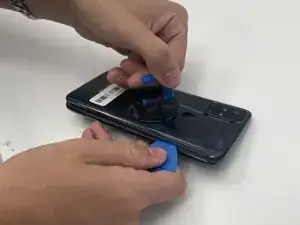
Place the suction cup onto the back and squeeze. Gently pull on the suction cup.
-
Insert an opening pick in the space between the front and back cover and slide it around the perimeter to loosen the glue.
-
Slowly remove the bottom cover.
-
-
-
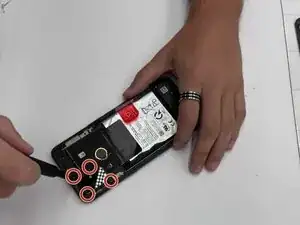
Use a small Phillips screwdriver to loosen the four screws securing the camera lens.
-
Carefully remove the lens.
-
-
-
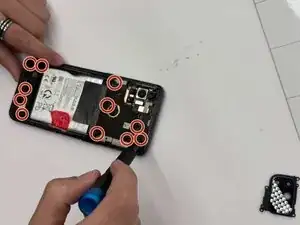
Use a Phillips screwdriver to remove the eleven screws around the back to remove the mid frame.
-
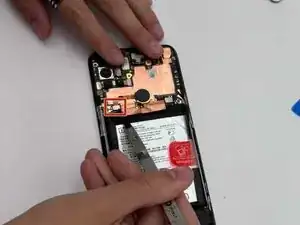
After that, use an opening tool to slowly pry off the mid frame.
-
Do not poke the battery with the screwdriver.
-
-
-
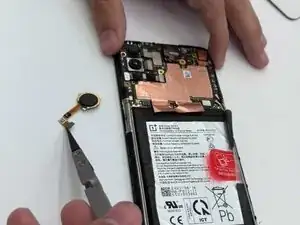
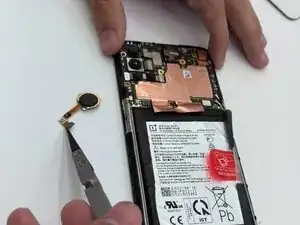
At this point, you should see a small circle, suspended above the battery by a small orange cord. Using a prying tool, carefully pull the cord up until it pops out.
-
Remove the fingerprint sensor.
-
To reassemble your device, follow these instructions in reverse order. Apply new adhesive where necessary after cleaning the relevant areas with isopropyl alcohol (>90%). Take your e-waste to an R2 or e-Stewards certified recycler.